
 Arabic
  English
  Turkish
  Chinese
  Japanese
  Russian
  Spanish
  German
  French
  Hindi
Hindi Download AutoStitch 1.0 for Windows
Download AutoStitch 1.0 for Windows.
AutoStitch Overview
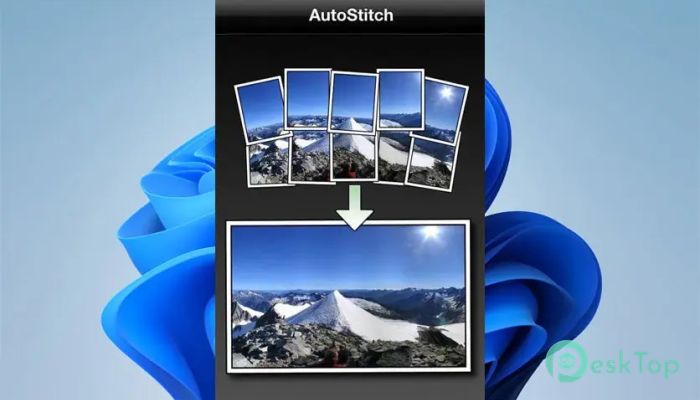
It is designed to solve a simple but common problem: a single camera shot never captures everything the human eye can see. While our vision covers a wide angle, most cameras capture only a small portion of that space. This software bridges that gap by combining multiple photos into one large, seamless panorama. Instead of asking users to manually arrange images or set complex parameters, the tool works quietly in the background. It scans a folder of photos, detects how they relate to each other, and merges them into a single wide view. The entire process feels like magic, similar to pouring many puzzle pieces onto a table and watching them assemble on their own. How the Stitching Process Works At the core of the software is a powerful image-matching method, the SIFT algorithm. This technique looks for distinctive visual patterns within photos, such as corners or textured areas, and compares them across images. When matches are found, the tool understands how the photos overlap. Once relationships are identified, everything is aligned automatically. Think of it like lining up transparent sheets until the drawings match perfectly. After alignment, advanced blending techniques smooth out edges and lighting differences, ensuring the final image looks natural and continuous.Features of AutoStitch
Fully Automatic Image Recognition
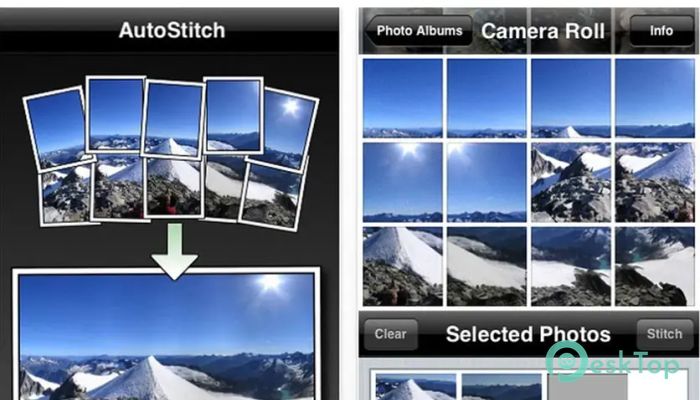
One of the software's strongest features is its ability to recognize which images belong together without user guidance. You can drop an unordered collection of photos into the program, and it figures out the rest. There is no need to rename files, arrange sequences, or define overlap regions.
This automatic recognition allows entire panoramas to be built without clicks, sliders, or technical knowledge. It feels similar to placing raw ingredients into a blender and getting a perfectly mixed drink without adjusting speed or timing.
Ease of Use for Everyone
The software focuses heavily on simplicity. There are no confusing menus or advanced configuration screens to slow you down. Users only need to select a group of digital photos, and the tool handles everything else behind the scenes.
This approach makes it ideal for beginners who want quick results, while still being powerful enough for experienced users who value speed. It respects your time by removing unnecessary steps and letting automation do the heavy lifting.
Expanding the Field of View
By stitching multiple images together, the software creates a composite view far wider than any single camera frame. This is especially useful for landscapes, architecture, group photos, or travel shots where capturing the full scene matters.
The final panorama often feels closer to how the human eye remembers a place. Instead of narrow slices of reality, you get a broad visual memory that flows naturally from one side to the other.
Reliable Alignment and Blending
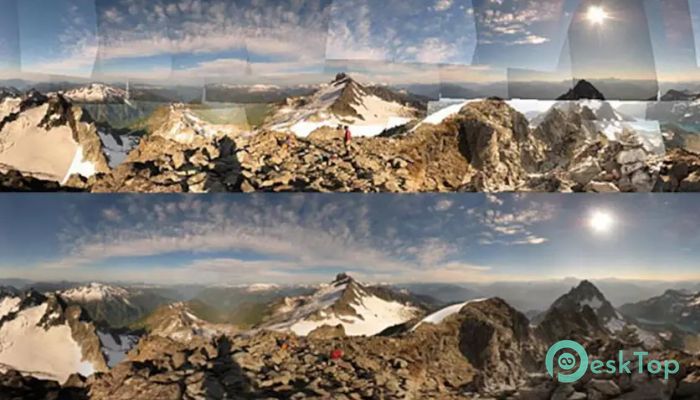
Misalignment and visible seams can ruin a panorama. The software avoids this problem by using robust alignment techniques that correct small camera movements and perspective differences. Even photos taken handheld usually align cleanly.
Blending algorithms then smooth exposure differences and color variations. This step is like sanding the joints of wooden boards until they look like a single piece of furniture, clean and continuous.
Practical Uses in Everyday Work
This tool is useful in many situations. Photographers can quickly build panoramic landscapes, travelers can document wide city views, and hobbyists can create impressive visuals without learning complex editing software.
It also fits well in academic and research environments where fast, consistent image mosaics are needed. The automation ensures repeatable results with minimal effort.
System Requirements and Technical Details
Operating System: Windows 11 / 10 / 8.1 / 7
Processor: Minimum 1 GHz Processor (2.4 GHz recommended)
RAM: 2GB (4GB or more recommended)
Free Hard Disk Space: 200MB or more is recommended

-
Program size6.41 MB
-
Version1.0
-
Program languagemultilanguage
-
Last updatedBefore 8 Month
-
Downloads34
 Paragon Hard Disk Manager 18 Business
 Aescripts MaskMotion
 Aescripts AE Glass
 Aescripts PreFlight
 Aescripts Risograph
 Aescripts Folder Fanatic