
 Arabic
  English
  Turkish
  Chinese
  Japanese
  Russian
  Spanish
  German
  French
  Hindi
Hindi Download AWZ Media Player 1.0 for Windows
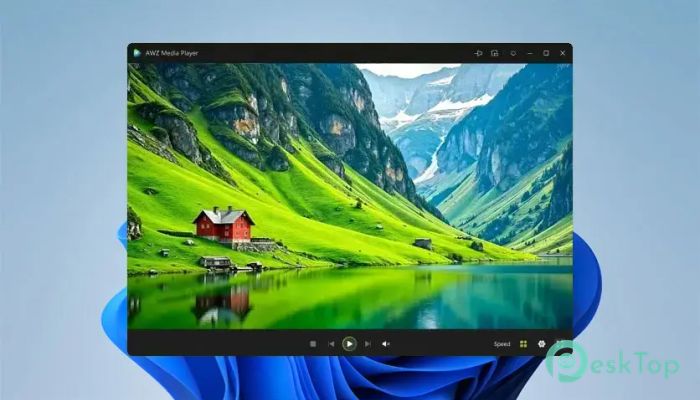
Download AWZ Media Player 1.0 for Windows.
AWZ Media Player Overview
This software is made for users who want simple media playback without common file errors, missing codec messages, or slow loading. It supports many popular and rare audio and video formats, so you can open your media files with confidence. Whether you want to watch a movie, listen to music, preview a clip, or manage your personal videos, the tool delivers a clean, fast experience. It is more than a basic player. The software also includes helpful editing and conversion features, which make it useful for students, office users, content creators, and home users. Instead of installing multiple tools, you can use a single program for playback, format conversion, trimming, compression, and audio cleanup.Features of AWZ Media Player
Support for 80+ Audio and Video Formats
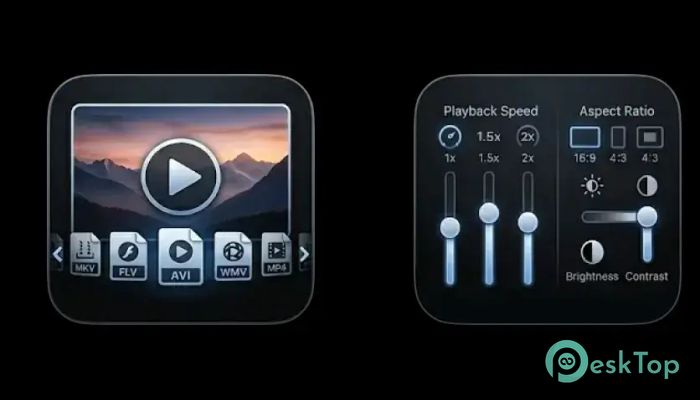
The tool includes built-in codec support, so you do not need to search for additional codec packs. It can play common formats such as MP4, MKV, AVI, MOV, MP3, WAV, and more. This makes it a handy choice when your default Windows player fails to open a file.
Its wide-format support is useful for people who download, record, or receive media from various devices. Some files may come from phones, cameras, screen recorders, or online sources. The software handles these files smoothly and helps reduce annoying playback problems.
Smooth Playback Experience
A good player should feel light, quick, and stable. This program focuses on smooth video and clear sound, even when handling larger files. It helps reduce stuttering, lag, and sync issues, giving you a better viewing experience from the first click.
The interface is simple, so you do not feel lost while using it. You can open files quickly, control playback easily, and enjoy your content without dealing with complicated menus. It feels like a clean media desk, with every important tool close to your hand.
Advanced Playback Controls
The software gives you more control over how your media looks and sounds. You can adjust playback speed when you want to watch tutorials faster or slow down an important scene. You can also change the aspect ratio to match your screen and improve viewing comfort.
Brightness and contrast settings are also available, which help when a video is too dark or too bright. These small controls can make a big difference, especially when watching old clips, recorded lectures, or low-light videos.
Subtitle and Audio Track Support
The tool supports external subtitles, making it useful for movies, shows, lectures, and foreign-language videos. You can add subtitle files and adjust synchronization if the text appears too early or too late. This makes the watching experience cleaner and easier to follow.
It also allows switching between multiple audio tracks. This is useful when a video includes different languages, commentary tracks, or alternate sound options. With just a few clicks, you can choose the audio track that fits your needs.
Built-In Video Converter
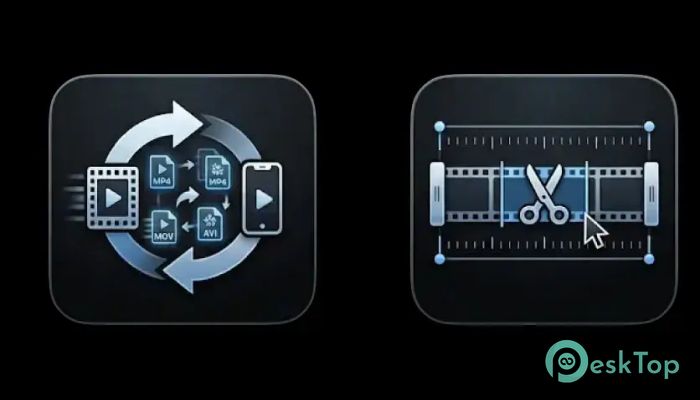
The included converter lets you convert media files to other formats without installing extra software. This is useful when a file does not play on your phone, TV, tablet, or another device. You can convert it into a more compatible format and use it anywhere.
The conversion process is designed to be fast and simple. You do not need deep technical knowledge. Just choose your file, select the output format, and let the software do the work. It saves time and keeps your workflow smooth.
Easy Video Trimming
The built-in trimming feature lets you remove unwanted parts from a video. You can cut long intros, ads, blank sections, or mistakes from recordings. This is useful for personal clips, online videos, presentations, and screen recordings.
The trimmer helps you keep only the best moments. It works like a digital pair of scissors, letting you shape your video into a cleaner, more useful final file. This feature is especially helpful when you want quick edits without opening a heavy video editor.
Compression and Denoise Tools
Large video files can take up too much space and become difficult to share. The compression feature helps reduce file size while keeping the media usable. It is useful for sending videos via email, uploading them online, or saving space on your PC.
The denoise option helps improve audio or video quality by reducing unwanted noise. This can make recordings sound cleaner and easier to understand. It is a helpful feature for recorded meetings, voice clips, tutorials, and old media files.
Simple Interface for Daily Use
The interface is built for comfort. You can play, convert, trim, and adjust files without jumping between different programs. This saves time and makes daily media tasks easier.
For beginners, the software feels friendly. For advanced users, it offers enough control to manage files properly. That balance makes it a smart option for anyone looking for a fast, practical media solution on Windows.
Why Use This Tool?
The biggest benefit is convenience. You get playback, conversion, trimming, compression, and quality improvement in one place. It eliminates the need to install multiple programs for simple media tasks.
It is also useful when working with different file types. Instead of worrying about whether a video will open or not, you can rely on one tool that supports many formats and gives you quick editing options whenever needed.
System Requirements and Technical Details
Operating System: Windows 11 / 10 / 8.1 / 7
Processor: Minimum 1 GHz Processor (2.4 GHz recommended)
RAM: 2GB (4GB or more recommended)
Free Hard Disk Space: 200MB or more is recommended

-
Program size643.66 KB
-
Version1.0
-
Program languagemultilanguage
-
Last updatedBefore 3 Month
-
Downloads133Ralated programs
![ChrisPC VideoTube Downloader Pro]() ChrisPC VideoTube Downloader Pro
ChrisPC VideoTube Downloader Pro![TranscribeKit]() TranscribeKit
TranscribeKit![Vision Search]() Vision Search
Vision Search![DVDFab]() DVDFab
DVDFab![Crynet Showcase]() Crynet Showcase
Crynet Showcase![OVRLEY]() OVRLEY
OVRLEY
 ChrisPC VideoTube Downloader Pro
 TranscribeKit
 Vision Search
 DVDFab
 Crynet Showcase
 OVRLEY