
 Arabic
  English
  Turkish
  Chinese
  Japanese
  Russian
  Spanish
  German
  French
  Hindi
Hindi Download Blender Addon - LiveLinkFace Add-On 0.3.0 for Windows
Download Blender Addon - LiveLinkFace Add-On 0.3.0 for Windows.
Blender Addon - LiveLinkFace Add-On Overview
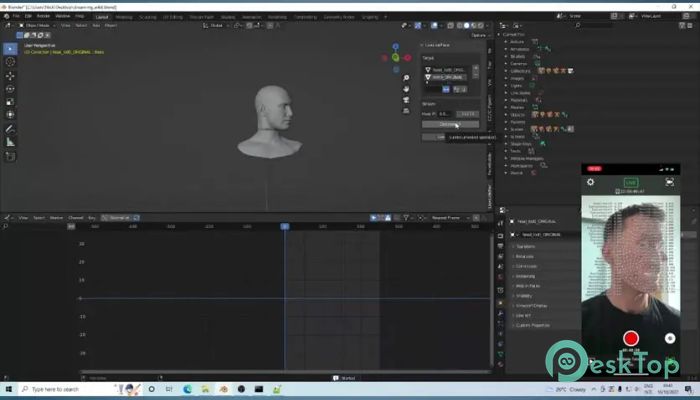
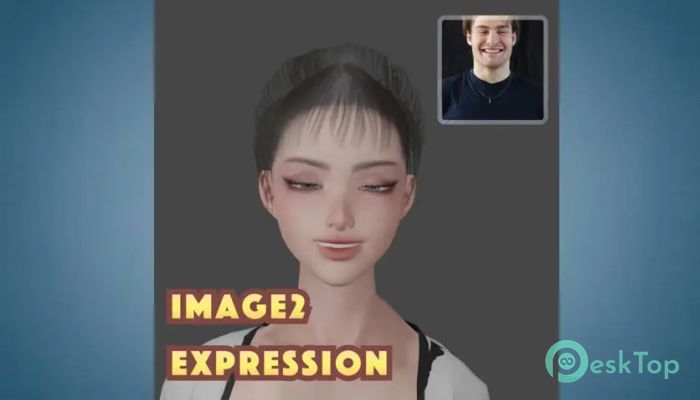
This tool is built for creators who want an easy way to bring facial performances into Blender. It works with the iPhone LiveLinkFace app and uses ARKit blendshapes to transfer facial movement data. Think of it as a digital mirror that captures authentic facial expressions and applies them to a 3D character. The setup is simple, the workflow feels natural, and the results look clean and believable. What This Add-On Is Designed For It is designed for animators, game developers, and content creators who want fast facial animation without complex rigs. Instead of manually keyframing expressions frame by frame, the tool lets real facial movements do the work. This saves time and keeps performances feeling human rather than robotic.Features of Blender Addon - LiveLinkFace Add-On
How Live Facial Streaming Works
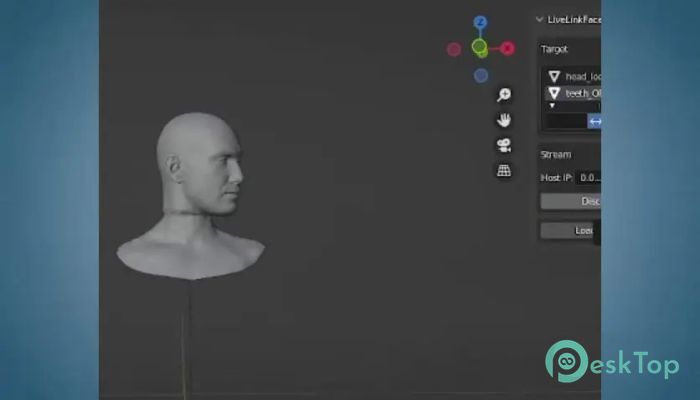
The software can stream live facial data from an iPhone running the LiveLinkFace app directly into Blender. As you move your face, the character moves too. It feels like puppeteering a digital mask in real time. This live connection is excellent for testing expressions, blocking scenes, or recording performances on the spot.
Importing Recorded Animations
The free version allows you to import recorded facial animations from CSV files created by the LiveLinkFace app. These files contain detailed blendshape data for every expression. Once imported, the animation plays directly on meshes that have matching shape keys or bones. It is like loading a performance and pressing play.
Mesh and Rig Compatibility
The add-on works with meshes that already have ARKit-compatible shape keys or bone setups. If the names match, everything connects smoothly. Even if they do not, the full version offers remapping tools. This flexibility makes it easier to use existing character models without rebuilding them from scratch.
Recording Directly Inside Blender
The full version enables recording facial animation streams directly into Blender actions. Instead of juggling external files, everything happens inside the software. It feels like recording audio directly into a timeline rather than importing it later. This keeps projects clean and organized.
Head and Neck Movement Automation
Setting up head-and-neck rotation can be tedious, but the full version simplifies the process with one-click controls. Using HeadPitch, HeadYaw, and HeadRoll blendshapes, the add-on automatically drives realistic head motion. It is like adding a steering wheel to a car rather than pushing it by hand.
Animation Smoothing and Filters
Raw facial capture data can sometimes look jittery. To fix this, filtering options are included to smooth out sudden movements. These filters polish the animation and make expressions flow more naturally. The result feels less like raw data and more like a refined performance.
Blendshape Remapping Made Simple
Different character models often use other naming systems for blendshapes. The full version includes remapping tools that solve this problem. You can easily bind incoming animation data to shapes with different names. This is like translating between two languages so both sides understand each other.
Workflow Benefits for Creators
Using this add-on speeds up production and reduces frustration. It eliminates the need for expensive motion-capture setups while still delivering expressive results. For solo creators and small teams, it offers professional-level facial animation at a lower cost.
Real-Time Feedback and Iteration
Because facial data can be streamed live, changes are instantly visible. This makes it easier to adjust expressions, timing, and intensity. It feels similar to rehearsing in front of a mirror instead of guessing how something might look later.
Use Cases Across Different Projects
It fits nicely into game development, short films, VTubing, and cinematic animation. Whether you are animating dialogue scenes or live performances, the add-on adapts to different creative needs. Its flexibility makes it worthwhile for more than one type of project.
Learning Curve and Ease of Use
The interface is clean and approachable, even for users new to facial capture. Basic features are easy to access, while advanced tools are available when needed. It is like riding a bike with training wheels that can be removed later.
System Requirements and Technical Details
Operating System: Windows 11 / 10 / 8.1 / 7
Processor: Minimum 1 GHz Processor (2.4 GHz recommended)
RAM: 2GB (4GB or more recommended)
Free Hard Disk Space: 200MB or more is recommended
Blender: 3x, 4x, 5x

-
Program size22.88 KB
-
Version0.3.0
-
Program languagemultilanguage
-
Last updatedBefore 9 Month
-
Downloads18
 Paragon Hard Disk Manager 18 Business
 Aescripts MaskMotion
 Aescripts AE Glass
 Aescripts PreFlight
 Aescripts Risograph
 Aescripts Folder Fanatic