
 Arabic
  English
  Turkish
  Chinese
  Japanese
  Russian
  Spanish
  German
  French
  Hindi
Hindi Download BytesMorph HEIC To JPG And PNG Converter 2.1 for Windows
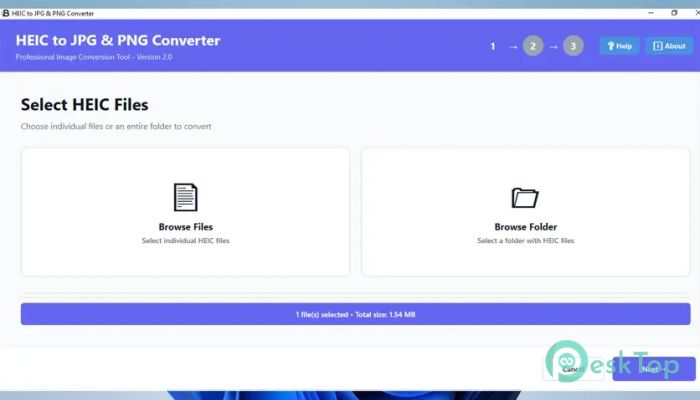
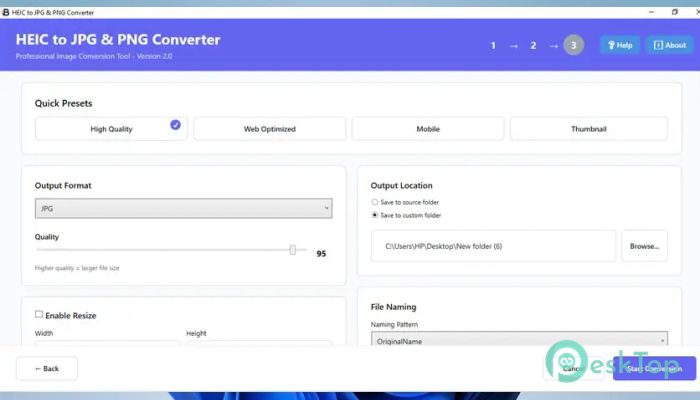
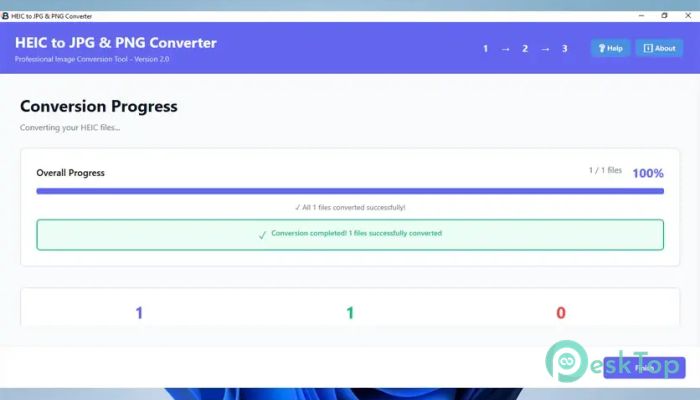
Download BytesMorph HEIC To JPG And PNG Converter 2.1 for Windows.
BytesMorph HEIC To JPG And PNG Converter Overview
This utility is designed to make image conversion feel effortless. Many users struggle when HEIC photos won't open on Windows or in older software. This solution acts like a universal translator, turning those images into formats that work everywhere. The focus is on speed, clarity, and ease of use, so even beginners feel confident from the first launch. Why This Tool Is Useful HEIC files are efficient but not always friendly with Windows apps. That is where the software steps in. It bridges the gap between modern image technology and everyday compatibility. You no longer need online converters or complex editors. Everything happens locally on your PC, keeping files safe and private.Features of BytesMorph HEIC To JPG And PNG Converter
Simple Three-Step Workflow
The design follows a clean three-step process. First, you add your images. Next, you choose the output format. Finally, you start the conversion. It feels like following road signs on a straight highway. No confusing menus or hidden settings slow you down, making the process smooth from start to finish.
Batch Conversion Made Easy
Handling hundreds of images one by one can feel like carrying water with a spoon. This tool solves that problem with batch processing. You can load entire folders and convert everything at once. The system handles the heavy lifting while you focus on your work.
Preserves Image Quality
Quality matters, especially for photographers and designers. The software ensures colors remain accurate and details stay sharp. The output files look just as clean as the originals, only in a more compatible format. There is no visible compression damage or unexpected changes.
User-Friendly Interface
The interface feels familiar and welcoming. Buttons are clearly labeled, and options are easy to understand. Even first-time users can navigate it without reading a manual. It feels less like using a technical tool and more like following common sense.
Supports JPG and PNG Formats
Choosing between JPG and PNG gives flexibility. JPG is well-suited for sharing and saving space, while PNG is ideal for transparency and high-quality requirements. The software lets you switch formats easily, depending on the task at hand.
Offline and Secure Processing
Online converters often raise privacy concerns. This utility works completely offline, meaning your images never leave your computer. It is like processing photos in your own locked room rather than in a public space. This approach adds peace of mind for personal and professional projects.
Fast Performance on Windows
Speed is another strong point. The conversion engine is optimized for Windows systems, delivering quick results even with large files. Waiting times are reduced, and system resources are used efficiently, allowing other tasks to continue smoothly.
Ideal for Multiple User Types
This solution fits many roles. Designers appreciate the clean output, photographers value quality retention, and casual users enjoy the simplicity. It adapts to different needs without forcing complex settings on those who do not need them.
Consistent Results Every Time
Reliability builds trust. Each conversion follows the same process to ensure consistent results. You do not get surprises or mismatched files. Every image comes out ready to use, share, or edit further.
System Requirements and Technical Details
Operating System: Windows 11 / 10
Processor: Minimum 1 GHz Processor (2.4 GHz recommended)
RAM: 2GB (4GB or more recommended)
Free Hard Disk Space: 200MB or more is recommended

-
Program size55.84 MB
-
Version2.1
-
Program languagemultilanguage
-
Last updatedBefore 10 Month
-
Downloads17
 Paragon Hard Disk Manager 18 Business
 Aescripts MaskMotion
 Aescripts AE Glass
 Aescripts PreFlight
 Aescripts Risograph
 Aescripts Folder Fanatic