
 Arabic
  English
  Turkish
  Chinese
  Japanese
  Russian
  Spanish
  German
  French
  Hindi
Hindi Download Danterolle Tilf 0.3 for Windows
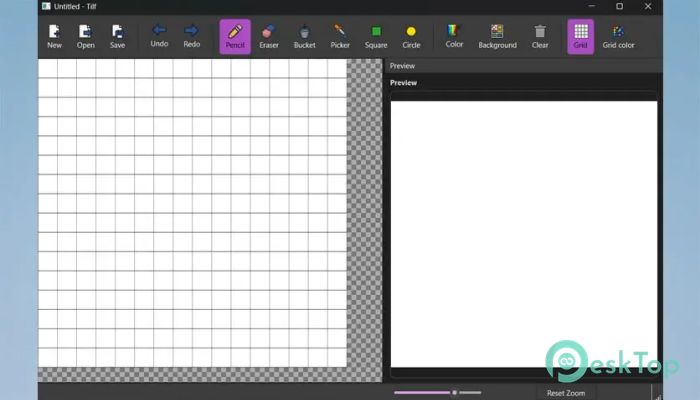
Download Danterolle Tilf 0.3 for Windows.
Danterolle Tilf Overview
This editor is built with PySide6 and focuses on simplicity while maintaining all the core features a digital artist needs. It provides a clean and minimal workspace, making it ideal for beginners and professionals who prefer efficiency over clutter. The tool offers layers, color palettes, and basic animation previews, helping creators bring their artistic visions to life in pixel-perfect form. Whether you are designing a retro game character or crafting small interface icons, this application keeps things smooth and intuitive. It provides precise control over each pixel, enabling you to achieve detailed results without getting lost in unnecessary complexity. Moreover, it supports modern export formats, ensuring compatibility with the majority of design pipelines and engines.Features of Danterolle Tilf
Simple and clean user interface for efficient creation.
Real-time live preview while drawing and editing.
Supports multiple export options like PNG and GIF.
Undo and redo functionality for easy workflow correction.
Customizable color palette and pen size options.
Lightweight and fast performance with low system usage.
Zoom and grid tools for better accuracy and precision.
Supports keyboard shortcuts for quick operations.
Auto-save and recovery options to prevent data loss.
Cross-platform support for Windows and Linux users.
User Interface and Workflow
The interface is intentionally designed to stay distraction-free. The layout includes a central canvas surrounded by simple toolbars. This layout helps artists stay focused on their work without having to navigate through excessive menus. The live preview window lets users instantly see changes in real-time, which is especially useful when animating sprites or testing color combinations.
The workflow emphasizes speed and accessibility. You can easily switch between tools, select colors, or manage layers without interrupting your creative rhythm. Every feature is placed thoughtfully, allowing users to quickly find what they need. The software’s small file size and efficient engine ensure it runs smoothly even on older systems.
Drawing Tools and Customization
It includes a range of essential drawing tools, such as a pencil, eraser, fill bucket, line tools, and shape tools. These allow you to construct detailed sprites from scratch or refine existing artwork. Each tool can be customized to match your artistic style, allowing you to adjust brush size or opacity.
Additionally, you can create and save your custom color palettes, which is especially helpful for game artists maintaining consistent tones across different sprites. The grid overlay and snap-to-pixel feature ensure every element aligns perfectly, reducing mistakes during detailed design work.
Animation and Preview
While it remains lightweight, the editor doesn’t compromise on animation support. You can build small frame-based animations to test character movements, visual effects, or icon transitions. The real-time preview helps visualize how frames flow, ensuring smooth motion before exporting the final piece.
This functionality makes it useful for indie game developers and digital artists who need to test pixel animations without moving to a full-fledged game engine. The simplicity of the animation tools makes the process approachable even for beginners who are new to sprite animation.
File Export and Compatibility
The program supports exporting artworks in multiple formats, including PNG, GIF, and BMP. You can choose the resolution and transparency settings to fit the target platform. It ensures seamless integration with popular game engines and graphic design tools, making it a valuable addition to any creator’s toolkit.
The export system preserves color accuracy and pixel sharpness, ensuring your designs appear as intended across various devices. Additionally, the program’s autosave feature prevents the accidental loss of progress, a valuable feature for long, creative sessions.
Performance and Usability
Built with PySide6, it provides a smooth user experience with minimal system requirements. It launches quickly and performs efficiently even on lower-end computers. The minimal resource consumption allows you to multitask without worrying about performance drops.
Moreover, keyboard shortcuts enhance productivity by reducing the need for repetitive actions. Artists can switch tools, undo mistakes, or zoom in with just a few keystrokes. This helps maintain the creative momentum, allowing users to focus more on the art and less on navigating menus.
Why Choose This Pixel Editor
This tool stands out for its perfect balance between simplicity and functionality. Many advanced programs overwhelm beginners with too many options, but this one provides just what’s necessary to make great pixel art. Its speed, precision, and reliability make it suitable for both hobbyists and indie developers working on 2D projects.
It also benefits educators and students learning digital art because of its easy interface and responsive design. Whether you are sketching, shading, or animating, this editor offers a flexible environment that grows with your skills.
System Requirements and Technical Details
Operating System: Windows 11 / 10 / 8.1 / 7
Processor: Minimum 1 GHz Processor (2.4 GHz recommended)
RAM: 2GB (4GB or more recommended)
Free Hard Disk Space: 200MB or more is recommended

-
Program size53.68 MB
-
Version0.3
-
Program languagemultilanguage
-
Last updatedBefore 2 Month
-
Downloads9
 Paragon Hard Disk Manager 18 Business
 Aescripts MaskMotion
 Aescripts AE Glass
 Aescripts PreFlight
 Aescripts Risograph
 Aescripts Folder Fanatic