
 Arabic
  English
  Turkish
  Chinese
  Japanese
  Russian
  Spanish
  German
  French
  Hindi
Hindi Download DigiCamControl 2.1.7.0 for Windows
Download DigiCamControl 2.1.7.0 for Windows.
DigiCamControl Overview
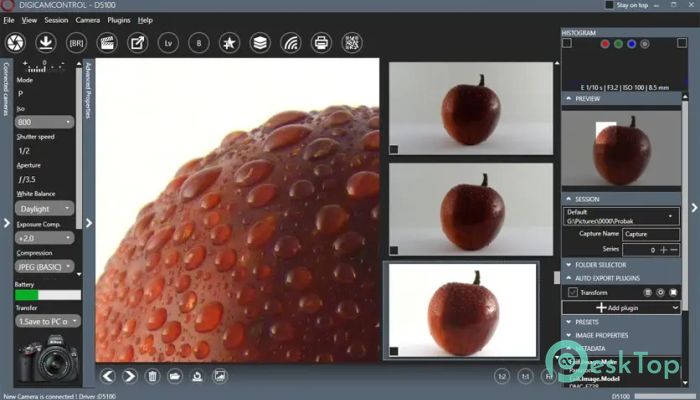
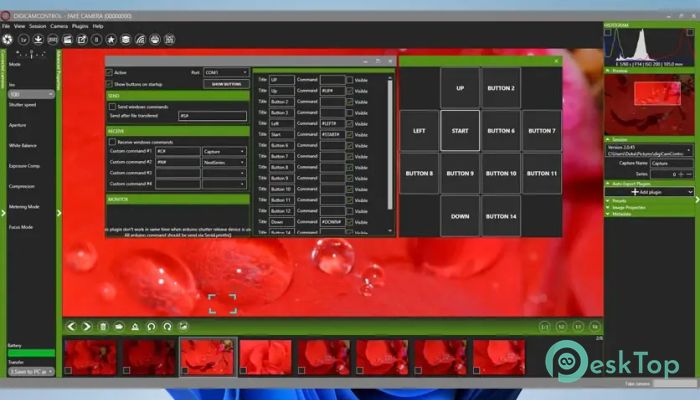
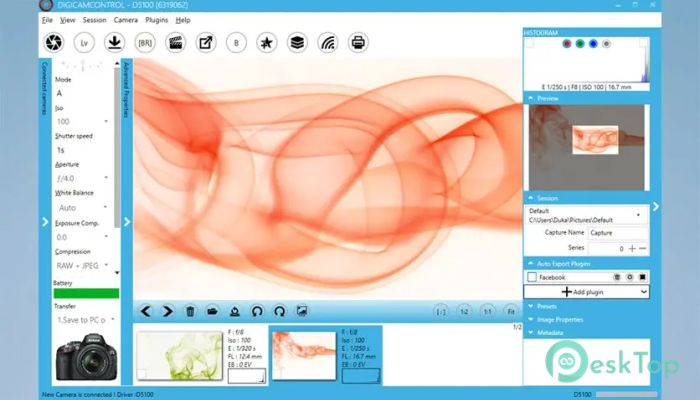
Modern photography often requires more than just pressing a shutter button. Whether you're shooting in a studio, capturing time-lapse videos, or managing multiple cameras, having proper control over your device becomes essential. This is where the tool provides a practical and efficient solution. It allows photographers to connect their cameras directly to a computer and manage everything from a single location. The software turns your PC into a powerful photography control center. Instead of manually adjusting camera settings, you can control them remotely, preview images instantly, and automate repetitive tasks. This approach improves productivity and helps photographers focus more on creativity rather than technical adjustments. From beginners to professionals, the tool provides a flexible environment that adapts to different workflows. It is lightweight, reliable, and designed to handle both simple photography sessions and complex multi-camera setups. Remote Camera Control Made Simple One of the most valuable aspects of the software is remote camera control. Instead of touching the camera every time you want to adjust settings, you can simply use your computer. This reduces camera shake, improves accuracy, and speeds up the shooting process. The software connects through USB and immediately recognizes supported cameras. Once connected, you can change exposure settings, adjust shutter speed, configure ISO, and control focus directly from your computer. This is particularly useful for studio, product, and macro photography, where precision matters most. Instant Image Preview on Computer Screen Imagine taking photos and seeing them instantly on a larger screen. This feature makes photography more comfortable and efficient. After capturing images, they appear directly on your computer monitor without needing to transfer files manually. This allows you to quickly evaluate focus, lighting, and composition. Instead of guessing whether a shot is perfect, you can instantly confirm it. This saves time and prevents mistakes, especially during professional shoots where accuracy is essential. Advanced Timelapse and Intervalometer The built-in intervalometer gives you full control over time-based photography. You can schedule shots at specific intervals and create stunning time-lapse sequences. Whether capturing sunsets, moving clouds, or city traffic, this feature makes it easy. You can configure interval time, number of shots, and exposure adjustments. The software even helps generate time-lapse videos after capturing images. This automation removes manual effort and allows photographers to focus on creativity. Bracketing for Better Exposure Control Exposure bracketing is another powerful feature included in the software. It allows you to automatically capture multiple images with different exposure values. This is useful when shooting in challenging lighting conditions. You can set an arbitrary number of shutter speeds or exposure values. This flexibility helps photographers create HDR images or choose the best exposure later. The process becomes smooth and fully automated. Multiple Camera Support Managing multiple cameras can be challenging, especially during professional shoots. The software simplifies this process by supporting multiple connected cameras simultaneously. You can trigger all cameras simultaneously or capture photos one at a time. This feature is useful for event photography, product shoots, and multi-angle photography. It improves workflow efficiency and ensures consistent results across all cameras. Camera Profiles and Presets Management Managing different shooting setups becomes easier with profile management. You can create and save camera profiles based on your shooting requirements. This means you do not need to adjust settings every time. Camera presets also help streamline the workflow. Simply load a preset and start shooting immediately. This saves time and ensures consistent image quality across sessions. Histogram and Metadata View Understanding exposure and image quality becomes easier with histogram support. The built-in histogram allows you to monitor exposure levels in real time. This helps prevent overexposed or underexposed images. Metadata view provides additional information about captured photos. You can review details such as shutter speed, ISO, aperture, and more. This information helps photographers refine their techniques. Full-Screen Image Review Reviewing images in full screen improves visibility and accuracy. The software allows you to inspect photos in detail. This helps detect focus issues, lighting problems, or unwanted objects. Large previews make it easier to evaluate photos before moving to the next shot. This feature enhances workflow efficiency and reduces the need for later editing. Web Server Remote Control The built-in web server feature adds another level of convenience. You can control the software from a smartphone or tablet using a web browser. This means you do not need to stay near your computer. This feature is particularly useful for remote photography setups. You can adjust settings, capture images, and manage sessions directly from your mobile device. User-Friendly Interface The interface is designed to be simple and easy to understand. Even beginners can start using it quickly. All controls are organized logically, making navigation smooth and intuitive. The lightweight design ensures smooth performance without slowing down your system. This makes it suitable for both basic and advanced photography tasks.Features of DigiCamControl
Remote camera control via USB connection
Trigger image capture remotely
Instant image preview on a computer monitor
Advanced intervalometer for time-lapse photography
Exposure and shutter speed bracketing
Multiple camera support
Camera presets and profile management
Histogram and metadata display
Full-screen photo review
Web server remote control via smartphone
Lightweight and user-friendly interface
System Requirements and Technical Details
Operating System: Windows 11 / 10 / 8.1 / 7
Processor: Minimum 1 GHz Processor (2.4 GHz recommended)
RAM: 2GB (4GB or more recommended)
Free Hard Disk Space: 200MB or more is recommended
Comments

86.23 MB
Program details
-
Program size86.23 MB
-
Version2.1.7.0
-
Program languagemultilanguage
-
Last updatedBefore 3 Month
-
Downloads28Ralated programs
![ChrisPC VideoTube Downloader Pro]() ChrisPC VideoTube Downloader Pro
ChrisPC VideoTube Downloader Pro![TranscribeKit]() TranscribeKit
TranscribeKit![Vision Search]() Vision Search
Vision Search![DVDFab]() DVDFab
DVDFab![Crynet Showcase]() Crynet Showcase
Crynet Showcase![OVRLEY]() OVRLEY
OVRLEY
 ChrisPC VideoTube Downloader Pro
 TranscribeKit
 Vision Search
 DVDFab
 Crynet Showcase
 OVRLEY