
 Arabic
  English
  Turkish
  Chinese
  Japanese
  Russian
  Spanish
  German
  French
  Hindi
Hindi Download FlashFX Kit Shapes Animations - 2d Vfx Photoshop Plugin 1.0 for Windows
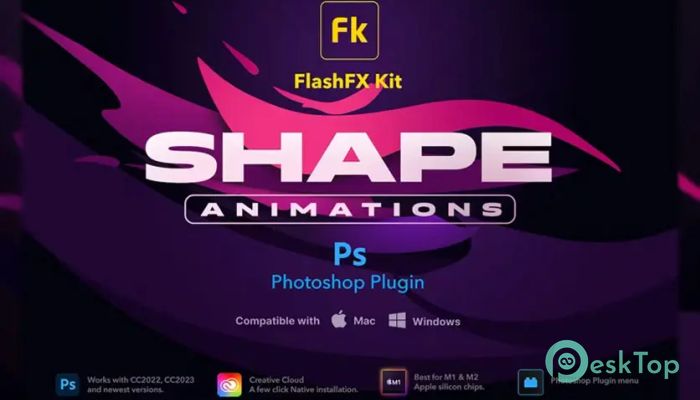
Download FlashFX Kit Shapes Animations - 2d Vfx Photoshop Plugin 1.0 for Windows.
FlashFX Kit Shapes Animations - 2d Vfx Photoshop Plugin Overview
This powerful tool is designed for artists, editors, and designers who want to add motion and energy to their projects without spending hours on complex animation. It works inside Adobe Photoshop and transforms static designs into lively visuals using ready-made animated effects. The plugin focuses on simplicity and speed. With just a few clicks, users can generate stunning 2D VFX shapes that look professional and polished. Whether you are creating social media content, video thumbnails, or digital art, it gives you a fast way to enhance your visuals.Features of FlashFX Kit Shapes Animations - 2d Vfx Photoshop Plugin
The software comes packed with features that make it both beginner-friendly and powerful for advanced users. Here are some of the main highlights:
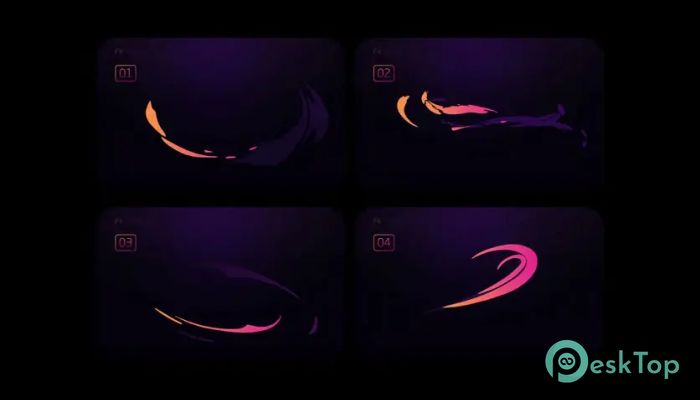
30 animated shapes Flash FX effects for creative visuals
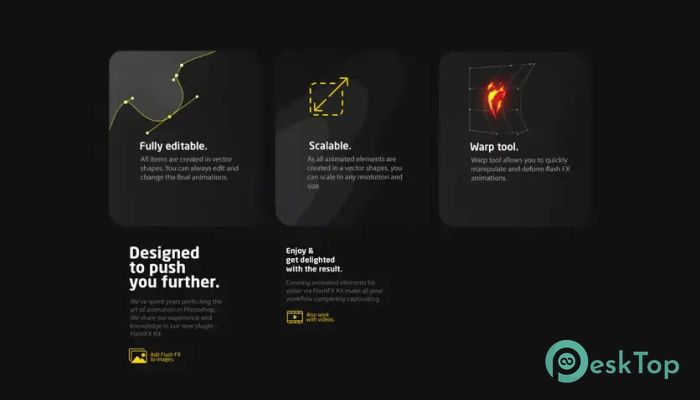
Built-in warp tool for flexible design adjustments
One-click creation system for instant results
Fully editable elements for complete customization
Scalable designs without losing quality
Compatible with any frames per second setup
Detailed help guide for easy learning
Easy Animation Creation
One of the biggest strengths of this tool is how simple it makes animation. Instead of manually creating frames or dealing with complicated timelines, you can generate effects instantly. It feels like pressing a magic button that turns still images into dynamic visuals.
This approach is perfect for beginners who may not have animation experience. At the same time, professionals can use it to save time and focus on creativity rather than on technical steps.
Creative Freedom with Editable Elements
The plugin does not lock you into fixed styles. Every effect is fully editable, which means you can tweak colors, shapes, sizes, and movement to match your vision. It is like having a toolbox where every tool can be reshaped to fit your needs.
This flexibility allows you to create unique designs rather than repeating the same look. You can experiment freely and push your creativity without limits.
Warp Tool for Dynamic Designs
The built-in warp tool adds another layer of control. It lets you bend and shape animations in creative ways, giving your designs a more natural and fluid feel. Think of it as molding clay, but in digital form.
This feature is especially useful when you want your effects to match specific compositions or follow certain visual flows in your artwork.
Scalable and High-Quality Output
Quality matters in design, and this tool ensures that your animations remain sharp and clear, no matter the size. Whether you are working on small icons or large banners, everything scales smoothly.
This makes it ideal for both digital and print projects. You do not have to worry about losing detail when resizing your work.
Works with Any FPS
Another great advantage is its compatibility with any frame rate. This means you can use the tool in different types of projects, from slow cinematic animations to fast-paced motion graphics.
It integrates easily into your workflow, making it a reliable choice for a wide range of creative tasks.
One-Click Workflow
The one-click creation feature is a game-changer. Instead of going through multiple steps, you can generate effects instantly. It feels like having a shortcut to professional results.
This is especially helpful when working on tight deadlines. You can produce high-quality visuals quickly without sacrificing creativity.
User-Friendly Experience
The interface is designed to be simple and easy to understand. Even if you are new to Photoshop plugins, you will find it easy to navigate and use. The included help guide acts like a friendly assistant, guiding you through each step.
This smooth learning curve makes it accessible to everyone, from beginners to experienced designers.
Ideal Use Cases
This tool can be used in many creative scenarios. It is perfect for social media posts, YouTube thumbnails, promotional graphics, digital illustrations, and more. Anywhere you need motion and visual impact, it fits right in.
It also works well for branding projects that call for a modern, energetic touch to your designs.
Performance and Efficiency
The plugin is lightweight and runs smoothly within Photoshop. It does not slow down your system, allowing you to work efficiently. This balance between performance and features makes it a practical choice for daily use.
You can focus on creativity without worrying about technical issues or lag.
System Requirements and Technical Details
Operating System: Windows 11 / 10 / 8.1 / 7
Processor: Minimum 1 GHz Processor (2.4 GHz recommended)
RAM: 2GB (4GB or more recommended)
Free Hard Disk Space: 200MB or more is recommended

-
Program size1.02 MB
-
Version1.0
-
Program languagemultilanguage
-
Last updatedBefore 4 Month
-
Downloads51
 Paragon Hard Disk Manager 18 Business
 Aescripts MaskMotion
 Aescripts AE Glass
 Aescripts PreFlight
 Aescripts Risograph
 Aescripts Folder Fanatic