
 Arabic
  English
  Turkish
  Chinese
  Japanese
  Russian
  Spanish
  German
  French
  Hindi
Hindi Download Franzis PANORAMA #1 professional 1.12.04374 for Windows
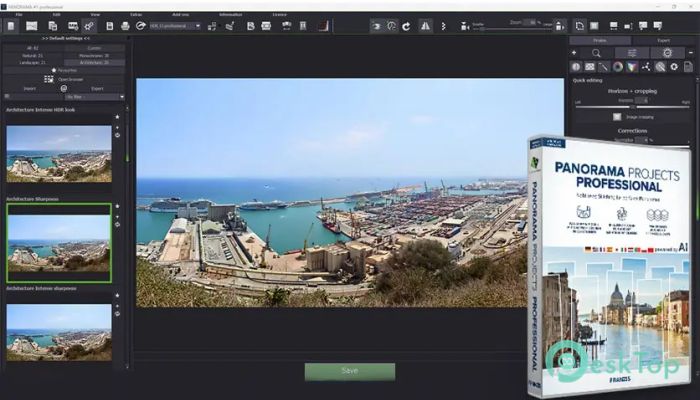
Download Franzis PANORAMA #1 professional 1.12.04374 for Windows.
Franzis PANORAMA #1 professional Overview
Creating stunning panoramas is no longer a complicated puzzle. This software is designed to combine up to 60 individual images into one sharp, detailed panoramic photo. Whether you shoot landscapes, city skylines, interiors, or creative portrait panoramas, it gives you the flexibility and control to shape your final result exactly the way you want. The tool focuses on image quality and creative adaptability. It does not just stitch pictures together; it refines, aligns, corrects errors, and enhances colors. The result feels natural and polished, as if the scene was captured in a single perfect shot.Features of Franzis PANORAMA #1 professional
Geometric Projections for Every Scenario
Different shooting conditions demand different visual styles. That is why the software includes six geometric projection types. You can choose from Spherical, Cylindrical, Planar, Fisheye, Little Planet, and Mercator projections.
Think of these projections as lenses for your final artwork. If you want a natural wide-angle look, spherical or cylindrical modes work beautifully. If you are aiming for something artistic and bold, Little Planet or Fisheye can transform your panorama into a creative visual statement. This flexibility allows photographers to match the projection style with the mood of the scene.
Intelligent Stitching and Smart Automation
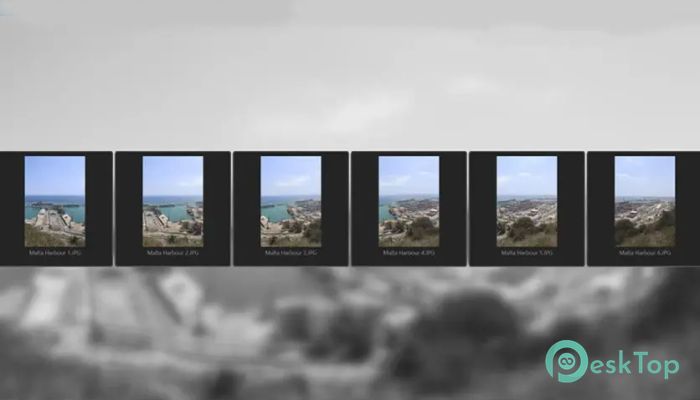
Stitching multiple images can be tricky, especially when dealing with complex lighting or multi-row compositions. The software simplifies the process with intelligent algorithms that automatically align and merge images. Multi-row panoramas and vertical panoramas are handled smoothly without manual frustration.
It also performs automatic horizon correction. No more tilted landscapes or uneven city lines. Adaptive cropping ensures that the final image is clean and properly framed. These features save time while maintaining professional accuracy.
Advanced Optimization Options
Beyond automation, the tool provides advanced fine-tuning controls. Users can select between three stitching quality levels: Fast, High Quality, and Maximum. If you need quick results, Fast mode delivers. For detailed professional work, Maximum mode ensures the finest image clarity.
Exposure optimization is available in three levels, helping to balance brightness and shadows across stitched photos. The built-in RAW development module supports over 1,358 camera RAW formats, giving photographers complete control over their source files. It is like having a digital darkroom inside your panorama workflow.
Precise Control with Professional Tools
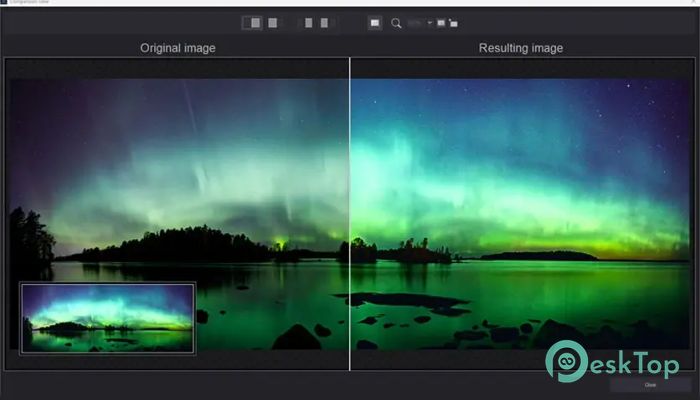
Precision matters when working on high-resolution panoramas. The integrated magnifying glass and comparison window allow pixel-perfect inspection. You can zoom in and check every detail before finalizing your image.
The cropping window includes helpful guidelines and access to more than 60 predefined aspect ratio templates. Whether you are preparing an image for print, social media, or a large display, you can choose the ideal framing without guesswork.
Creative Fine-Tuning and Selective Adjustments
Sometimes global edits are not enough. That is where the selective drawing module comes into play. With effect masks, color filter masks, colorization masks, and 12 compositing masks, you can adjust specific areas without affecting the entire image.
The 3D module allows you to simulate realistic lighting effects and depth of field. You can create subtle bokeh effects to add dimension and focus. Meanwhile, the real-time color module ensures accurate chromatic adjustments as you edit, so what you see is exactly what you get.
AI Filters and LUT Support
The integrated AI filter module offers 30 pre-trained image looks. These styles can quickly transform the mood of your panorama, from warm sunset tones to dramatic cinematic contrasts.
Support for LUT photo styles adds even more creative freedom. If you already work with LUTs in other editing tools, you can bring that same style into your panorama workflow. It keeps your editing consistent and efficient.
Batch Processing and Workflow Integration
For photographers handling multiple projects, batch processing is a huge time saver. You can process several panoramas at once, making it ideal for events, travel shoots, or professional assignments.
The plugin for Adobe Lightroom Classic ensures smooth integration into existing workflows. You can move from catalog management to panorama creation without breaking your creative rhythm.
Additional Professional Modules
The sensor error correction module supports up to 500 correction points. This helps remove dust spots and sensor imperfections that might otherwise distract from the final image.
Vertical panorama mode is perfect for portrait-style compositions. It allows creative experimentation beyond traditional horizontal landscapes. Combined with multi-row support, the possibilities become nearly endless.
System Requirements and Technical Details
Operating System: Windows 11 / 10 / 8.1 / 7
Processor: Minimum 1 GHz Processor (2.4 GHz recommended)
RAM: 2GB (4GB or more recommended)
Free Hard Disk Space: 2GB or more is recommended

-
Program size914.11 MB
-
Version1.12.04374
-
Program languagemultilanguage
-
Last updatedBefore 7 Month
-
Downloads26
 Paragon Hard Disk Manager 18 Business
 Aescripts MaskMotion
 Aescripts AE Glass
 Aescripts PreFlight
 Aescripts Risograph
 Aescripts Folder Fanatic