
 Arabic
  English
  Turkish
  Chinese
  Japanese
  Russian
  Spanish
  German
  French
  Hindi
Hindi Download GoodBoyNinja Railway v1.0.2 for After Effects for Windows
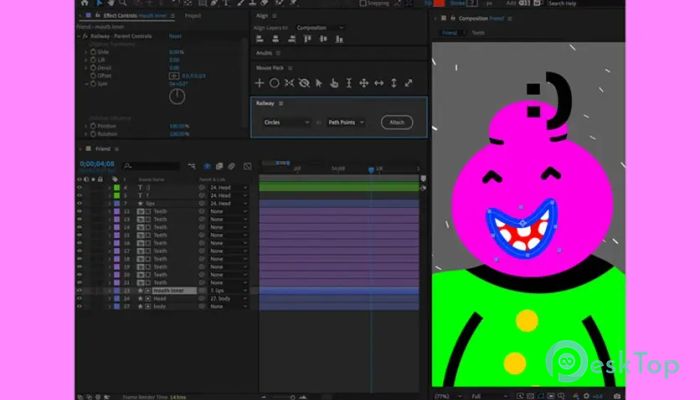
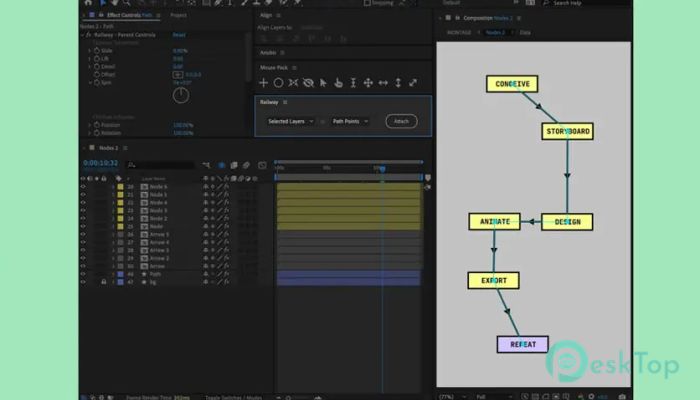
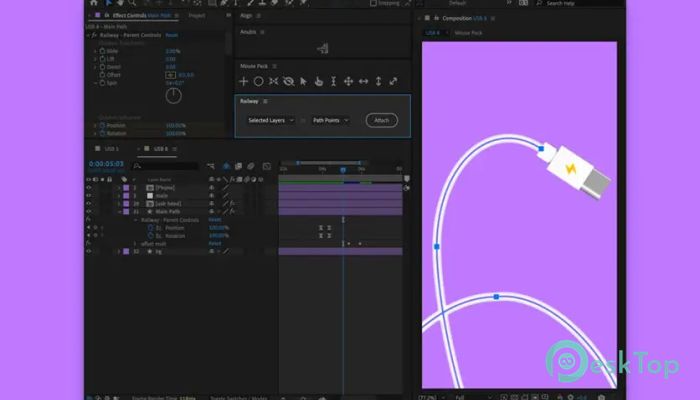
Download GoodBoyNinja Railway v1.0.2 for After Effects for Windows.
GoodBoyNinja Railway Overview
This tool is built to simplify one of the most common yet frustrating tasks in animation: attaching layers to paths without breaking flexibility. It works directly inside After Effects and focuses on speed, control, and creative freedom. Instead of wrestling with complex expressions or locked paths, you get a smooth workflow that feels natural and responsive.Features of GoodBoyNinja Railway
Attach Layers to Paths in One Click
It allows you to connect any selected layer to any chosen path instantly. There is no need for long setup steps or manual linking. Select the layers and path, click once, and everything snaps into place like cars connecting on a railway track.
Automatic Orientation Along the Path
The software automatically aligns layers to face the path direction. This makes motion feel realistic and clean, especially for characters, vehicles, text, or icons. The movement follows the curve naturally, much like a train smoothly turning along rails.
Manual Orientation Control
While auto-orientation is helpful, creative work often needs a personal touch. You can manually adjust each layer's rotation to fine-tune its orientation relative to the path. This gives you complete artistic control without fighting the system.
Blend With Original Rotation
Instead of overwriting your existing animation, the tool blends the new orientation with the original rotation. This means previous keyframes still matter. It feels like adding a new layer of motion rather than starting from scratch.
Smooth Sliding Along the Path
Layers can slide smoothly along the path, creating clean motion without jitter. You can animate a single layer or move all connected layers together. This is perfect for walk cycles, flowing text, or continuous graphic motion.
Individual and Group Control
You can slide each layer separately for detailed animation or control all layers at once for synchronized movement. This flexibility saves time and keeps workflows organized, especially for complex compositions.
Blend With Original Position
The original position of your layers is not ignored. The movement along the path blends naturally with where the layers started. This keeps animations grounded and avoids sudden jumps or unnatural shifts.
Lift Layers Along Their Facing Direction
One standout feature is the ability to raise or lower layers based on their orientation. It feels like adding depth and weight, similar to raising or lowering a train over tracks.
Animate Lift Using Effect Controls
The lift amount is fully animatable using simple effect controls. This makes it easy to create bouncing motion, hovering effects, or subtle depth changes over time.
Derail Layers Off the Path
For creative or dramatic effects, layers can be pushed off the path entirely. This derail feature lets animations break the rules in a controlled way, adding energy and surprise.
Animate the Derail Amount
The derail strength can be animated smoothly. You can start with perfect alignment and gradually move layers away, creating natural transitions or chaotic motion when needed.
Fully Editable Paths at All Times
The path remains editable even after the animation is applied. You can reshape it at any moment, and the layers will update automatically. This removes one of the most prominent frustrations animators face.
No Expression Locking Issues
The tool avoids the common problem of expressions hijacking paths, making them uneditable. Everything remains clean, editable, and stress-free throughout the project.
Works With Many Animation Styles
It fits smoothly into different workflows. Whether you animate characters, text, logos, or abstract graphics, the system adapts easily. It feels less like a plugin and more like a natural extension of After Effects.
Time-Saving for Professionals
By reducing setup time and avoiding technical headaches, the software helps motion designers focus on creativity. Less fixing, more animating.
Beginner-Friendly Controls
The controls are simple and clearly laid out. Even if you are new to motion design, you can start using it without feeling overwhelmed.
System Requirements and Technical Details
Operating System: Windows 11 / 10 / 8.1 / 7
Processor: Minimum 1 GHz Processor (2.4 GHz recommended)
RAM: 2GB (4GB or more recommended)
Free Hard Disk Space: 200MB or more is recommended
After Effects: 24.0+

-
Program size97.73 KB
-
Versionv1.0.2 for After Effects
-
Program languagemultilanguage
-
Last updatedBefore 10 Month
-
Downloads9
 Paragon Hard Disk Manager 18 Business
 Aescripts MaskMotion
 Aescripts AE Glass
 Aescripts PreFlight
 Aescripts Risograph
 Aescripts Folder Fanatic