
 Arabic
  English
  Turkish
  Chinese
  Japanese
  Russian
  Spanish
  German
  French
  Hindi
Hindi Download LazPaint 7.3 for Windows
Download LazPaint 7.3 for Windows.
LazPaint Overview
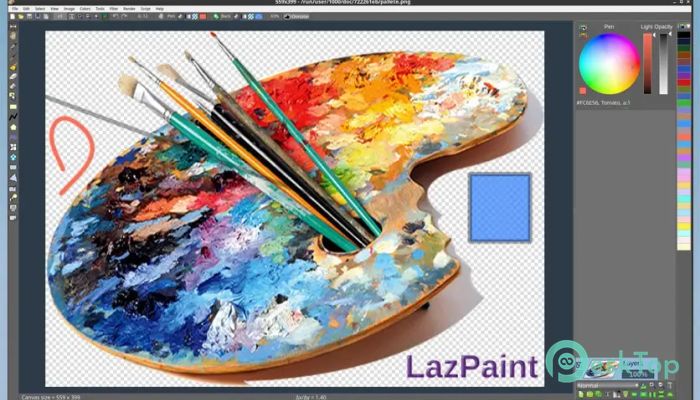
This software was created to demonstrate the capabilities of the BGRABitmap graphic library and later evolved into a full image-editing solution. Built using Lazarus and Free Pascal, it feels fast, simple, and surprisingly flexible for daily design tasks. Whether you are touching up images, sketching ideas, or working with layered graphics, it keeps things smooth and distraction-free.Features of LazPaint
Simple and Clean Interface
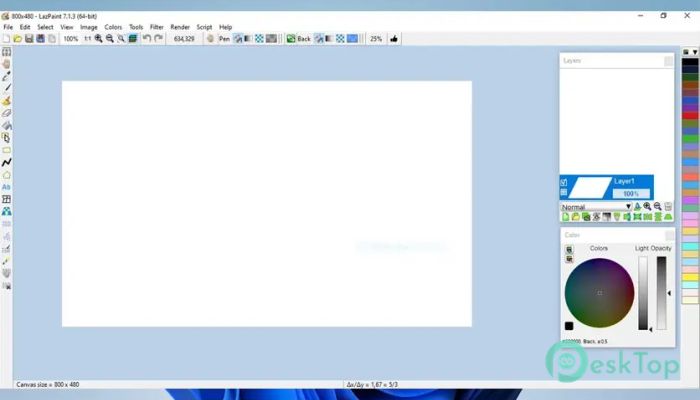
The first thing you notice is how uncluttered everything feels. Menus are clear, tools are easy to spot, and nothing feels buried under extra clicks. It works like a tidy desk, with every tool within reach. This makes it accessible to beginners while remaining practical for users who already know their way around image editing.
Support for Multiple File Formats
The tool can read and write many popular image formats, including layered bitmap files. It also supports some 3D file formats, which adds extra flexibility when handling visual assets from different sources. You can open existing projects without worrying about compatibility and save your work in formats that fit your needs.
Layer-Based Editing Made Easy
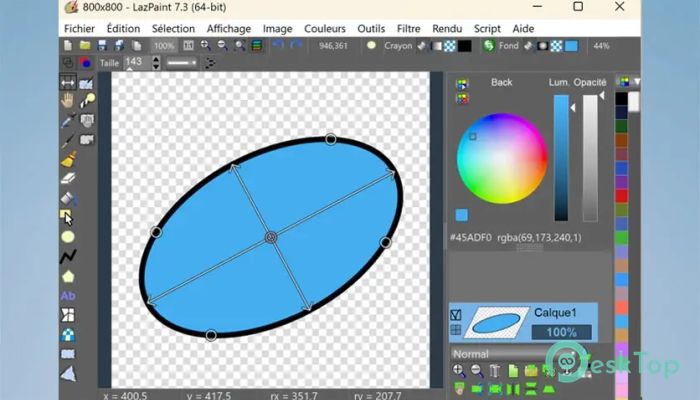
Working with layers feels natural here. You can stack, hide, reorder, and blend them without confusion. Each layer behaves like a transparent sheet placed on top of another, giving you full control over complex designs. This setup is ideal for posters, UI mockups, or creative illustrations.
Drawing and Painting Tools
A wide range of drawing tools is available for sketching, painting, and detailing. Brushes respond smoothly, shapes are easy to create, and fills behave as expected. It feels like using a digital sketchbook that listens to your hand. These tools make it useful for both rough ideas and polished artwork.
Advanced Selection and Masking
Selecting image regions is precise thanks to antialiasing support. You can create smooth selections and turn them into masks for refined edits. This is especially helpful when adjusting specific areas without affecting the entire image, such as changing colors or applying effects to a single section.
Helpful View Windows
The workspace includes extra windows such as the color panel, layer stack, and toolbox. These panels keep essential information visible at all times. It feels like having side mirrors while driving, you always know what is happening without losing focus on the main canvas.
Command Line Integration
One unique feature is the ability to run it from the command line. This allows automation, batch processing, or integration into development workflows. Developers and power users can save time by performing image tasks directly from scripts or consoles.
Cross-Platform Flexibility
Although this article focuses on Windows, the editor is designed to work across different operating systems. This makes it a reliable choice if you switch between platforms or work in mixed environments. Your workflow remains consistent regardless of where you open your projects.
Lightweight but Capable Performance
The software runs smoothly even on modest systems. It starts quickly, responds fast, and does not overload your computer. Think of it as a compact car that still delivers strong performance when needed.
Great for Learning and Experimenting
Because it was born from a graphics library demo, it is also a great learning tool. Designers, students, and developers can explore how image processing works while using a real editor. It encourages experimentation without feeling overwhelming.
System Requirements and Technical Details
Operating System: Windows 11 / 10 / 8.1 / 7
Processor: Minimum 1 GHz Processor (2.4 GHz recommended)
RAM: 2GB (4GB or more recommended)
Free Hard Disk Space: 200MB or more is recommended

-
Program size12.95 MB
-
Version7.3
-
Program languagemultilanguage
-
Last updatedBefore 8 Month
-
Downloads8
 Paragon Hard Disk Manager 18 Business
 Aescripts MaskMotion
 Aescripts AE Glass
 Aescripts PreFlight
 Aescripts Risograph
 Aescripts Folder Fanatic