
 Arabic
  English
  Turkish
  Chinese
  Japanese
  Russian
  Spanish
  German
  French
  Hindi
Hindi Download MadMapper 6.0.10 for Windows
Download MadMapper 6.0.10 for Windows.
MadMapper Overview
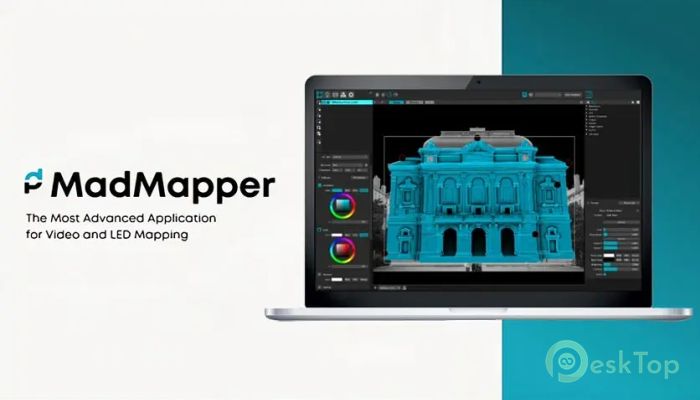
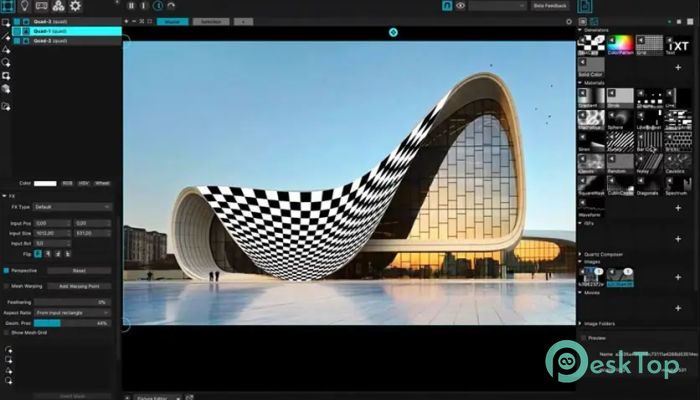
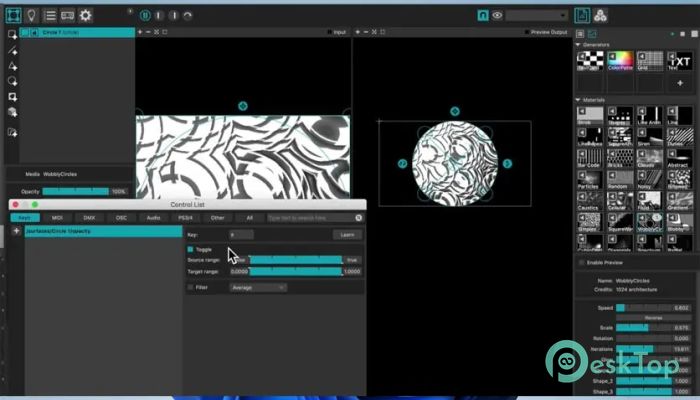
This software is a professional video and light mapping tool developed in collaboration between 1024 Architecture from France and GarageCube from Switzerland. With more than a decade of development, it offers a flexible, creative environment for artists, designers, and visual performers. It allows users to project visuals onto any physical surface, control LED arrays, and create immersive environments with ease. The tool supports ultra-high-resolution content, advanced graphical tools, and real-time performance controls. Whether working on a small artistic installation or a large-scale architectural projection, it provides a stable and efficient workflow. Its user-friendly interface makes it accessible for beginners, while advanced features ensure professionals have everything they need. Ultimate Video Mapping Capabilities The software stands out as a powerful video mapping solution. It supports up to 16K high-resolution video playback, allowing users to create extremely detailed projections. This means visuals remain crisp and clear even when displayed across large buildings or complex installations. It also allows simultaneous playback across multiple displays and outputs. Each screen can show different parts of a composition, making it ideal for multi-screen environments. Whether working on stage productions, exhibitions, or immersive installations, this flexibility helps create stunning visual experiences. Advanced graphical tools, such as bezier masking and animated line drawing, allow users to shape visuals with precision. These tools give artists complete control over projection mapping, ensuring that visuals fit perfectly onto irregular surfaces. Powerful Light Mapping Features This tool is not limited to video mapping. It also offers powerful light mapping capabilities. Users can control LED arrays and DMX fixtures in real time, enabling dynamic lighting effects. This makes it perfect for concerts, live performances, installations, and events. Real-time control ensures instant feedback. Changes appear immediately, making experimentation fast and intuitive. The cueing system simplifies show management by allowing users to trigger sequences easily. This helps deliver smooth performances without technical interruptions. User-Friendly Interface with Advanced Depth Despite its professional capabilities, the software remains easy to use. It follows a plug-and-play approach, allowing users to get started quickly. Beginners can create basic mappings without a complex setup. At the same time, advanced users can dive into deeper features such as 3D calibration, space scanning, LED scanning, and live shader editing. These tools allow complex setups and creative experimentation. It balances simplicity and power, making it suitable for both newcomers and experienced professionals. Real-Time Performance and Creativity The software is designed for live performances. It allows users to tweak parameters in real time and make last-minute changes. This flexibility is essential for live shows, where adjustments often need to happen instantly. It works like an instrument, allowing users to dynamically interact with visuals and lighting. This encourages improvisation and creativity. Artists can perform visually just like musicians perform sound. The workflow is clean and efficient, helping users focus on creativity instead of technical issues. From small objects to large landscapes, it adapts to any project scale. CAD-Style Tools for Artists The software includes precision drawing tools inspired by CAD environments. Users can free-draw shapes and transform them into live performance elements. This turns drawing into a dynamic visual performance. These tools allow precise mapping on complex surfaces. Whether working on sculptures, stage designs, or architectural structures, it helps achieve accurate results. Artists can create intricate visuals without losing control. Designed for Large-Scale Installations The software is built to handle demanding projects. It has been used for mapping cathedrals, temples, and large buildings. Its performance remains stable even under heavy workloads. From object-level mapping to land-art installations, it supports a wide range of creative ideas. Scalability ensures that projects can grow without technical limitations. Encourages Improvisation and Live Control One of the most exciting aspects is real-time control. Users can play visuals like a video game or musical instrument. This encourages spontaneous creativity and experimentation. Live parameter control makes performances more engaging. Artists can react to audience energy and adapt visuals instantly. This creates immersive experiences that feel alive and dynamic.Features of MadMapper
Support for up to 16K high-resolution video
Multiple output and display support
Bezier masking and advanced drawing tools
Real-time LED and DMX control
Powerful cueing system for live shows
3D calibration and space scanning
Live shader editing
User-friendly interface
Plug-and-play workflow
Real-time performance control
Advanced mapping precision tools
Designed for small and large installations
Creative Workflow and Performance Efficiency
The software focuses on delivering a smooth workflow. Its interface keeps tools organized and accessible. This allows users to work faster and avoid distractions.
Real-time feedback ensures immediate results. Artists can experiment freely and refine their visuals quickly. This speeds up production and enhances creativity.
It also supports last-minute changes without disrupting performance. This flexibility makes it suitable for professional shows and live events.
Versatile Use Cases
This tool fits a wide range of creative industries. It is used in live concerts, theater productions, art installations, exhibitions, and corporate events. It also supports educational and experimental projects.
Whether designing immersive environments or simple projections, it adapts easily. Its flexibility makes it a valuable tool for creative professionals.
System Requirements and Technical Details
Operating System: Windows 11 / 10
Processor: Minimum 1 GHz Processor (2.4 GHz recommended)
RAM: 2GB (4GB or more recommended)
Free Hard Disk Space: 500MB or more is recommended

-
Program size250.64 MB
-
Version6.0.10
-
Program languagemultilanguage
-
Last updatedBefore 6 Month
-
Downloads279Ralated programs
![ChrisPC VideoTube Downloader Pro]() ChrisPC VideoTube Downloader Pro
ChrisPC VideoTube Downloader Pro![TranscribeKit]() TranscribeKit
TranscribeKit![Vision Search]() Vision Search
Vision Search![DVDFab]() DVDFab
DVDFab![Crynet Showcase]() Crynet Showcase
Crynet Showcase![OVRLEY]() OVRLEY
OVRLEY
 ChrisPC VideoTube Downloader Pro
 TranscribeKit
 Vision Search
 DVDFab
 Crynet Showcase
 OVRLEY