
 Arabic
  English
  Turkish
  Chinese
  Japanese
  Russian
  Spanish
  German
  French
  Hindi
Hindi Download Media Player Classic - Qute Theater (MPC-QT) 26.07 for Windows
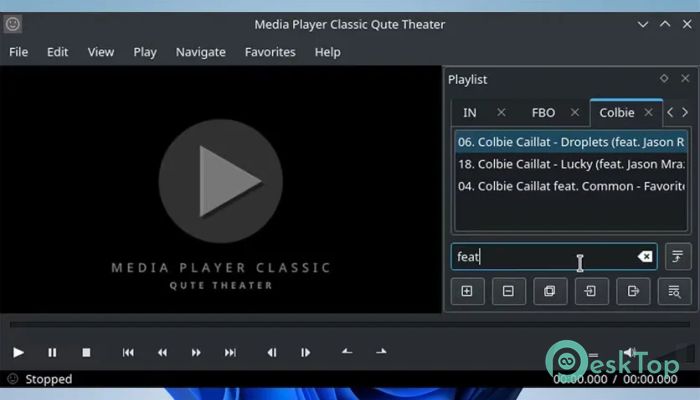
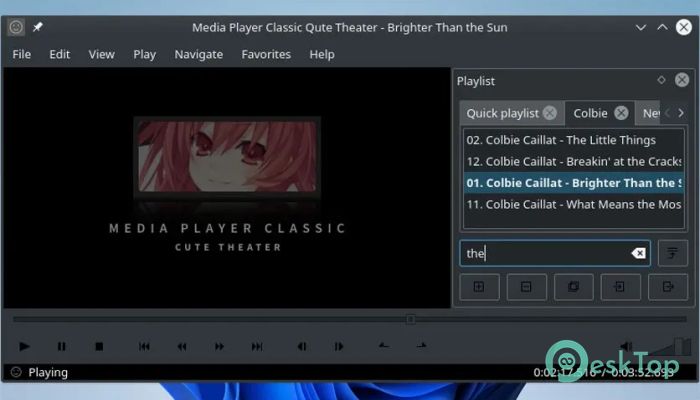
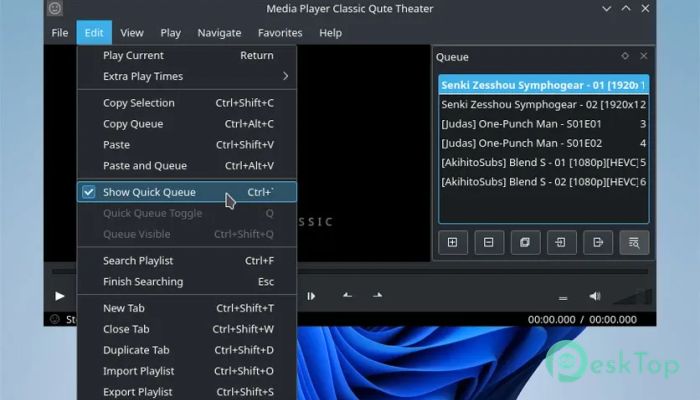
Download Media Player Classic - Qute Theater (MPC-QT) 26.07 for Windows.
Media Player Classic - Qute Theater (MPC-QT) Overview
This tool is designed for users who value simplicity while still requiring modern performance. It restores the familiar layout many people remember, while under the hood, it runs on an updated playback core. The result feels like driving a classic car with a brand-new engine inside. Everything looks clean, light, and distraction-free, making it easy to focus on what matters most: watching your content without hassle.Features of Media Player Classic - Qute Theater (MPC-QT)
Classic Look with a Modern Touch
The interface feels instantly familiar. Buttons are placed where your muscle memory expects them to be, so there is no learning curve. At the same time, subtle design improvements keep it feeling fresh rather than outdated. Dark mode support, clean menus, and smooth animations give the experience a polished finish without overdoing it.
Strong Playback Performance
Behind the simple design sits a powerful playback engine that handles videos smoothly. High-resolution files run with stable performance, and common format issues are handled gracefully. It runs quietly in the background, using system resources efficiently, so there are fewer slowdowns even on modest machines.
Wide Format Compatibility
It supports a broad range of audio and video formats right out of the box. From everyday MP4 videos to less common file types, the software opens and plays files quickly and reliably. You do not need to install extra codec packs or tweak advanced settings just to watch a movie.
Clean and Distraction-Free Experience
The focus here is clarity. No ads, no pop-ups, and no unnecessary panels taking up space. Controls stay out of the way until you need them. This makes long viewing sessions comfortable, whether you are watching a film, a lecture, or a series of short clips.
Keyboard Shortcuts and Controls
Power users will appreciate the responsive keyboard shortcuts. Seeking through videos, adjusting volume, or switching to full-screen mode feels instant. Mouse controls are equally smooth, giving you multiple ways to stay in control without breaking immersion.
Customizable Settings
While it works great with default options, customization is available for those who want it. Playback behavior, subtitles, and interface preferences can be adjusted without diving into confusing menus. It strikes a good balance between simplicity and flexibility.
Subtitles and Audio Handling
Subtitle support is reliable and easy to manage. You can load external subtitle files, adjust timing, and change appearance for better readability. Audio track switching is quick, which helps when watching multi-language content.
Lightweight and Efficient Design
This software does not try to be everything at once. By focusing on playback first, we keep it lightweight and responsive. Startup times are short, and file loading feels instant. Think of it as a clean notebook rather than a cluttered desk.
Ideal Alternative to Heavy Players
Many popular media players come packed with features that most users never touch. This option keeps things lean while still offering strong performance. If you want something that feels fast and familiar without constant updates or background services, it fits that role well.
Cross-Platform Vision
The project aims to remain flexible and forward-looking. While Windows users benefit from smooth integration, the design philosophy supports broader platform use. This makes it a future-ready choice rather than a short-term solution.
System Requirements and Technical Details
Operating System: Windows 11 / 10 / 8.1 / 7
Processor: Minimum 1 GHz Processor (2.4 GHz recommended)
RAM: 2GB (4GB or more recommended)
Free Hard Disk Space: 200MB or more is recommended

-
Program size97.19 MB
-
Version26.07
-
Program languagemultilanguage
-
Last updatedBefore 3 Month
-
Downloads14Ralated programs
![ChrisPC VideoTube Downloader Pro]() ChrisPC VideoTube Downloader Pro
ChrisPC VideoTube Downloader Pro![TranscribeKit]() TranscribeKit
TranscribeKit![Vision Search]() Vision Search
Vision Search![DVDFab]() DVDFab
DVDFab![Crynet Showcase]() Crynet Showcase
Crynet Showcase![OVRLEY]() OVRLEY
OVRLEY
 ChrisPC VideoTube Downloader Pro
 TranscribeKit
 Vision Search
 DVDFab
 Crynet Showcase
 OVRLEY