
 Arabic
  English
  Turkish
  Chinese
  Japanese
  Russian
  Spanish
  German
  French
  Hindi
Hindi Download Microsoft Windows JPEG XL Image Extension 2025 for Windows
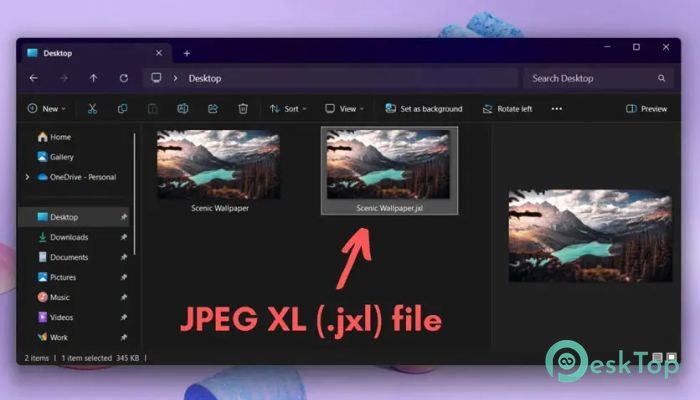
Download Microsoft Windows JPEG XL Image Extension 2025 for Windows.
Microsoft Windows JPEG XL Image Extension Overview
It is a valuable tool that enhances your Windows experience by allowing you to open and save JPEG XL files. With the .jxl extension, this file format is known for offering superior image quality with smaller file sizes. Thanks to the libjxl open-source project, the extension is available for Windows users to handle JPEG XL images efficiently. Unlike traditional image formats like JPG or PNG, JPEG XL offers more robust support for modern image needs, including transparency, high dynamic range (HDR), and even animated images. While the extension is not an application you interact with directly, it installs a plug-in that integrates into Windows apps, enabling them to decode and display JPEG XL images. It seamlessly works within File Explorer and other apps that support this format.Features of Microsoft Windows JPEG XL Image Extension
Efficient Image Compression
One of the standout features of the extension is its impressive image compression capabilities. It allows images to be compressed without losing significant quality, making it ideal for saving storage space on your computer. The format's compression technique preserves detail, reducing file size considerably compared to older formats like JPG and PNG.
The algorithm behind JPEG XL ensures that even in high-resolution images, the quality remains top-notch. This makes it an excellent choice for professional photographers and casual users who wish to store large image files without sacrificing quality. With the extension installed, Windows users can enjoy faster loading times and less cluttered storage without compromising image fidelity.
Seamless Integration with Windows Apps
Once installed, the extension becomes a seamless addition to the Windows ecosystem. It doesn’t come as a standalone app but as a plug-in that integrates directly with Windows applications such as File Explorer and Windows Media Player Legacy. This allows users to interact with JPEG XL files without any hassle.
For example, when you open File Explorer, you can easily view thumbnails of JPEG XL images, just like you would with any other image file type. It enhances your experience by providing a streamlined workflow, making it easy to locate, manage, and work with JPEG XL images on your PC.
Support for Advanced Image Features
It is not just about compression—it's also designed for advanced image features. This includes support for high dynamic range (HDR), alpha transparency, and animations. These features make it an ideal choice for images that must capture the full spectrum of colors or require transparency for layering purposes.
Users can enjoy these advanced features without needing additional third-party software. It broadens the horizons of what’s possible with standard image formats, offering new possibilities for creative projects and professional work.
Setting JPEG XL Images as Desktop Backgrounds
An interesting extension feature is the ability to set JPEG XL images as your desktop wallpaper. This feature is handy if you love experimenting with different background styles and images. You can use JPEG XL images with their rich color depth and high-quality resolution as desktop backgrounds to enhance the aesthetics of your workspace.
Select a JPEG XL image from your collection, right-click it, and choose to set it as your background. This simple yet effective integration makes it easy to personalize your desktop with stunning images that load faster and look sharper.
System Requirements and Technical Details
Operating System: Windows 11 version 26100.0 or higher
Processor: Minimum 1 GHz Processor (2.4 GHz recommended)
RAM: 2GB (4GB or more recommended)
Free Hard Disk Space: 200MB or more is recommended

-
Program size375.06 KB
-
Version2025
-
Program languagemultilanguage
-
Last updatedBefore 8 Month
-
Downloads15
 Paragon Hard Disk Manager 18 Business
 Aescripts MaskMotion
 Aescripts AE Glass
 Aescripts PreFlight
 Aescripts Risograph
 Aescripts Folder Fanatic