
 Arabic
  English
  Turkish
  Chinese
  Japanese
  Russian
  Spanish
  German
  French
  Hindi
Hindi Download MiniTool Screen Recorder 1.3 for Windows
Download MiniTool Screen Recorder 1.3 for Windows.
MiniTool Screen Recorder Overview
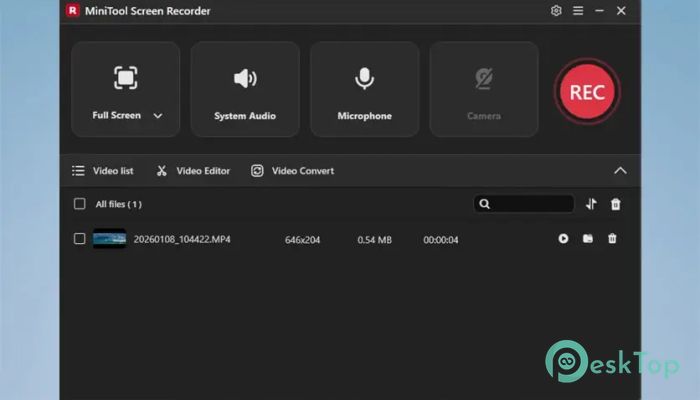
It is designed for people who want to record their screen without stress or confusion. It works like a digital notebook that remembers everything you show on your display. Whether you are creating tutorials, saving online meetings, recording gameplay, or explaining software steps, this tool keeps the process easy and reliable. Its clean layout helps beginners feel comfortable, while advanced options give experienced users full control.Features of MiniTool Screen Recorder
Simple and Flexible Recording Modes
It allows you to record exactly what you need, nothing more and nothing less. You can capture the entire display, a specific window, or a selected area. This flexibility feels like adjusting a camera lens until the frame looks perfect. For personal videos, webcam-only recording is available. If you want face and screen together, the picture-in-picture option blends both smoothly.
Screen and Webcam at the Same Time
The ability to record the display and camera together is ideal for lessons, presentations, and reactions. It feels like standing next to your content while explaining it live. This dual-capture option helps viewers connect more effectively because they can see expressions and actions while following on-screen steps.
Clear Audio Capture for Better Storytelling
Sound matters as much as visuals. The software can record system audio, microphone input, or both at once. This means background music, app sounds, and voice narration can be captured together. Think of it as recording not just a scene, but the entire atmosphere. Clear audio helps messages land better and keeps viewers engaged.
Draw on Screen While Recording
One standout feature is real-time drawing during recording. You can highlight buttons, circle important areas, or underline key points as you go. It works like using a marker on a whiteboard while teaching. This makes explanations clearer and reduces confusion, especially in step-by-step guides.
High Quality Video Output
Visual quality is where this tool truly shines. It supports multiple frame rates and can record up to 4K resolution. Videos look smooth, sharp, and professional, even during fast movements. Whether you are recording a detailed design process or an action-packed game moment, the output stays crisp.
Custom Frame Rate Control
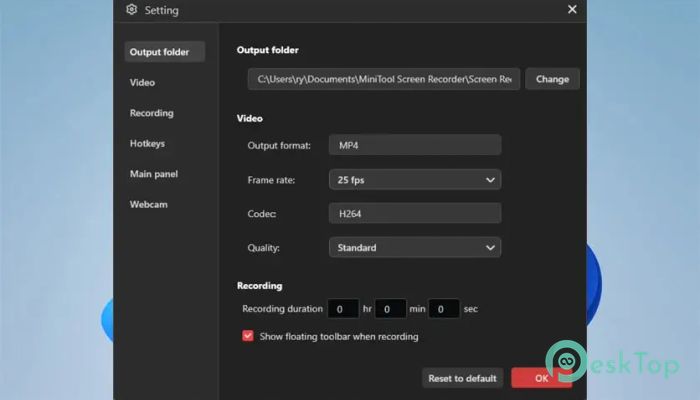
Different projects need different smoothness levels. It lets you choose frame rates based on your needs. Lower frame rates save space for tutorials, while higher ones keep gameplay motion fluid. This control is like choosing the right gear while driving on different roads.
Lightweight and Easy on System Resources
No one likes tools that slow down their computer. This software runs efficiently without eating up too much memory or processing power. You can record for long sessions without worrying about lag or sudden crashes. It stays in the background so you can focus on your work.
Clean Interface for Fast Learning
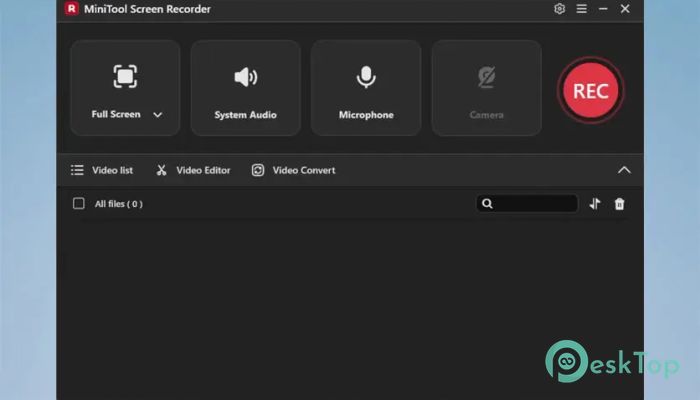
The layout is straightforward and friendly. Buttons are easy to find, settings are clearly labeled, and nothing feels hidden. Even first-time users can start recording within minutes. It feels less like learning new software and more like using a familiar tool.
Perfect for Many Use Cases
This recorder fits many daily needs. Teachers can create lessons, gamers can save highlights, professionals can record meetings, and content creators can produce engaging videos. It adapts well, like a multi-tool that works in different situations without extra effort.
Reliable Output Formats
Recorded videos are saved in common formats that work well across devices and platforms. This makes sharing and editing easier. You do not need extra converters or complicated steps to use your recordings elsewhere.
System Requirements and Technical Details
Operating System: Windows 11 / 10
Processor: Intel Core i5 or better, 2GHz+
RAM: 4GB or more recommended
GPU: Intel HD Graphics 5000 or later; NVIDIA GeForce GTX700 or later; AMD Radeon R5 or later
Free Hard Disk Space: 1GB or more is recommended

-
Program size1.85 MB
-
Version1.3
-
Program languagemultilanguage
-
Last updatedBefore 4 Month
-
Downloads56Ralated programs
![ChrisPC VideoTube Downloader Pro]() ChrisPC VideoTube Downloader Pro
ChrisPC VideoTube Downloader Pro![TranscribeKit]() TranscribeKit
TranscribeKit![Vision Search]() Vision Search
Vision Search![DVDFab]() DVDFab
DVDFab![Crynet Showcase]() Crynet Showcase
Crynet Showcase![OVRLEY]() OVRLEY
OVRLEY
 ChrisPC VideoTube Downloader Pro
 TranscribeKit
 Vision Search
 DVDFab
 Crynet Showcase
 OVRLEY