
 Arabic
  English
  Turkish
  Chinese
  Japanese
  Russian
  Spanish
  German
  French
  Hindi
Hindi Download Nomacs - Image Lounge 3.22.0 for Windows
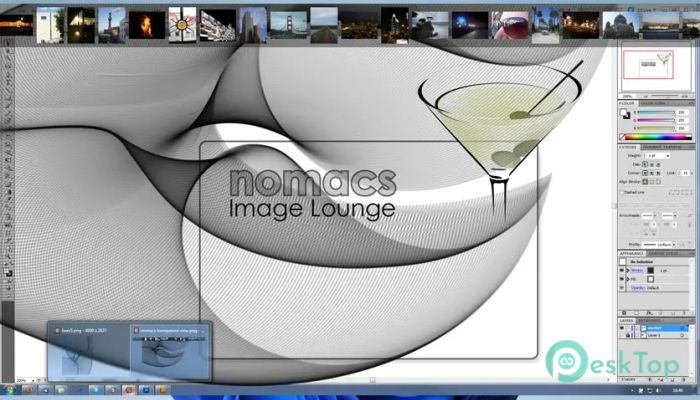
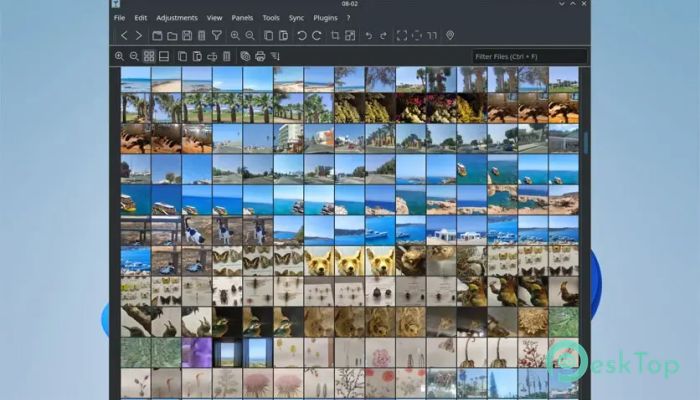
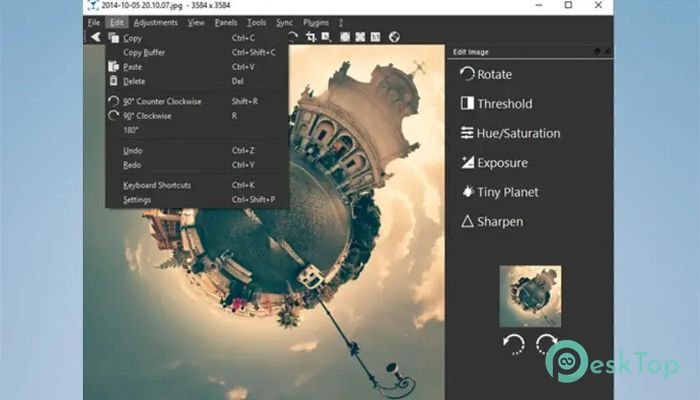
Download Nomacs - Image Lounge 3.22.0 for Windows.
Nomacs - Image Lounge Overview
This software is designed to provide a smooth, fast experience when handling pictures of all types. It supports many popular image formats and includes helpful features such as metadata viewing, quick editing tools, and sync capabilities. Whether you want to browse photos, compare images, or make small adjustments, this tool offers everything in a simple layout.Features of Nomacs - Image Lounge
Supports popular formats like PNG, JPG, BMP, TIFF, RAW, PSD, AVIF, and HEIF
Lightweight viewer with fast performance
Allows comparing two images side-by-side
Provides batch processing for resizing or converting multiple files
Offers basic editing options like crop, rotate, and adjust brightness
Displays image metadata and histogram
Syncs multiple instances for comparing folders or slides
Offers customizable interface settings
Includes plugin support for extended functionality
Works across platforms, including Windows
Image Viewing Experience
This tool focuses on providing users with a smooth viewing experience. You can zoom quickly, switch between files effortlessly, and even navigate hidden folders without heavy loading times. The frame around the images is clean and minimal, making the viewing experience distraction-free.
Editing Tools
Although not a full photo editor, the software includes essential tools for simple adjustments. You can crop and rotate images, tweak contrast and exposure, and apply simple filters. These options make it easy to fix small issues without opening a full editing suite.
Format Support
One of its biggest strengths is the wide range of supported file types. Modern formats like AVIF and HEIF work smoothly, while complex formats such as RAW and PSD are also handled efficiently. This makes the tool suitable for photographers, designers, and everyday users.
Metadata & Information Display
The viewer provides detailed file information, including metadata, size, color profile, and histogram. This is especially useful for photographers who want to keep track of image details and camera information.
Batch Processing
The batch processing tool simplifies repetitive tasks. You can resize many pictures at once, rename them, convert them to other formats, or apply basic filters in a single click. This saves time and helps keep files organized.
Synchronization Features
One unique feature is the ability to sync multiple windows. When you open two instances side-by-side, zooming or changing images in one window reflects in the other. This is perfect for comparing edits, reviewing design changes, or analyzing two photos.
Customization Options
Users can adjust the interface to match their style. The layout, theme, and toolbar arrangement can be changed easily. The clean look helps users stay focused while browsing images.
System Requirements and Technical Details
Operating System: Windows 11 / 10 / 8.1 / 7
Processor: Minimum 1 GHz Processor (2.4 GHz recommended)
RAM: 2GB (4GB or more recommended)
Free Hard Disk Space: 200MB or more is recommended

-
Program size43.22 MB
-
Version3.22.0
-
Program languagemultilanguage
-
Last updatedBefore 8 Month
-
Downloads15
 Paragon Hard Disk Manager 18 Business
 Aescripts MaskMotion
 Aescripts AE Glass
 Aescripts PreFlight
 Aescripts Risograph
 Aescripts Folder Fanatic