
 Arabic
  English
  Turkish
  Chinese
  Japanese
  Russian
  Spanish
  German
  French
  Hindi
Hindi Download NoteLedge 1.0 for Windows
Download NoteLedge 1.0 for Windows.
NoteLedge Overview
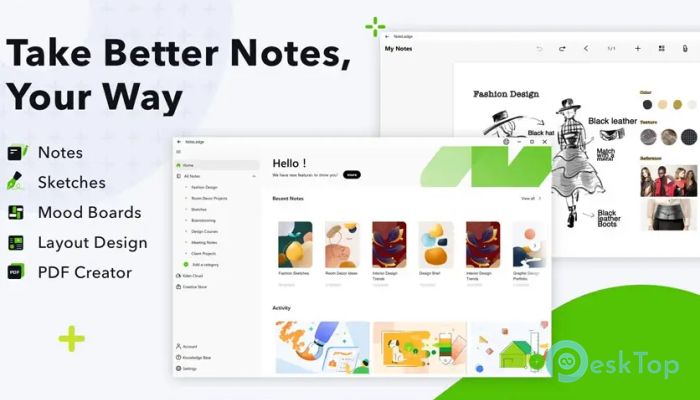
It feels like a blank canvas rather than a rigid document. Designers, students, and content creators can shape their pages to reflect how they think. Some ideas start as rough sketches, others as images or voice notes, and the software handles them all with ease. The layout encourages experimentation. You can move things around freely, resize elements, and build pages that feel natural. It is like arranging sticky notes on a wall, but without the mess.Features of NoteLedge
Powerful Multimedia Notes
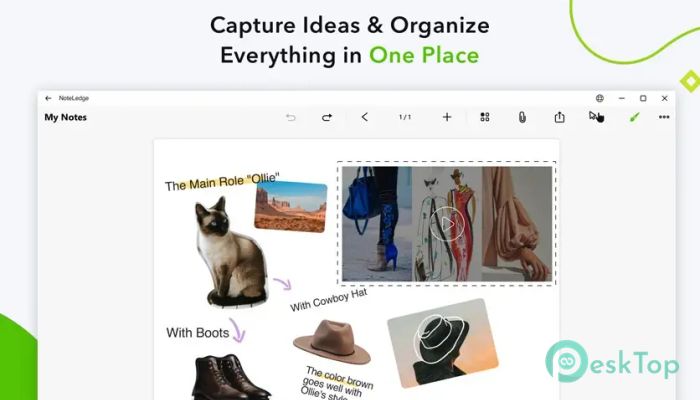
One of the strongest points is its support for multimedia content. The software allows notes to include photos, videos, PDFs, audio recordings, and hand-drawn sketches. This makes it ideal for mood boards, research collections, and creative documentation.
Instead of jumping between different tools for images, documents, and recordings, everything stays together. That unity helps ideas grow faster and stay connected.
Sketching and Drawing Tools
Creativity often starts with a simple line or shape. The built-in drawing tools offer a range of brushes that feel natural and responsive. You can sketch rough ideas, annotate images, or create detailed drawings directly on the page.
These tools are helpful for visual thinkers who prefer drawing over typing. It is like carrying a digital sketchbook that never runs out of pages.
Drag and Drop Freedom
The drag-and-drop interface makes organizing content feel effortless. You can place images next to text, layer elements, or align objects neatly with smart guides. This freedom allows you to design pages that look clean and professional without extra effort.
It works well for building mood boards, visual plans, or presentation-ready layouts. Think of it as arranging puzzle pieces until the picture feels right.
Smart Layout and Alignment
Even with total freedom, structure still matters. The software includes smart alignment tools that help keep pages tidy. Elements snap into place naturally, so layouts look balanced without constant manual adjustments.
This feature is useful when preparing notes for sharing or presentation. Your ideas not only make sense but also look polished.
Easy Sharing and Presentation
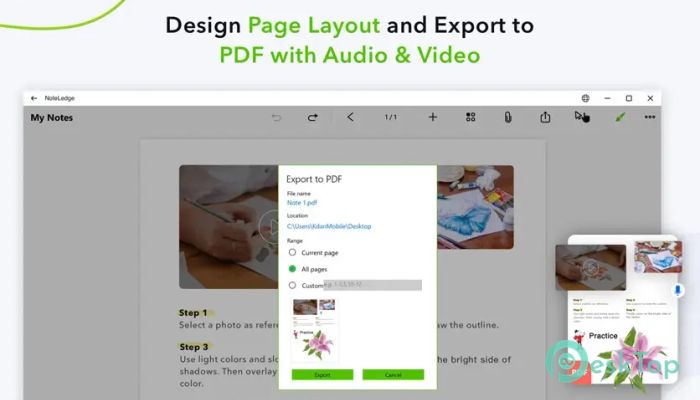
Ideas are meant to be shared. The software allows users to present work directly from their device, making it useful for meetings, classes, or creative reviews. You can also export notes as PDF files that include audio and video content.
This makes collaboration simple. Instead of explaining ideas separately, you can show them exactly as they were created.
Perfect for Learning and Planning
Beyond creative projects, it works well for class notes and study material. Visual learners can mix diagrams, handwritten notes, and recordings in one place. This approach often makes information easier to remember.
In project planning, it serves as a visual roadmap. Tasks, references, and ideas stay connected, helping you see the bigger picture.
A Smooth Creative Workflow
The real strength lies in how smoothly everything fits together. From capturing an idea to refining it into a presentable format, the workflow feels natural. There are no unnecessary steps or distractions.
It supports creative momentum. When ideas flow, the software keeps up instead of slowing you down.
System Requirements and Technical Details
Operating System: Windows 11 / 10 / 8.1 / 7
Processor: Minimum 1 GHz Processor (2.4 GHz recommended)
RAM: 2GB (4GB or more recommended)
Free Hard Disk Space: 500MB or more is recommended

-
Program size378.51 KB
-
Version1.0
-
Program languagemultilanguage
-
Last updatedBefore 8 Month
-
Downloads10
 Paragon Hard Disk Manager 18 Business
 Aescripts MaskMotion
 Aescripts AE Glass
 Aescripts PreFlight
 Aescripts Risograph
 Aescripts Folder Fanatic