
 Arabic
  English
  Turkish
  Chinese
  Japanese
  Russian
  Spanish
  German
  French
  Hindi
Hindi Download OneConv Video Converter 1.0 for Windows
Download OneConv Video Converter 1.0 for Windows.
OneConv Video Converter Overview
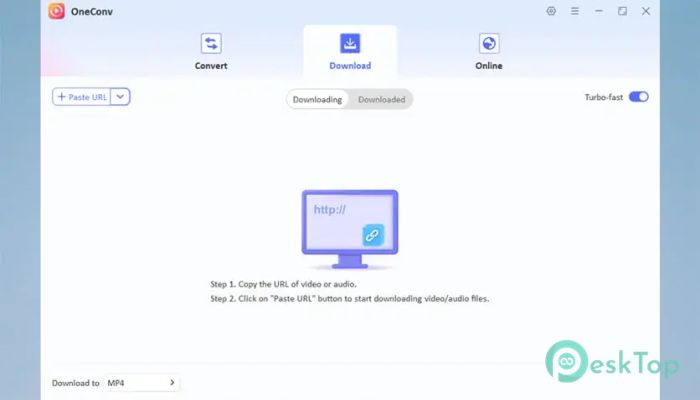
It is designed for users who want a smooth and hassle-free way to convert media files. It acts as a bridge between different file formats, letting you play your videos on any device without compatibility issues. Whether you have an old file format or need a modern one like MP4, this software makes the process quick and simple. The tool supports a wide range of formats, including MP4, MOV, MKV, AVI, and many more. It also works well with audio formats, making it useful for extracting sound from videos or converting music files. Its clean interface ensures that even beginners can use it without feeling lost.Features of OneConv Video Converter
Easy and User-Friendly Interface
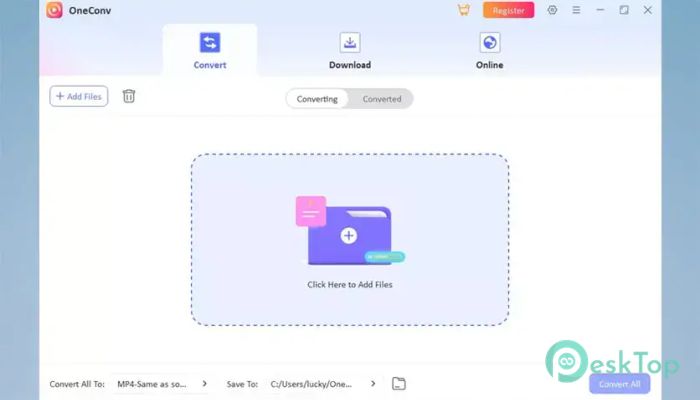
The software is built with simplicity in mind. Everything is clearly placed, so you do not have to dig through complicated menus. It feels like using a basic app where you just drag, drop, and convert. Even if you have never used a converter before, you will quickly understand how it works.
Buttons are labeled clearly, and the workflow is smooth. You can import files, choose the output format, and start conversion in just a few clicks. It is almost like following a straight path without any confusing turns.
Wide Format Support
One of the biggest strengths of this tool is its support for many formats. It handles both video and audio files with ease. You can convert videos into formats that work perfectly on smartphones, tablets, laptops, or TVs.
This flexibility makes it useful for people who deal with different devices. Instead of struggling with unsupported formats, you can quickly convert files into something that works everywhere.
Fast Conversion Speed
No one likes waiting for hours to convert a single file. This tool focuses on speed without reducing quality. It uses advanced processing to handle conversions quickly, saving you time.
Even large files are processed efficiently. It feels like turning a heavy task into something lightweight and manageable. You can continue your work while the conversion runs in the background.
High-Quality Output
Quality matters when converting videos or audio. The tool ensures that the final output looks and sounds great. It keeps the original clarity while changing the format.
You can also adjust settings like resolution, bitrate, and frame rate. This gives you control over the final result, allowing you to balance quality and file size according to your needs.
Built-in Editing Features
The software is not just about conversion. It also includes basic editing tools to improve your media files. You can trim unwanted parts, crop the frame, or adjust brightness and contrast.
Think of it like a small toolbox that comes with the converter. Instead of using separate software, you can make quick edits and then convert the file in one place.
Device Optimization
Another helpful feature is device-specific optimization. You can choose presets for different devices, such as phones, tablets, or gaming consoles. This ensures that the file plays perfectly without manual adjustments.
It works like a smart assistant that understands what format and settings your device needs. You just select the device, and the tool handles the rest.
Batch Conversion Support
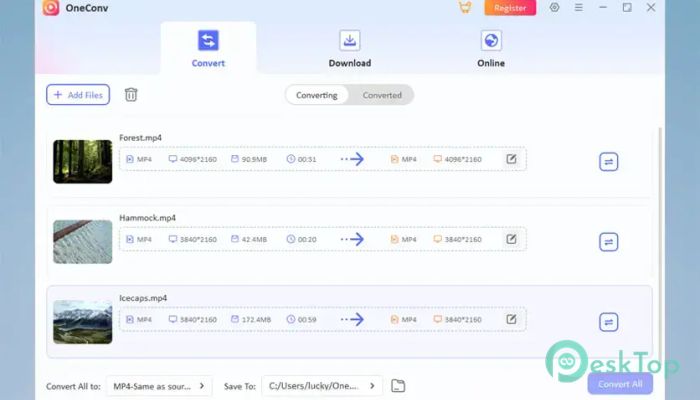
If you have multiple files to convert, this feature will save you a lot of time. Instead of converting one file at a time, you can process several files together.
This is especially useful for users who work with large media collections. It turns a repetitive task into a quick and efficient process.
Lightweight and Efficient
The software does not require high system resources. It runs smoothly on most Windows PCs without slowing down your system. This makes it accessible to a wide range of users.
Even on older computers, it performs well. It feels like a tool that respects your system instead of overloading it.
Safe and Reliable Usage
Reliability is important when working with media files. The tool ensures stable performance and avoids errors during conversion. You can trust it to handle your files without corruption.
It also keeps your original files safe. The conversion process creates a new file, so your original content remains untouched.
System Requirements and Technical Details
Operating System: Windows 11 / 10 / 8.1 / 7
Processor: Minimum 1 GHz Processor (2.4 GHz recommended)
RAM: 2GB (4GB or more recommended)
Free Hard Disk Space: 200MB or more is recommended

-
Program size1.33 MB
-
Version1.0
-
Program languagemultilanguage
-
Last updatedBefore 3 Month
-
Downloads29Ralated programs
![ChrisPC VideoTube Downloader Pro]() ChrisPC VideoTube Downloader Pro
ChrisPC VideoTube Downloader Pro![TranscribeKit]() TranscribeKit
TranscribeKit![Vision Search]() Vision Search
Vision Search![DVDFab]() DVDFab
DVDFab![Crynet Showcase]() Crynet Showcase
Crynet Showcase![OVRLEY]() OVRLEY
OVRLEY
 ChrisPC VideoTube Downloader Pro
 TranscribeKit
 Vision Search
 DVDFab
 Crynet Showcase
 OVRLEY