
 Arabic
  English
  Turkish
  Chinese
  Japanese
  Russian
  Spanish
  German
  French
  Hindi
Hindi Download OSBytes ffMediaMaster 1.1.1 for Windows
Download OSBytes ffMediaMaster 1.1.1 for Windows.
OSBytes ffMediaMaster Overview
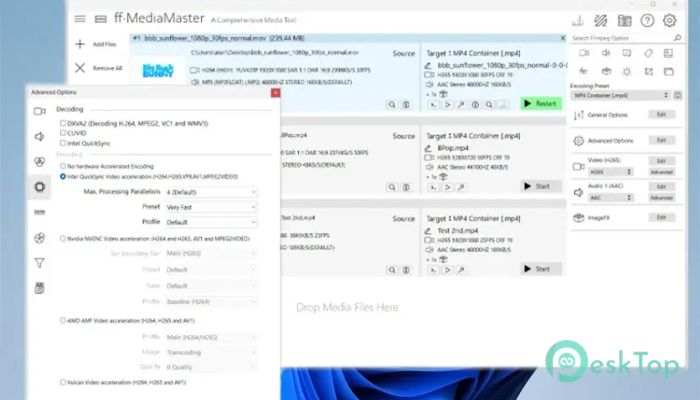
This tool is designed for users who want high-end video conversion with an easy workflow. It brings the strength of FFmpeg into a clean interface, making advanced tasks feel effortless. If you wish to convert a movie, prepare a clip for editing, or compress a large file, this software speeds up the process and maintains sharp output quality. It is designed with simplicity in mind, offering a refreshing way to handle media without coding or complex manual settings.Features of OSBytes ffMediaMaster
Clean and User-Friendly Interface
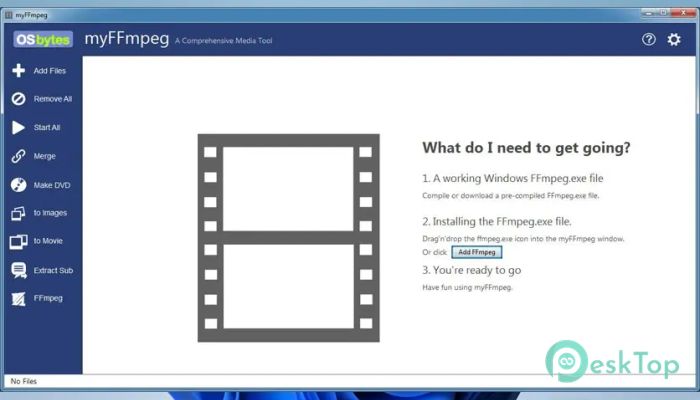
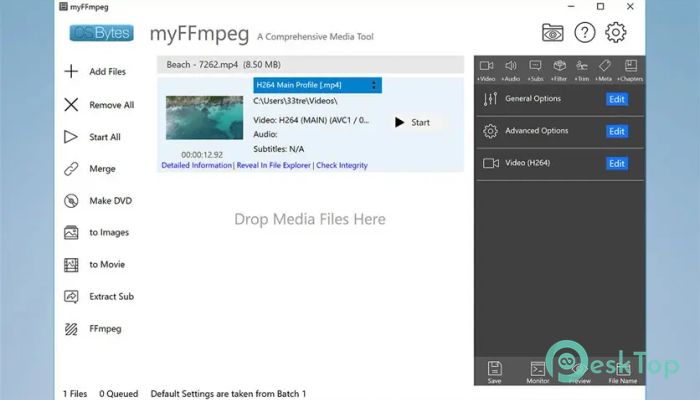
One thing that makes the tool stand out is its straightforward layout. Every option is neatly arranged so even beginners can use it without confusion. Buttons, menus, and conversion presets are placed clearly, letting you navigate smoothly. You don’t need technical knowledge to start, which makes it ideal for casual users, editors, and creators.
Powered by FFmpeg Features
The software uses the powerful FFmpeg engine to process media. FFmpeg is known for its strength, quality, and reliability, but it usually requires typing commands. Instead, this tool handles all the heavy lifting in the background. You get the same power but through a simple click-based interface. This also ensures accurate conversions with modern encoding standards.
High-Quality Video Output
Because the tool works closely with FFmpeg, it produces crisp, high-resolution videos. Whether you’re converting old footage or preparing clips for social media, the results stay sharp. The conversions keep colors balanced, audio synced, and details preserved. If you want ultra-high-quality movies, this tool handles them with care.
Wide Support for Media Formats
The tool supports a wide range of formats, making it flexible across different use cases. From MP4 to MKV, AVI, MOV, WebM, and many others, you can convert any file without compatibility issues. It also supports several audio formats, ensuring smooth output for music and voice files.
No Command-Line Needed
Most FFmpeg tools require writing commands, which can be confusing. Here, everything is done through simple controls. Drag a file, choose your format, and click "Convert". The tool handles the command-line process in the background. This makes your workflow lighter and faster.
Fast Conversion Speed
The software is built to handle video and audio conversions quickly. It uses system resources smartly to speed up processing. Large files convert smoothly, and HD or 4K content moves through the pipeline without lag. This saves time, especially for people who handle large projects.
Strong Compression Tools
If you need to reduce file sizes without sacrificing quality, the tool offers powerful compression features. You can keep your videos clean and smooth while lowering their storage usage. It’s helpful when uploading to websites, sharing over email, or saving space on your device.
Editing and Customization Options
Along with conversion, the tool also includes options to adjust bitrate, resolution, aspect ratio, and codecs. These controls give you flexibility without overwhelming you. You can fine-tune every detail for creative projects or keep things simple with presets.
Best Choice for Content Creators
For YouTubers, editors, filmmakers, and even students, the tool is a reliable partner. Its stability and the FFmpeg engine offer consistent performance every time. Whether you're converting a batch of clips or a single movie, the results stay precise.
System Requirements and Technical Details
Operating System: Windows 11 / 10 / 8.1 / 7
Processor: Minimum 1 GHz Processor (2.4 GHz recommended)
RAM: 2GB (4GB or more recommended)
Free Hard Disk Space: 200MB or more is recommended

-
Program size144.02 MB
-
Version1.1.1
-
Program languagemultilanguage
-
Last updatedBefore 10 Month
-
Downloads26Ralated programs
![ChrisPC VideoTube Downloader Pro]() ChrisPC VideoTube Downloader Pro
ChrisPC VideoTube Downloader Pro![TranscribeKit]() TranscribeKit
TranscribeKit![Vision Search]() Vision Search
Vision Search![DVDFab]() DVDFab
DVDFab![Crynet Showcase]() Crynet Showcase
Crynet Showcase![OVRLEY]() OVRLEY
OVRLEY
 ChrisPC VideoTube Downloader Pro
 TranscribeKit
 Vision Search
 DVDFab
 Crynet Showcase
 OVRLEY