
 Arabic
  English
  Turkish
  Chinese
  Japanese
  Russian
  Spanish
  German
  French
  Hindi
Hindi Download Pencil Project 3.1.1 for Windows
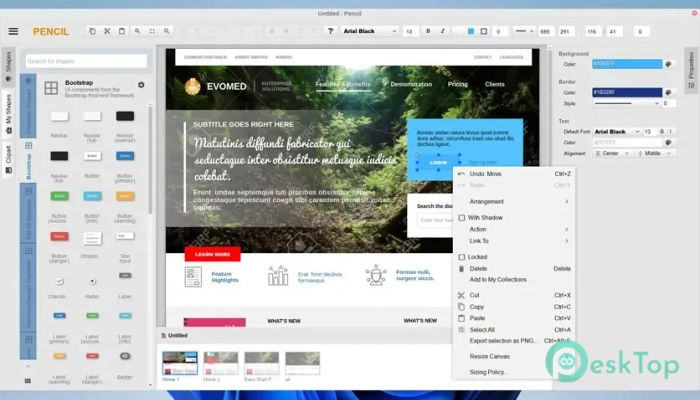
Download Pencil Project 3.1.1 for Windows.
Pencil Project Overview
This software is a free, open-source solution designed specifically for designing diagrams, wireframes, and quick UI mockups. It gives users an easy way to turn ideas into visual layouts without needing advanced skills. The tool was built with the mission of making GUI prototyping accessible to everyone, allowing people to install and use it without technical obstacles.Features of Pencil Project
Easy-to-Use Interface
The tool is known for its clean, straightforward interface, providing users with a comfortable workspace for designing mockups and diagrams. It includes drag-and-drop elements that make it easier to visually build ideas. Even beginners can explore its features without feeling overwhelmed.
Diagram Creation Tools
It provides a wide set of diagramming shapes, icons, and connectors that help users build flowcharts, mind maps, layouts, and structured charts. The connection tools automatically arrange and attach shapes, saving time and effort.
UI Mockup Design Features
The software includes ready-made stencil collections for creating app screens, websites, dashboards, and interface mockups. These elements help users build clean UI plans before moving into development. The stencils cover common mobile and desktop layouts, allowing quick prototyping.
Open-Source Flexibility
The tool is open-source, meaning anyone can download, use, and modify it freely. Designers, students, and developers enjoy this advantage because it removes cost barriers while also encouraging creativity. Being open source also provides long-term reliability, as the community contributes to improvements.
Offline Functionality
Unlike many online design platforms, this software works entirely offline. You can install it on your computer and use all features without an internet connection. This makes it ideal for private, secure, or remote work environments.
Exporting and Sharing Options
The tool supports exporting designs to multiple formats, including PNG, SVG, PDF, and others suitable for images. This gives you the flexibility to share diagrams and mockups in presentations, documents, or reports.
No Collaboration Features
Although it is useful for creating mockups, it does not offer live collaboration or multi-user editing. It works best for individuals who want a standalone design solution without cloud-based features.
Lightweight and Fast
One of its biggest benefits is its lightweight design. The software opens quickly, uses minimal system resources, and runs smoothly even on older computers. This makes it a good choice for users looking for a simple yet powerful design assistant.
Who Should Use It
Students, hobbyists, UI designers, project planners, and people who want to visualize ideas can all benefit from this tool. Its simplicity helps users convert ideas into visual structures within minutes.
System Requirements and Technical Details
Operating System: Windows 11 / 10 / 8.1 / 7
Processor: Minimum 1 GHz Processor (2.4 GHz recommended)
RAM: 2GB (4GB or more recommended)
Free Hard Disk Space: 200MB or more is recommended

-
Program size143.58 MB
-
Version3.1.1
-
Program languagemultilanguage
-
Last updatedBefore 9 Month
-
Downloads25
 Paragon Hard Disk Manager 18 Business
 Aescripts MaskMotion
 Aescripts AE Glass
 Aescripts PreFlight
 Aescripts Risograph
 Aescripts Folder Fanatic