
 Arabic
  English
  Turkish
  Chinese
  Japanese
  Russian
  Spanish
  German
  French
  Hindi
Hindi Download Pixillion Image Converter Free 1.0 for Windows
Download Pixillion Image Converter Free 1.0 for Windows.
Pixillion Image Converter Free Overview
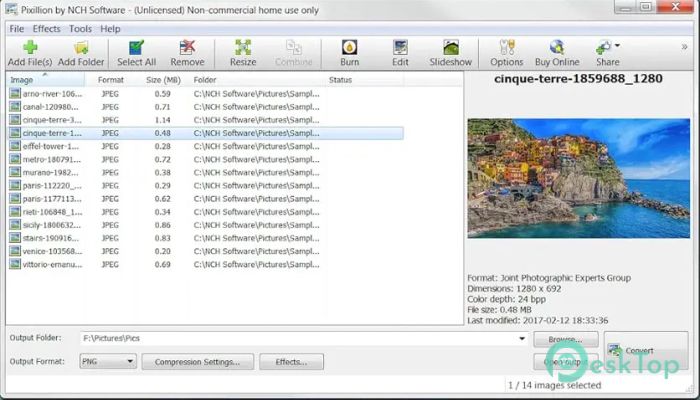
This program is designed for anyone who regularly works with images. Whether you are a student, photographer, designer, or just someone organizing family photos, it makes the process smooth and stress-free. Instead of opening different apps for different formats, you can handle everything in one place. The software supports a wide range of formats, including JPG, JPEG, PNG, HEIC, WEBP, PDF, CR2, DNG, and many more. It also lets you convert thousands of images at once with batch processing. That means no more wasting hours converting files one by one. You simply drag and drop, adjust your settings, and click Convert. It is developed by NCH Software and focuses on speed, simplicity, and flexibility. The interface is clean and easy to understand. Even if you are not tech-savvy, you will feel comfortable using it within minutes.Features of Pixillion Image Converter Free
Batch Conversion Made Simple
If you have ever tried converting hundreds of images manually, you know how frustrating it can be. This tool solves that problem. You can select multiple files at once and convert them together without slowing down your system.
Batch conversion works like a conveyor belt in a factory. You place your images on it, choose the output format, and let the software handle the heavy lifting. It processes large numbers of files quickly while maintaining their quality.
This feature is especially useful for photographers who need to deliver files in different formats or for businesses that manage large image libraries.
Wide Format Support
Compatibility is one of its strongest points. It supports popular image formats like JPG, PNG, WEBP, HEIC, and PDF. It also works with professional camera formats such as CR2 and DNG.
This flexibility means you can convert images for websites, printing, email attachments, or social media without worrying about format restrictions. It acts like a universal translator for image files.
You can also preserve vector graphics when converting between vector formats. That ensures your logos and design files remain sharp and clear without losing detail.
Resize, Compress, and Optimize
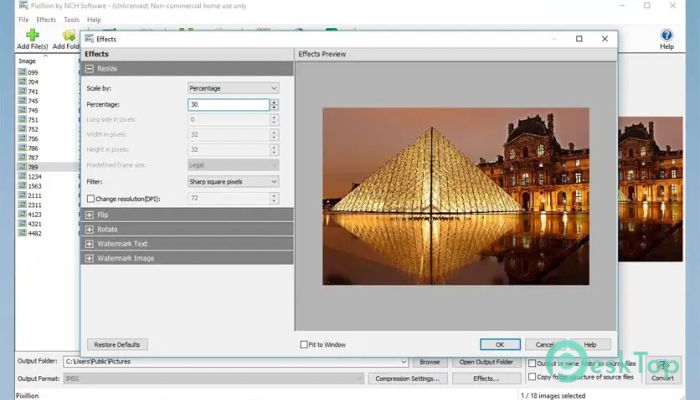
Sometimes you do not just need to change the format. You may want to resize images for faster uploads or compress them to save storage space. This software allows you to adjust dimensions and file size with ease.
You simply enter your desired width and height, and it handles the rest. It is like tailoring a suit. You give the measurements, and it adjusts the image to fit perfectly.
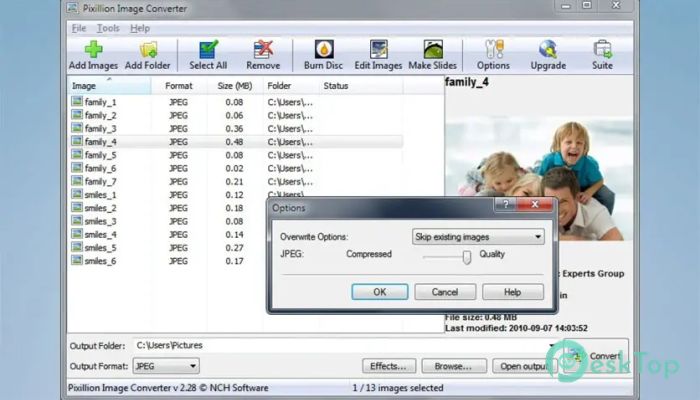
Compression options help reduce file size without noticeable quality loss. This is helpful for website owners who want faster-loading pages or for users who need to share images quickly.
Easy Editing Features
Beyond conversion, it offers basic editing options. You can rotate images, flip them, add text captions, and even apply watermarks. These features are simple but effective.
Adding a watermark can protect your photos from unauthorized use. Adding text captions can make your images more informative. You do not need advanced editing skills to use these tools.
It gives you just enough control without overwhelming you with complex menus and settings.
Right-Click Conversion
One of the most convenient features is the right-click conversion option. Instead of opening the program every time, you can convert images directly from your file explorer.
This saves time and keeps your workflow smooth. Think of it as having a shortcut door. You do not need to walk through the entire house to reach your destination.
For users who frequently convert files, this small feature makes a big difference.
User-Friendly Interface
The layout is clean and organized. Drag-and-drop functionality makes adding files simple. Clear buttons and settings reduce confusion.
Even beginners can quickly understand how it works. There are no complicated steps. You choose your images, pick the format, adjust settings if needed, and click convert. That is it.
The design focuses on efficiency. It does not overload your system with unnecessary background processes.
Performance and Reliability
Speed matters when handling large image collections. This program performs conversions quickly without freezing or crashing.
It maintains image quality during conversion. You do not have to worry about blurry outputs or distorted files. The tool keeps your images sharp and accurate.
For everyday use, it offers stable performance and consistent results.
System Requirements and Technical Details
Operating System: Windows 11 / 10 / 8.1 / 7
Processor: Minimum 1 GHz Processor (2.4 GHz recommended)
RAM: 2GB (4GB or more recommended)
Free Hard Disk Space: 200MB or more is recommended

-
Program size2.06 MB
-
Version1.0
-
Program languagemultilanguage
-
Last updatedBefore 7 Month
-
Downloads17
 Paragon Hard Disk Manager 18 Business
 Aescripts MaskMotion
 Aescripts AE Glass
 Aescripts PreFlight
 Aescripts Risograph
 Aescripts Folder Fanatic