
 Arabic
  English
  Turkish
  Chinese
  Japanese
  Russian
  Spanish
  German
  French
  Hindi
Hindi Download SIEG - SnapToPath v1.0.0 for After Effects for Windows

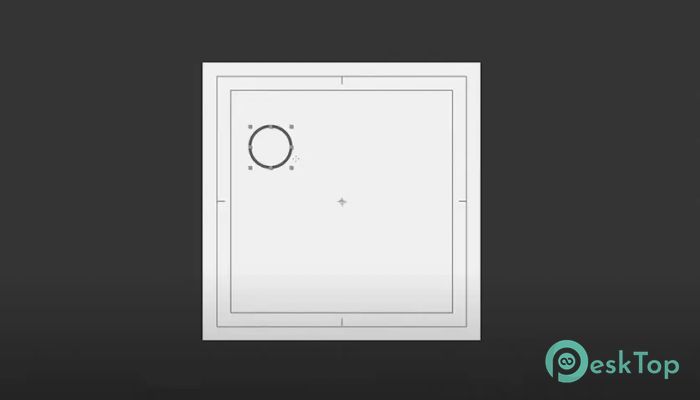
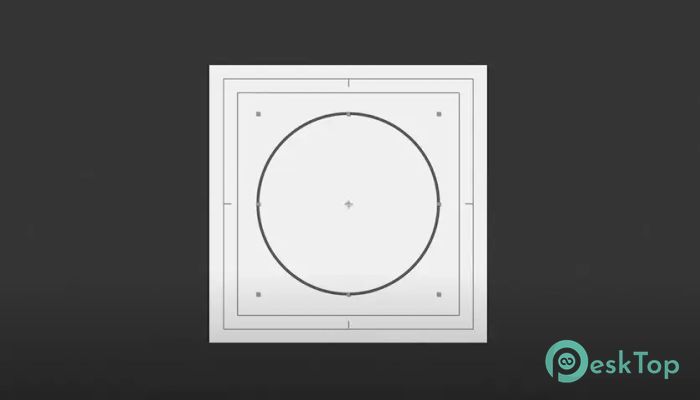
Download SIEG - SnapToPath v1.0.0 for After Effects for Windows.
SIEG - SnapToPath Overview
Creating smooth animations in After Effects often takes time and effort, especially when working with multiple layers and motion paths. This tool simplifies that process by allowing users to create grids, lines, and path-based animations using a single controller. Instead of manually adjusting each layer, you can connect them to a path and let the script handle the movement automatically. It works seamlessly inside After Effects and gives you better control over animation flow. Whether you are creating motion graphics, UI animations, or visual effects, this script helps you work faster and more efficiently. Think of it as a smart assistant that organizes your animation and keeps everything moving smoothly along a defined path. The software is designed for motion designers, video editors, and animation creators who want to speed up their workflow without sacrificing creativity. It provides advanced control features while keeping everything simple and easy to manage.Features of SIEG - SnapToPath
Smart Path-Based Animation
The main strength of this script lies in its path-based animation system. When you create a path in After Effects, you can link multiple layers to follow that path. These layers can move along the path either statically or dynamically, depending on your animation needs.
This makes it incredibly useful for creating motion graphics, UI transitions, text animations, and complex visual effects. Instead of manually animating every layer, you simply define the path and let the tool handle the movement automatically.
It saves time and ensures consistency across animations. The result is smooth, professional-quality animation with minimal effort.
Single Controller Animation System
Managing multiple layers in After Effects can quickly become overwhelming. This script solves that problem by allowing you to control everything using a single controller. You can adjust animation speed, spacing, scale, and depth all from one place.
This feature makes complex animation setups feel simple and organized. It reduces clutter and helps you focus on creativity instead of technical adjustments. With just a few tweaks, you can create polished animations without digging through multiple layer settings.
It works like a remote control for your animation, giving you full control without unnecessary complexity.
Minimum and Maximum Scale Controller
Scaling animation elements manually can be time-consuming. This script includes a minimum and maximum scale controller that automatically adjusts layer sizes as they move along the path.
This creates depth and perspective effects that make animations feel more dynamic. For example, layers can appear larger when closer and smaller when further away. This adds realism and enhances visual appeal.
It is especially helpful when creating motion graphics or UI animations where visual depth plays an important role.
Depth Control for Dynamic Animations
Depth control allows you to create layered animations with a sense of distance and movement. Layers can be positioned at different depths, giving your animation a more cinematic feel.
This feature is useful for creating complex motion graphics, background animations, and visual effects. It helps you add dimension without needing advanced 3D animation skills.
The result is smooth, professional animation that feels more immersive and engaging.
Automatic Rotation Feature
Rotating layers along a path manually can be difficult and time-consuming. The automatic rotation feature handles this automatically, ensuring layers rotate naturally as they move.
This creates smooth and realistic motion. It is especially useful for animations involving objects moving along curved paths or circular motion.
The feature reduces manual adjustments and helps maintain consistency across your animation.
TrimPath Animation Support
TrimPath is an essential animation tool in After Effects. This script includes built-in TrimPath support, allowing you to animate paths easily.
You can quickly create line animations, motion trails, and animated shapes. This feature makes it easier to design motion graphics and UI animations without complicated setups.
It simplifies the animation process and helps you achieve professional results faster.
Offset Control for Flexible Animation
Offset control gives you flexibility when working with path animations. You can adjust how layers move along the path to create unique motion effects.
This feature is useful for staggered animations, delayed motion, and creative effects. It adds variety to your animation and keeps visuals interesting.
With offset control, you can experiment and create custom motion styles effortlessly.
Improved Workflow and Productivity
This script is designed to improve workflow and save time. By automating repetitive tasks, it allows you to focus more on creativity and less on technical adjustments.
It helps reduce animation setup time and improves overall productivity. Whether you are working on small projects or large productions, it makes the process faster and smoother.
The software fits naturally into existing After Effects workflows, making it easy to start using it immediately.
User-Friendly Interface
The interface is simple and easy to understand. Even beginners can start creating animations without difficulty. Controls are organized clearly, making it easy to adjust settings and preview results.
It removes complexity while still offering advanced features. This balance makes it suitable for both beginners and professional users.
Professional Motion Graphics Creation
Motion designers can create professional-quality graphics using this script. It helps generate smooth animations, clean transitions, and dynamic motion effects.
Whether working on promotional videos, UI animations, or visual effects, the tool provides flexibility and creative freedom.
The result is a polished animation that looks professional and engaging.
System Requirements and Technical Details
Operating System: Windows 11 / 10 / 8.1 / 7
Processor: Minimum 1 GHz Processor (2.4 GHz recommended)
RAM: 2GB (4GB or more recommended)
Free Hard Disk Space: 200MB or more is recommended
After Effects: 2025, 2026+

-
Program size11.02 KB
-
Versionv1.0.0 for After Effects
-
Program languagemultilanguage
-
Last updatedBefore 6 Month
-
Downloads21
 Paragon Hard Disk Manager 18 Business
 Aescripts MaskMotion
 Aescripts AE Glass
 Aescripts PreFlight
 Aescripts Risograph
 Aescripts Folder Fanatic