
 Arabic
  English
  Turkish
  Chinese
  Japanese
  Russian
  Spanish
  German
  French
  Hindi
Hindi Download Sonarr 4.0.19.2979 for Windows
Download Sonarr 4.0.19.2979 for Windows.
Sonarr Overview
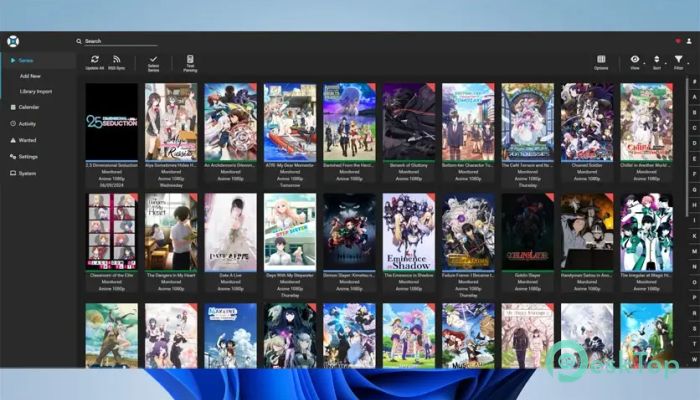
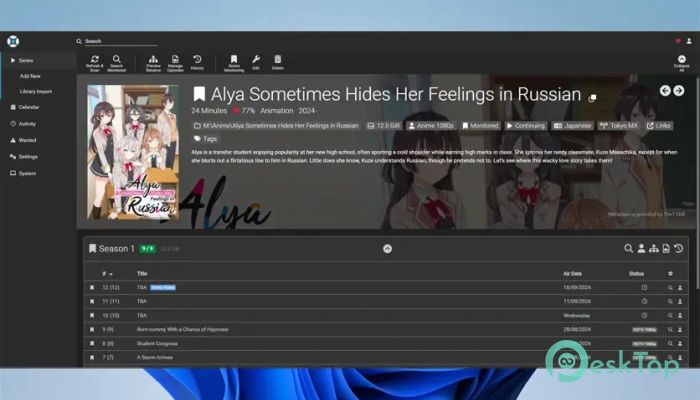
This tool is designed for users who want full control over their TV show collection without manually managing everything. It runs quietly in the background and connects to Usenet and BitTorrent clients to keep episodes organized and up to date. Once set up, it feels like having a personal assistant who never forgets an episode or misnames files. Built with automation in mind, the software natively supports Windows and can run as a Windows Service or a System Tray application. This flexibility allows it to fit seamlessly into different usage models, whether you want it running continuously or only active when needed. How It Simplifies TV Show Management Managing TV shows manually can feel like trying to sort a huge bookshelf every day. This solution eliminates that hassle by monitoring your favorite series and automatically handling downloads. It tracks episodes, seasons, and release dates so nothing slips through the cracks. Once shows are added, it continuously checks for new episodes and handles the rest automatically. Files are neatly sorted and renamed, making your media library clean and easy to browse.Features of Sonarr
Built-In Calendar for Upcoming Episodes
The calendar feature acts like a visual planner for your shows. All upcoming episodes appear on a single clear timeline, giving you a quick overview of what is airing next. It saves time by removing the need to check multiple websites or apps.
This layout is especially helpful for users who follow multiple series simultaneously. With one glance, you can see what is coming today, this week, or even later in the month.
Manual Search for Full Control
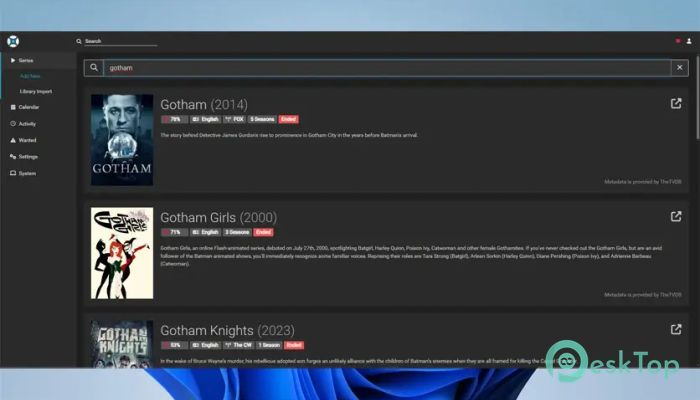
While automation is powerful, sometimes you want to be in the driver’s seat. The manual search option lets you browse all available releases and select exactly what you want. Think of it like shopping with a list instead of grabbing the first item you see.
You can compare different versions, formats, and sources before sending your choice directly to your download client. This balance between automation and control makes the experience smooth and flexible.
Automatic Failed Download Handling
Few things are more frustrating than broken downloads. This software addresses the issue head-on by automatically detecting failed downloads. Whether the problem is missing files, password protection, or repair errors, it does not get stuck.
Instead, it blocks the faulty release and proceeds to the next option until a working one is found. This smart retry system saves time and avoids unnecessary manual fixes.
Smart Quality Upgrades
Quality matters, and this tool understands that. It can be configured to automatically replace existing files when a higher-quality version becomes available. Imagine upgrading from a blurry recording to a crystal-clear one without lifting a finger.
This ensures your library improves over time while keeping everything organized. You always end up with the best version available, without clutter or duplicates.
RSS Feed Monitoring Made Easy
Instead of constantly checking multiple sources, the software monitors RSS feeds for you. It watches for new releases that match your preferences and handles them automatically. This approach keeps things efficient and hands-off.
By combining RSS monitoring with smart filtering, it ensures only relevant releases are processed. The result is a streamlined workflow that feels almost effortless.
Windows Integration and Flexibility
Native Windows support makes setup simple and reliable. You can install it as a background service for continuous operation, or use system tray mode for greater visibility and control. Both options work smoothly without slowing down your system.
This flexibility allows users to tailor the setup to their PC usage. Whether it is a home server or a daily-use computer, it adapts well.
User-Friendly Interface
The interface is clean and easy to understand, even for beginners. Settings are logically arranged, and common tasks are just a few clicks away. It feels more like using a modern app than managing a complex tool.
Clear labels and helpful visuals make navigation simple. You do not need advanced technical knowledge to get everything running smoothly.
System Requirements and Technical Details
Operating System: Windows 11 / 10 / 8.1
Processor: Minimum 1 GHz Processor (2.4 GHz recommended)
RAM: 2GB (4GB or more recommended)
Free Hard Disk Space: 200MB or more is recommended

-
Program size72.62 MB
-
Version4.0.19.2979
-
Program languagemultilanguage
-
Last updatedBefore 3 Month
-
Downloads22Ralated programs
![ChrisPC VideoTube Downloader Pro]() ChrisPC VideoTube Downloader Pro
ChrisPC VideoTube Downloader Pro![TranscribeKit]() TranscribeKit
TranscribeKit![Vision Search]() Vision Search
Vision Search![DVDFab]() DVDFab
DVDFab![Crynet Showcase]() Crynet Showcase
Crynet Showcase![OVRLEY]() OVRLEY
OVRLEY
 ChrisPC VideoTube Downloader Pro
 TranscribeKit
 Vision Search
 DVDFab
 Crynet Showcase
 OVRLEY