
 Arabic
  English
  Turkish
  Chinese
  Japanese
  Russian
  Spanish
  German
  French
  Hindi
Hindi Download Stream Manager 2.3.1 for Windows
Download Stream Manager 2.3.1 for Windows.
Stream Manager Overview
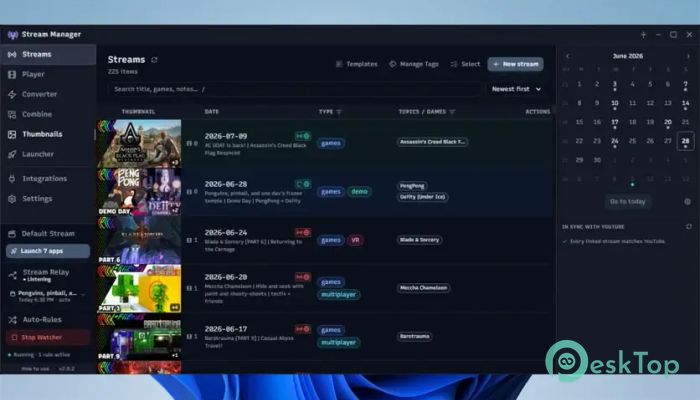
It is a useful tool created for streamers who want a simple way to handle their recorded content. It centers on a local stream library that lets users organize recordings, thumbnails, and related files in one place. The software began as a solution for managing raw recordings and has grown into a helpful foundation for complete streaming workflows. The tool keeps everything connected to your own storage. You only need to select the folder where your recordings are saved, and it automatically arranges your videos into manageable stream items. This makes searching, editing, and tracking content much easier without depending on online services.Features of Stream Manager
Simple Local Stream Library Management
The main purpose of the software is to give streamers better control over their local media collection. Instead of searching through hundreds of random recordings, users can view everything in an organized library with useful details attached to each stream.
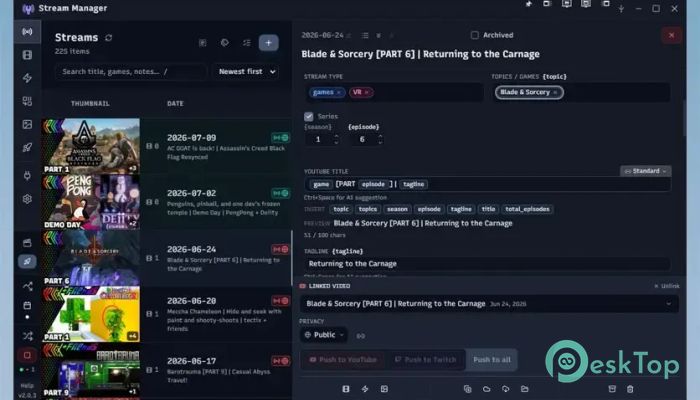
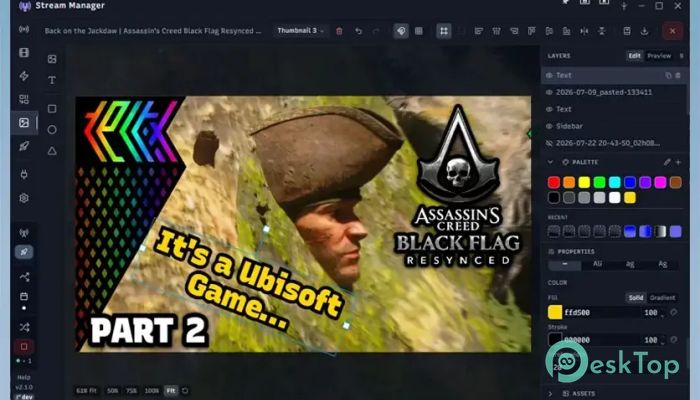
Every stream item can contain videos, thumbnails, and additional information stored beside the original files. This keeps the library portable, meaning you can move it to another drive or computer without losing important details.
Organize Recordings Efficiently
Managing large amounts of recorded content can become difficult over time. The tool solves this problem by creating a structured environment in which stream recordings remain grouped together. Users can quickly find older sessions and keep their content collection clean.
It removes the need to manually rename files or search through different folders. The organized system functions like a personal archive, helping streamers save time and focus on creating content.
Search and Edit Stream Details
The software allows users to search their stream library and manage key information for each recording. Streamers can add tags, update details, and modify information to make future searches faster.
This feature is especially helpful for creators who regularly produce many videos. With proper organization, finding a specific stream recording is simple, rather than wasting time checking multiple folders.
Portable Library System
One useful feature of the application is its portable design. Since stream information is stored alongside the related files, users can move their entire library without having to rebuild everything from the beginning.
This approach gives creators more freedom when managing storage. You can transfer recordings between drives, keep backups, or move your collection to another device while keeping the same structure.
Open Source Streaming Solution
The software is free and open source, allowing users to access a lightweight solution without expensive subscriptions. Its community-driven nature makes it suitable for streamers who prefer transparent tools with simple functionality.
Because it focuses on local management rather than cloud-based storage, it provides greater control over personal recordings and helps users maintain ownership of their content.
Useful Workflow for Content Creators
It works as a central place for organizing the early stages of content production. After recording a live session, users can store, review, and prepare their files before moving them to editing software or publishing platforms.
The organized workflow reduces confusion between different recordings. It acts like a bridge between capturing content and preparing it for the final audience.
Better Control Over Media Files
Large collections of recordings can quickly become messy when handled manually. The tool provides a cleaner way to manage videos, helping users maintain a professional archive.
Keeping related files together reduces the chances of losing thumbnails, metadata, or other important information associated with a stream.
Lightweight and User-Friendly Design
The application focuses on simplicity rather than unnecessary features. Its straightforward design makes it easy for beginners while still being useful for experienced streamers who need better organization.
Users can quickly connect their recording folder and start managing their content without complicated setup steps or technical knowledge.
System Requirements and Technical Details
Operating System: Windows 11 / 10 / 8.1 / 7
Processor: Minimum 1 GHz Processor (2.4 GHz recommended)
RAM: 2GB (4GB or more recommended)
Free Hard Disk Space: 200MB or more is recommended

-
Program size169.03 MB
-
Version2.3.1
-
Program languagemultilanguage
-
Last updatedBefore 1 Month
-
Downloads16Ralated programs
![ChrisPC VideoTube Downloader Pro]() ChrisPC VideoTube Downloader Pro
ChrisPC VideoTube Downloader Pro![TranscribeKit]() TranscribeKit
TranscribeKit![Vision Search]() Vision Search
Vision Search![DVDFab]() DVDFab
DVDFab![Crynet Showcase]() Crynet Showcase
Crynet Showcase![OVRLEY]() OVRLEY
OVRLEY
 ChrisPC VideoTube Downloader Pro
 TranscribeKit
 Vision Search
 DVDFab
 Crynet Showcase
 OVRLEY