
 Arabic
  English
  Turkish
  Chinese
  Japanese
  Russian
  Spanish
  German
  French
  Hindi
Hindi Download Superhive Market - 3DGS Render by KIRI Engine 4.1.5 for Windows
Download Superhive Market - 3DGS Render by KIRI Engine 4.1.5 for Windows.
Superhive Market - 3DGS Render by KIRI Engine Overview
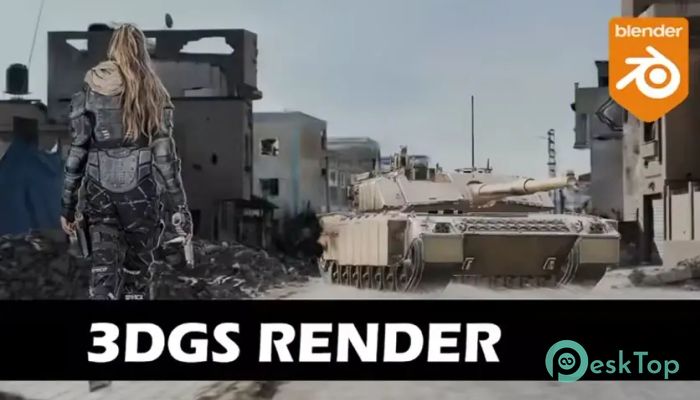
The world of 3D rendering is evolving rapidly, and modern creators demand tools that are faster, smarter, and easier to use. This software introduces a new way of working with 3D content using Gaussian splatting technology. Instead of traditional polygon-heavy workflows, it allows users to handle complex 3D scenes smoothly and efficiently. The software provides an intuitive environment where users can import Gaussian splat objects, edit them with precision, animate scenes, and render high-quality visuals. Whether you're a 3D artist, developer, or content creator, this tool streamlines your workflow and simplifies rendering. What makes this solution stand out is its ability to manage large 3D datasets without slowing down performance. It acts like a lightweight engine that handles heavy visual tasks behind the scenes, allowing creators to focus on creativity rather than technical limitations.Features of Superhive Market - 3DGS Render by KIRI Engine
Modern Gaussian Splat Rendering Technology
The software uses advanced Gaussian splatting techniques to render 3D objects efficiently. This method replaces traditional mesh-based rendering with point-based rendering, resulting in smoother visuals and faster performance.
It works like painting with tiny dots instead of drawing heavy shapes. Each point contributes to the final image, creating detailed and realistic scenes without requiring massive processing power. This makes the software ideal for high-quality rendering tasks.
Users benefit from reduced file sizes, faster loading times, and improved visual clarity. Even complex scenes become manageable and responsive, making the entire experience smooth and enjoyable.
Import and Manage 3DGS Objects Easily
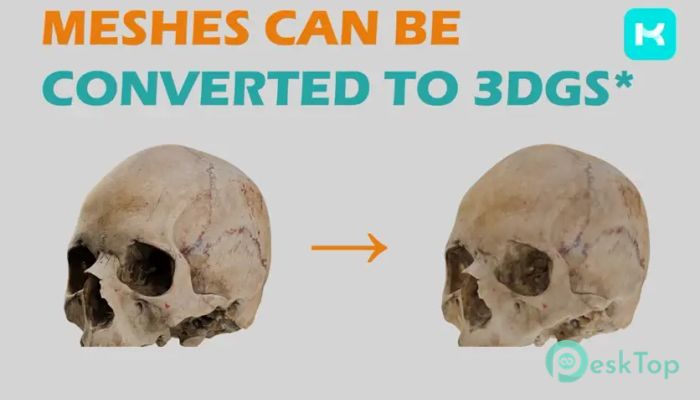
One of the most useful features is the ability to import 3DGS objects directly into the workspace. This allows users to quickly work with scanned environments, captured scenes, and imported assets.
The import process is simple and user-friendly. Once the objects are added, users can adjust positioning, scaling, and orientation. This flexibility enables better scene composition and greater creative control.
Managing multiple objects is also easy. The software keeps everything organized, allowing users to handle large scenes without confusion or clutter.
Edit Gaussian Objects with Precision
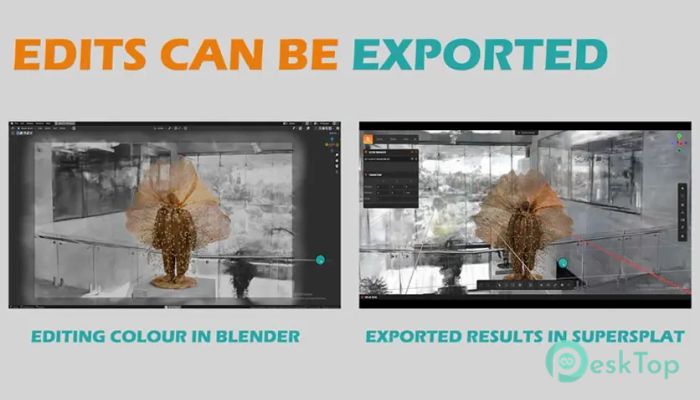
The editing tools provide a clean and efficient workflow. Users can adjust lighting, colors, positioning, and scene composition effortlessly. These features help refine visuals and create professional-level results.
Editing becomes intuitive, similar to working with layers in design software. Each element can be modified independently, allowing greater control over the final output.
This flexibility helps both beginners and professionals work comfortably. Whether making minor adjustments or major edits, everything remains smooth and responsive.
Animate 3D Scenes Smoothly
Animation plays a major role in modern 3D workflows. This software makes animation accessible by providing simple yet powerful tools. Users can animate camera movements, object transformations, and scene transitions.
The animation timeline is easy to understand. It allows creators to build smooth sequences without complicated setups. This makes the process feel natural and efficient.
From simple camera pans to complex scene animations, the software handles everything smoothly. It brings static scenes to life and adds motion-based storytelling capabilities.
Fast and High-Quality Rendering
Rendering is where this software truly shines. It provides high-quality output while maintaining fast processing speeds. Users can render detailed visuals without long waiting times.
The rendering engine optimizes performance automatically. This ensures a smooth workflow even when working with large 3D datasets. It’s like having a powerful engine running quietly in the background.
Creators can produce professional visuals quickly, making it perfect for content creators, designers, and developers.
User-Friendly Interface
The interface is designed to be simple and easy to navigate. Tools are placed logically, allowing users to find what they need without confusion.
Even beginners can start working quickly. The layout reduces learning time and improves productivity. Everything feels clean and modern.
This thoughtful design ensures a smooth experience for both new and experienced users.
Lightweight and Efficient Performance
Despite powerful features, the software remains lightweight. It runs smoothly even on mid-range systems. This makes it accessible to a wide range of users.
The efficient design ensures minimal resource usage while maintaining performance. This balance makes it suitable for everyday creative workflows.
Users can focus on creating instead of worrying about system performance.
Creative Workflow Benefits
This tool simplifies the entire 3D creation process. From importing assets to rendering final output, everything is streamlined. The workflow feels natural and efficient.
It helps reduce technical barriers and improves productivity. Users can experiment, edit, and render without interruptions.
This makes it an excellent solution for artists, developers, and creators looking for a modern 3D workflow.
System Requirements and Technical Details
Operating System: Windows 11 / 10 / 8.1 / 7
Processor: Minimum 1 GHz Processor (2.4 GHz recommended)
RAM: 2GB (4GB or more recommended)
Free Hard Disk Space: 2GB or more is recommended
Blender: 4.3 - 5.0

-
Program size1.02 GB
-
Version4.1.5
-
Program languagemultilanguage
-
Last updatedBefore 4 Month
-
Downloads5564
 Paragon Hard Disk Manager 18 Business
 Aescripts MaskMotion
 Aescripts AE Glass
 Aescripts PreFlight
 Aescripts Risograph
 Aescripts Folder Fanatic