
 Arabic
  English
  Turkish
  Chinese
  Japanese
  Russian
  Spanish
  German
  French
  Hindi
Hindi Download Superhive Market - BagaPie Modifier v11.0.7 + Assets for Windows

Download Superhive Market - BagaPie Modifier v11.0.7 + Assets for Windows.
Superhive Market - BagaPie Modifier Overview
This add-on delivers a smooth, productive experience for artists seeking ready-to-use elements and advanced modeling tools. It lets users pick assets directly from the Asset Browser and work with them in a flexible, time-saving environment. From object scattering to architectural elements, the tool accelerates everyday 3D tasks.Features of Superhive Market - BagaPie Modifier
Asset Browser Integration
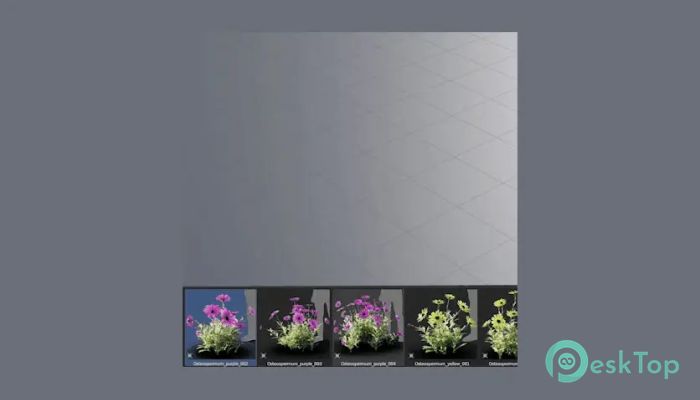
One of this tool's standout features is its seamless integration with the Asset Browser. It allows you to pick single or multiple assets from any available library. The process is quick, direct, and extremely beginner-friendly. Instead of searching through complex menus, users can drag and drop what they need.
This level of convenience streamlines creative workflows, especially when managing a large number of models. Since everything loads neatly in the Asset Browser, users save valuable time and can focus on shaping their scenes rather than searching for files.
Scattering Tools and Object Distribution
The software excels at placing thousands of objects on any surface. Artists can use Scatter Paint to mark placement areas, control visibility with Camera Culling, and adjust distribution based on Object Proximity.
These advanced features enable the creation of natural environments, dense forests, or detailed architectural spaces without manual placement. Multi-layer scattering, Proxy options, Layer Management, and built-in presets make the process smooth, appealing, and efficient.
Architectural Generation Tools
The tool also simplifies architectural modeling with a wide range of parametric elements. With just a few clicks, users can generate Stair Spirals, Handrails, Fences, Pipes, Tiles, Cables, Floors, Beams, Windows, and more.
These parametric modules function as digital building blocks, enabling users to shape structures without manually redrawing everything. It functions as a creative shortcut, making architectural modeling feel like assembling pieces of a puzzle rather than performing complex calculations.
Performance and Workflow Benefits
This tool reduces repetitive work and automates time-consuming steps. With asset presets, scattering controls, and parametric design options, it ensures faster turnaround times for any 3D environment.
It also helps maintain an organized scene structure with easy-to-manage layers, proxies, and baked assets. Users can scale up their creative ideas without worrying about system strain, thanks to its optimized workflow design.
Who Can Benefit From This Tool
This solution is ideal for:
3D artists
Architects
Motion designers
Game designers
Environment creators
Students learning modeling and visualization
Anyone who needs fast asset access, procedural tools, and scattering options will find this plugin extremely helpful. It eliminates unnecessary steps and accelerates the process, which is essential for meeting deadlines or handling large scenes.
System Requirements and Technical Details
Operating System: Windows 11 / 10 / 8.1 / 7
Processor: Minimum 1 GHz Processor (2.4 GHz recommended)
RAM: 2GB (4GB or more recommended)
Free Hard Disk Space: 200MB or more is recommended
Blender: 3.0 - 4.5

-
Program size10.35 MB
-
Versionv11.0.7 + Assets
-
Program languagemultilanguage
-
Last updatedBefore 9 Month
-
Downloads11
 Paragon Hard Disk Manager 18 Business
 Aescripts MaskMotion
 Aescripts AE Glass
 Aescripts PreFlight
 Aescripts Risograph
 Aescripts Folder Fanatic