
 Arabic
  English
  Turkish
  Chinese
  Japanese
  Russian
  Spanish
  German
  French
  Hindi
Hindi Download Superhive Market - Blender Addon - Autosave Pro 4.0 for Windows

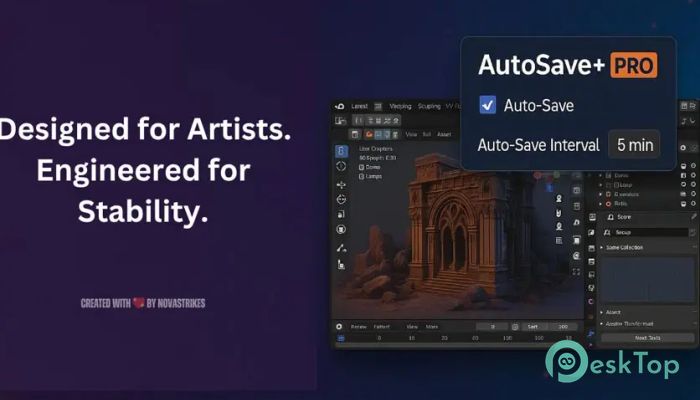
Download Superhive Market - Blender Addon - Autosave Pro 4.0 for Windows.
Superhive Market - Blender Addon - Autosave Pro Overview
This tool is built as a safety net for artists who spend long hours inside Blender. It focuses on stability, intelligent automation, and clean project management. The latest release improves reliability by fixing long-standing timer issues and introducing a clear, sequential naming system that makes backups easier to track. The goal is simple: let you focus on creativity while it quietly handles protection. Why Automatic Saving Matters Anyone who has worked on complex scenes knows how fragile progress can be. A sudden crash can feel like watching hours of effort vanish in seconds. It steps in like a silent assistant, constantly watching over your work and making sure nothing essential slips away. You stay in the creative zone while the software handles the tedious but critical task of saving.Features of Superhive Market - Blender Addon - Autosave Pro
Smart Background Monitoring
It runs quietly in the background without interrupting your workflow. No pop-ups or distractions are breaking your focus. Think of it like cruise control for your projects. Once set, it keeps things moving smoothly, saving at the right moments without you needing to think about it.
Customizable Auto-Save Intervals
Everyone works differently, and this add-on respects that. You can choose short intervals for fast-paced sessions or longer gaps for calm, extended work. Whether you want minute-by-minute protection or relaxed backups, the timing stays entirely under your control.
Smart Save Filtering for Clean Projects
It avoids messy folders by saving only after a project has been manually saved once. This smart filtering prevents unnecessary clutter and keeps your workspace tidy. The result is an organized backup system that makes sense instead of a pile of confusing files.
Dedicated Backup Storage
All backup files are stored in a separate AutoSave folder. This keeps your main project clean and safe from accidental overwrites. If something goes wrong, you know exactly where to look. It is like having a secure vault next to your main workspace.
Scene Complexity Detection
As scenes grow heavier with objects and meshes, the risk of slowdowns increases. It actively monitors scene complexity in real time and activates additional safeguards when conditions become intense. This proactive approach helps protect large projects that push your system to its limits.
Improved Reliability and Naming System
The latest update removes a critical persistent timer issue that affected earlier versions. Additionally, the new sequential naming convention makes backups easier to identify and manage. You always know which version came first and which one is the latest.
Designed for Serious Blender Artists
This add-on is made for professionals and hobbyists alike. Whether you are modeling, animating, or rendering, it adapts to your workflow. It feels less like a plugin and more like a trusted partner that watches your back during demanding sessions.
System Requirements and Technical Details
Operating System: Windows 11 / 10 / 8.1 / 7
Processor: Minimum 1 GHz Processor (2.4 GHz recommended)
RAM: 2GB (4GB or more recommended)
Free Hard Disk Space: 200MB or more is recommended
Blender: 4.4 - 5.0

-
Program size8.01 KB
-
Version4.0
-
Program languagemultilanguage
-
Last updatedBefore 10 Month
-
Downloads10
 Paragon Hard Disk Manager 18 Business
 Aescripts MaskMotion
 Aescripts AE Glass
 Aescripts PreFlight
 Aescripts Risograph
 Aescripts Folder Fanatic