
 Arabic
  English
  Turkish
  Chinese
  Japanese
  Russian
  Spanish
  German
  French
  Hindi
Hindi Download Superhive Market - Cablerator 1.6.0 for Windows

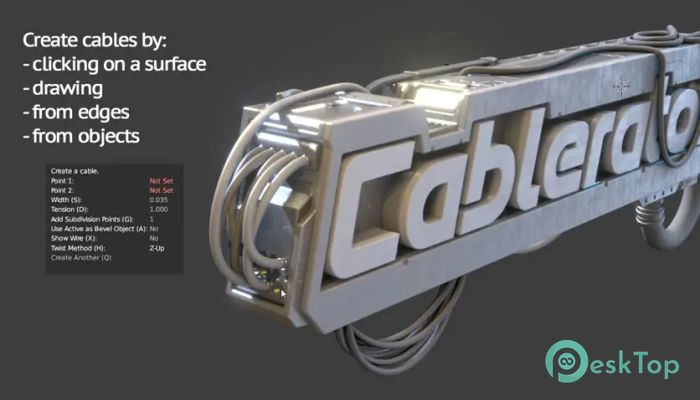
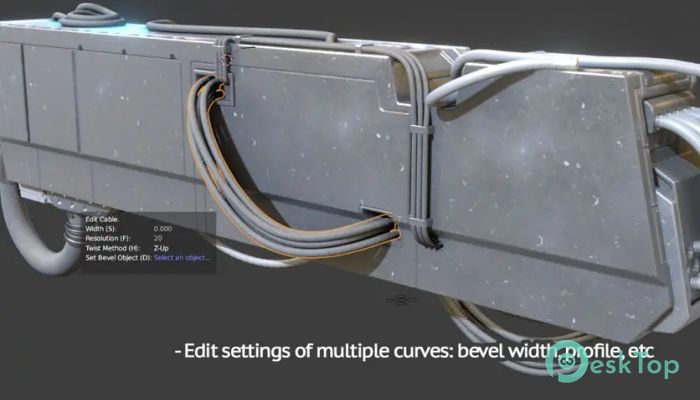
Download Superhive Market - Cablerator 1.6.0 for Windows.
Superhive Market - Cablerator Overview
This powerful addon makes cable creation fast, clean, and easy inside Blender. The software eliminates the need for manual modeling by providing ready tools that generate ropes, wires, and connectors in just a few clicks. Whether you're working on environments, mechanical scenes, or stylized assets, it provides reliable functions that save time and reduce repetitive tasks.Features of Superhive Market - Cablerator
Easy Cable Creation Tools
The tool allows you to build cables directly on surfaces or between objects. You can click on geometry, draw paths on meshes, or even convert edges into cables. This helps you create natural-looking wires without constantly adjusting vertices by hand. It supports multiple workflows, so you can choose the style that matches your project.
Supports Curves, Meshes, and Surfaces
One of the biggest advantages of this addon is its flexibility. The software can generate new cables based on curves or mesh edges, giving you complete freedom to model in any direction. You can attach cables to selected faces or points, making it very useful for mechanical rooms, factories, sci-fi setups, or characters that require rope-like attachments.
Physics-Based Cable Simulation
To make things feel more realistic, the tool uses Blender’s built-in physics system. With this feature, you can simulate hanging wires, sagging ropes, or loose connections in a natural way. It helps your scene look grounded, as if the cables were responding to gravity and tension, much like real-world materials.
Create Insulation and Rope Structures
In addition to standard wires, the addon also supports insulation wraps and rope-like twists. You can select multiple cables and apply insulation instantly, saving hours of work. The rope system is simple yet effective, especially when designing climbing ropes, industrial cords, or decorative strings.
Bulk Cable Generation
If you need many cables, the addon can automatically create a large number of them between selected faces. This is perfect for heavy-duty applications such as server rooms, tunnels, and power chambers. You don’t have to manually draw each line — the addon intelligently spreads them across the chosen areas.
Editing Features for Fast Workflow
Editing cables is just as easy as creating them. The tool allows you to change cable width, assign profiles, split multi-curves into separate wires, and add or remove hooks. These hooks give you control over how cables attach to surfaces, helping you fine-tune the layout of complex scenes.
Custom Geometry and End-Point Additions
You can add your own geometry as segments or end pieces to cables. This means you can attach connectors, caps, plugs, or any custom detail. It brings a high level of modularity, making your cables look unique and professionally crafted.
Perfect for Animation and Static Scenes
Because it works well with Blender physics and multiple curve types, the tool fits both animated sequences and static renders. You can animate the behavior of cables or leave them as detailed elements in your scene. Either way, the addon improves your workflow with consistent and clean results.
System Requirements and Technical Details
Operating System: Windows 11 / 10 / 8.1 / 7
Processor: Minimum 1 GHz Processor (2.4 GHz recommended)
RAM: 2GB (4GB or more recommended)
Free Hard Disk Space: 200MB or more is recommended
Blender: 2.8 - 5.0

-
Program size1.01 MB
-
Version1.6.0
-
Program languagemultilanguage
-
Last updatedBefore 9 Month
-
Downloads16
 Paragon Hard Disk Manager 18 Business
 Aescripts MaskMotion
 Aescripts AE Glass
 Aescripts PreFlight
 Aescripts Risograph
 Aescripts Folder Fanatic