
 Arabic
  English
  Turkish
  Chinese
  Japanese
  Russian
  Spanish
  German
  French
  Hindi
Hindi Download Superhive Market - Community Material Pack v4.0 for Windows
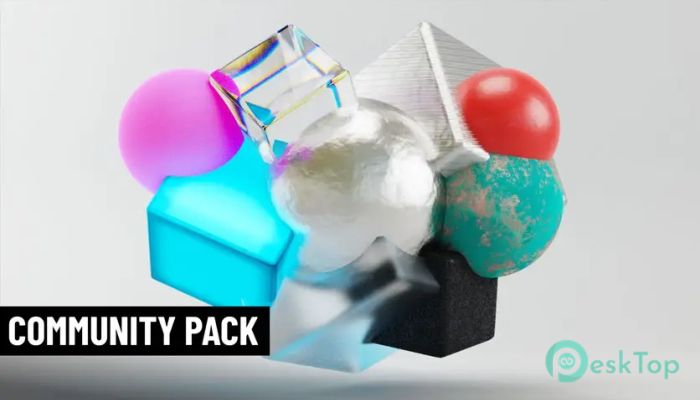
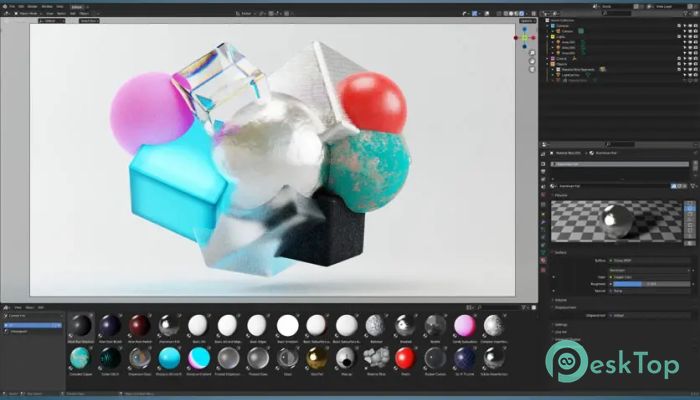
Download Superhive Market - Community Material Pack v4.0 for Windows.
Superhive Market - Community Material Pack Overview
The collection is designed for artists who want quick access to high-quality materials without having to build everything from scratch. It includes a blend file you can add to your asset library, allowing you to drag and drop materials directly into your workspace. The best part is that everything is released under a CC0 license, giving you complete freedom for personal and commercial use.Features of Superhive Market - Community Material Pack
Easy Integration Into Blender
The tool fits naturally into your Blender setup. You can place the blend file inside any chosen asset library folder, and Blender’s Asset Browser will automatically detect it. From there, all materials are easy to access, allowing you to pull them into any scene as you would pick ingredients for a dish. It feels smooth, quick, and highly convenient.
Direct Appending for Flexible Use
The pack also supports manual appending. Open Blender, go to File – Append, and select any material from the included file. This method allows you to bring specific materials into your project without importing the entire library. Think of it as taking only the tool you need from a toolbox, keeping everything clean and organized.
Creative Freedom With CC0 License
Another major highlight is the CC0 licensing. With this license, you can modify, share, or build upon the materials freely. You can use them in commercial work, student projects, tutorials, or any creative task. While giving credit is appreciated, it is not required. This gives artists a comfortable zone where creativity flows without limitation.
Boosting Workflow and Productivity
The pack accelerates your workflow by eliminating the need to build materials from scratch. When you can drag textures and shaders straight into your scene, you save a huge amount of time. This is especially helpful for beginners who may find node setups confusing, as well as professionals who want faster project turnaround.
Wide Variety of Materials
Inside the pack, you will find a range of useful materials suitable for a variety of project types. Whether your project needs natural textures, metallic surfaces, or stylized looks, this collection provides a solid starting point. Each material is crafted to be clean and easy to adjust, allowing you to tweak and personalize it as needed.
Perfect for Beginners and Professionals
The software works well for anyone learning Blender. Beginners can understand how materials are built by studying the included node setups, while advanced users can use the materials as foundations for complex shaders. It serves as a learning tool, a productivity booster, and a resource hub all at once.
Simple Setup Through Preferences
Adding the pack to Blender is surprisingly simple. Open Edit – Preferences – File Paths, then create or select an asset library folder. Place the blend file there, restart Blender, and the materials appear automatically. This easy setup ensures you can start using the pack within minutes.
System Requirements and Technical Details
Operating System: Windows 11 / 10 / 8.1 / 7
Processor: Minimum 1 GHz Processor (2.4 GHz recommended)
RAM: 2GB (4GB or more recommended)
Free Hard Disk Space: 200MB or more is recommended
Blender: 3.5, 3.4, 3.3, 3.2, 3.1, 3.0

-
Program size1.92 MB
-
Versionv4.0
-
Program languagemultilanguage
-
Last updatedBefore 10 Month
-
Downloads14
 Paragon Hard Disk Manager 18 Business
 Aescripts MaskMotion
 Aescripts AE Glass
 Aescripts PreFlight
 Aescripts Risograph
 Aescripts Folder Fanatic