
 Arabic
  English
  Turkish
  Chinese
  Japanese
  Russian
  Spanish
  German
  French
  Hindi
Hindi Download Superhive Market - Composition Guides 1.3.0 for Windows
Download Superhive Market - Composition Guides 1.3.0 for Windows.
Superhive Market - Composition Guides Overview
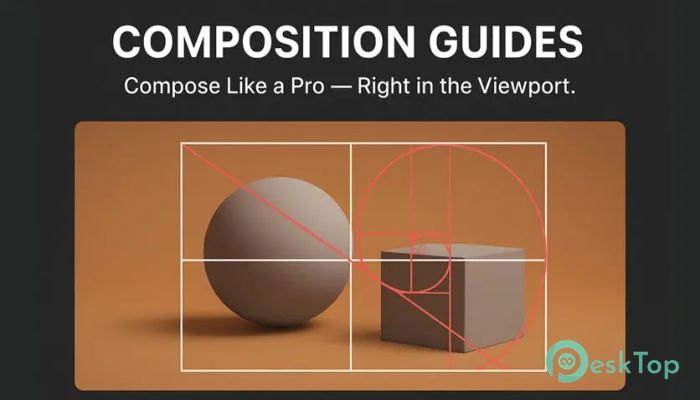
This add-on is built for creators who want clean framing without slowing down their workflow. It brings time-tested composition frameworks right where you need them, inside the viewport and camera view. Instead of guessing angles or eyeballing balance, you can rely on clear visual references that guide every decision. Think of it like having a transparent ruler for art, always visible, never in the way. Why composition matters in 3D work Good composition is the backbone of strong visuals. It directs the viewer’s eye, creates balance, and adds emotion to a scene. In 3D, where space is unlimited, it is easy to lose focus. This tool acts like a quiet mentor, nudging elements into place so renders feel intentional rather than accidental.Features of Superhive Market - Composition Guides
Real-time overlays inside the viewport
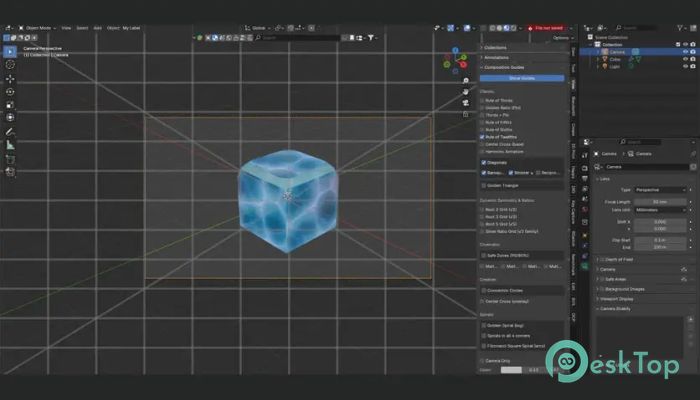
One of the biggest strengths is real-time feedback. Guides are drawn directly over your scene, updating instantly as you move the camera or objects. There is no lag and no separate preview window. What you see is what you get, which keeps you in the creative zone.
Industry-standard composition systems
The software includes a wide range of well-known frameworks used in photography, film, and fine art. From the familiar Rule of Thirds to the more advanced Harmonic Armature, each option is designed to help you place subjects naturally. These systems are not just theory; they are practical tools that shape how viewers experience your work.
Works in camera view and perspective mode
Flexibility is key during layout and blocking. You can use the guides while looking through the camera or while navigating freely in perspective view. This makes it easier to plan shots early and fine-tune them later, without switching tools or breaking focus.
Easy customization for personal style
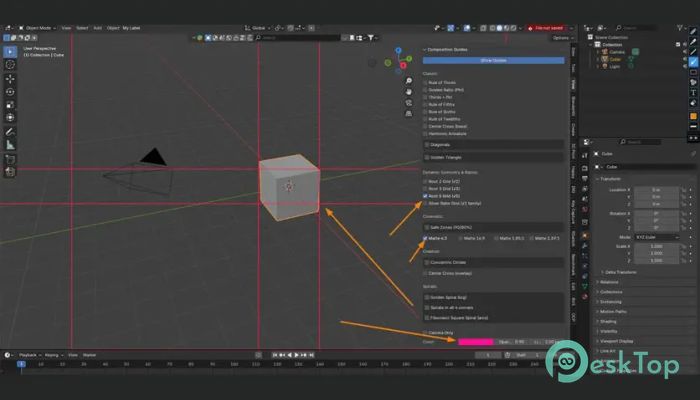
Everyone works differently, so customization matters. You can adjust color, opacity, and line thickness to suit your scene and lighting. Subtle lines for dark scenes or bold guides for bright layouts, it adapts to your preference without cluttering the screen.
Quick toggles and smart combinations
Turning guides on or off is instant. You can enable a single framework or layer across multiple systems to create complex compositions. It feels like stacking transparent sheets on a desk, each adding context without overwhelming the image.
Advanced controls for precision framing
Extra options like a center cross or adjustable golden spiral direction give you fine control. These details are especially useful for close-ups and cinematic shots where small shifts make a big difference. It is precision without complexity.
Lightweight and performance-friendly
No one wants an add-on that slows down Blender. This one stays out of the way, uses minimal resources, and remains compatible with modern versions. It feels more like a native feature than an extra plugin.
Who should use this add-on?
It fits a wide audience. 3D artists can block scenes faster, photographers can plan renders like real-world shots, designers can align elements with purpose, and filmmakers can compose frames with cinematic confidence. If visuals matter, this tool earns its place.
How does it improve daily workflow?
Instead of constant trial and error, you make informed choices from the start. Shots come together quicker, revisions drop, and final renders feel more polished. It is like switching from guessing notes to playing with sheet music.
System Requirements and Technical Details
Operating System: Windows 11 / 10 / 8.1 / 7
Processor: Minimum 1 GHz Processor (2.4 GHz recommended)
RAM: 2GB (4GB or more recommended)
Free Hard Disk Space: 200MB or more is recommended
Blender: 3.6 - 4.5

-
Program size7.96 KB
-
Version1.3.0
-
Program languagemultilanguage
-
Last updatedBefore 8 Month
-
Downloads9
 Paragon Hard Disk Manager 18 Business
 Aescripts MaskMotion
 Aescripts AE Glass
 Aescripts PreFlight
 Aescripts Risograph
 Aescripts Folder Fanatic