
 Arabic
  English
  Turkish
  Chinese
  Japanese
  Russian
  Spanish
  German
  French
  Hindi
Hindi Download Superhive Market - Falconcam 1.2 for Windows
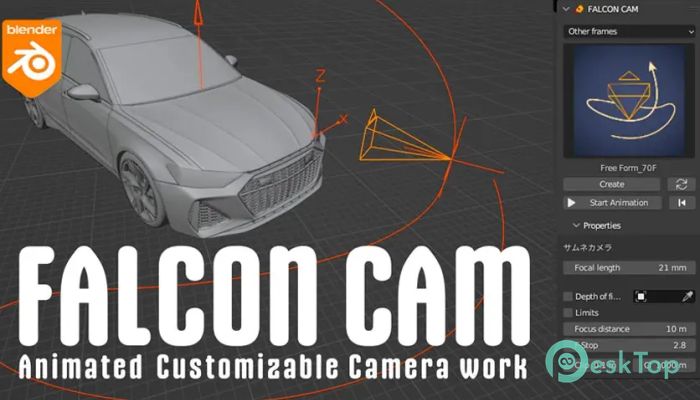
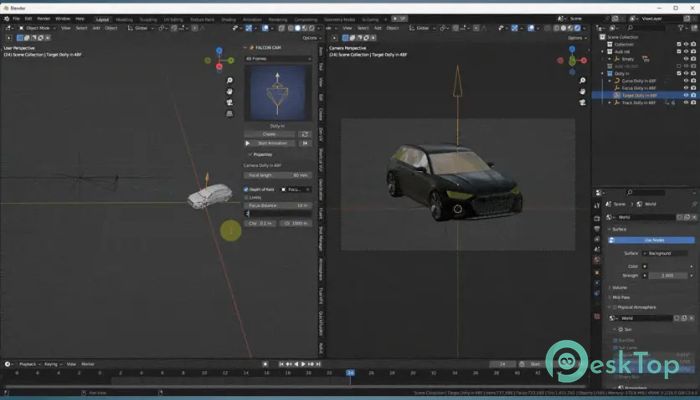
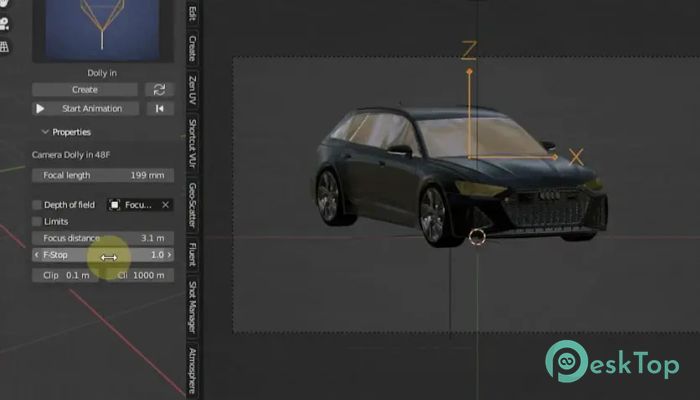
Download Superhive Market - Falconcam 1.2 for Windows.
Superhive Market - Falconcam Overview
This software is designed to help users create polished camera movements without complex steps. It offers a range of presets, adjustable controls, and intuitive features that make camera animation smooth and flexible. You can design realistic shots with ease and fine-tune every motion to match your creative vision.Features of Superhive Market - Falconcam
This tool includes several useful features that streamline the workflow and enable users to create standout camera animations.
18 ready-to-use camera presets
Fast and dynamic camera movements
Easy customization options for movement and speed
Adjustable focus and direction
Quick selection of animations with just one click
Ability to create complete camera animation setups
Scalable trajectory curves
Fine-tuning tools available in Edit mode
Focus adjustment through the tab menu
Clipping control using simple controls
Keyframe-based camera orientation
Graph editor for intensity adjustments
Support for powerful Z-rotation animations
Fully customizable animation tracks
Camera Animations Explained
The software lets you build smooth camera animations using its preset system. With one click, you can add an animation object to your scene. Each animation object includes all components required for a complete movement setup, including the camera, focus point, and motion path. This reduces manual effort and enables you to build complex sequences faster.
Adjusting Trajectory and Focus
The curve that controls the camera path can be resized using the scale option. For more detailed editing, Edit mode lets you fine-tune the motion path's shape. You can shift the direction, bend the path, or modify specific points to create a more natural feel.
The focus settings can also be adjusted through a dedicated tab menu. This lets you shift attention to specific elements in your scene with ease.
Clipping and Orientation Control
The tool also includes easy clipping adjustments. These settings help you manage how much of the scene is visible within your camera frame. Using the tab menu, you can adjust clipping depth to improve clarity in your shots.
For orientation, keyframes let you control the camera's position at any moment. By adding keyframes to desired angles, you can create flexible transitions or smooth turns. The Z-rotation keyframe option lets you create powerful rotational movements that look cinematic.
Intensity & Animation Tracks
The software allows users to choose an empty track and adjust intensity using the graph editor. This gives you precise control over speed and impact. By manipulating the graph, you can create animations that feel natural or dramatic depending on your goal.
System Requirements and Technical Details
Operating System: Windows 11 / 10 / 8.1 / 7
Processor: Minimum 1 GHz Processor (2.4 GHz recommended)
RAM: 2GB (4GB or more recommended)
Free Hard Disk Space: 200MB or more is recommended
Blender: 4.3, 4.2, 4.1, 4.0, 3.6

-
Program size2.44 MB
-
Version1.2
-
Program languagemultilanguage
-
Last updatedBefore 9 Month
-
Downloads6
 Paragon Hard Disk Manager 18 Business
 Aescripts MaskMotion
 Aescripts AE Glass
 Aescripts PreFlight
 Aescripts Risograph
 Aescripts Folder Fanatic