
 Arabic
  English
  Turkish
  Chinese
  Japanese
  Russian
  Spanish
  German
  French
  Hindi
Hindi Download Superhive Market - Gizmo PRO 4.2.0 for Windows
Download Superhive Market - Gizmo PRO 4.2.0 for Windows.
Superhive Market - Gizmo PRO Overview
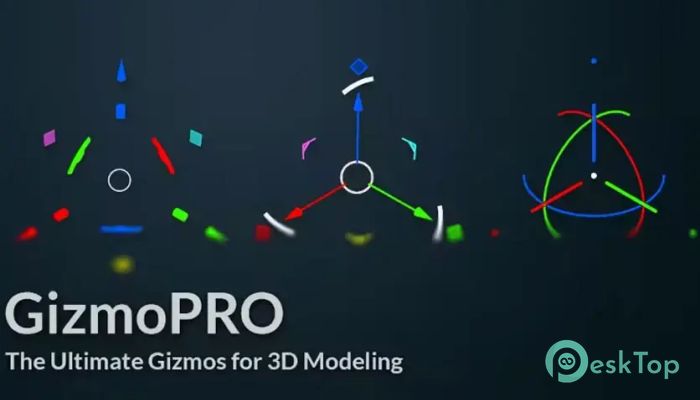
It is built to make 3D modeling smoother and less frustrating. Instead of jumping through multiple menus, this addon puts smart controls right where you need them. Think of it as replacing a cluttered toolbox with a clean, well-organized desk where every tool is within reach. The focus is simple: reduce unnecessary actions and give artists more control with fewer steps. By introducing advanced yet intuitive gizmos, the software helps users stay focused on creativity rather than technical distractions.Features of Superhive Market - Gizmo PRO
Improved Workflow and Efficiency
The tool excels in speed. Every gizmo is designed to minimize mouse movement and repetitive clicking. Small changes, such as faster scaling or instant rotation adjustments, add up quickly over long modeling sessions.
This efficiency feels like switching from walking to cycling. You still reach the same destination, but with far less effort. As a result, productivity increases without adding complexity.
Support for Multiple Modeling Modes
It supports a wide range of modes, including Object, Mesh, Curve, and Surface. Experimental support for Armature and Pose modes is also included, giving advanced users a glimpse into upcoming capabilities.
This flexibility allows artists to keep the same workflow across different tasks. There is no need to mentally reset when switching modes, which helps maintain focus and consistency.
Customizable Gizmo Options
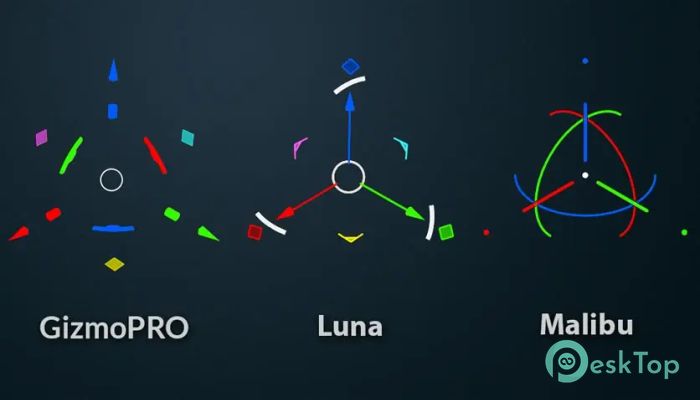
One of the software's strongest points is its choice. Users can select from different gizmo styles based on their skill level and personal preference.
It offers deep customization for professionals who want precise control. Luna provides a balanced, familiar layout for everyday use. Malibu keeps things minimal, making it ideal for beginners or those who prefer simplicity.
Precision Tools for Accurate Editing
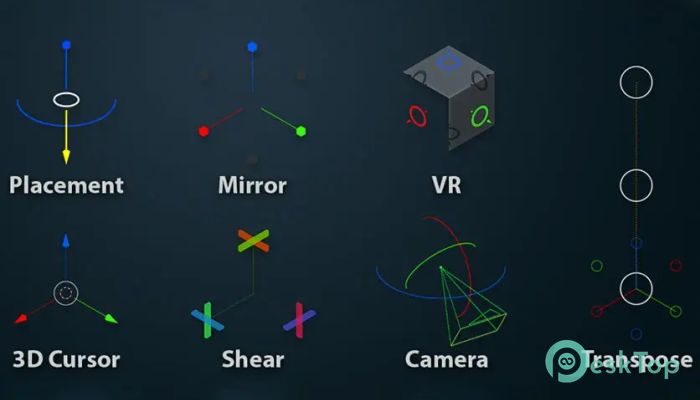
Accuracy matters in 3D work, and this addon delivers it well. Features like Placement allow objects to snap cleanly onto surfaces while respecting normal directions.
Mirror tools make symmetrical modeling straightforward, whether using modifiers or direct mirroring. These tools help maintain clean geometry without manual guesswork.
Advanced Transformation Features
Shear functionality is fully integrated with custom orientation matrices, making advanced transformations feel natural. Scaling uses bounding-box-style points, making resizing objects intuitive and visually clear.
Transpose tools, currently in testing, allow transformations along a ruler. This feels like using a measuring tape in the real world, perfect for precise adjustments.
Camera and Viewport Control
The add-on also improves user interaction with the camera. Rolling, panning, and tilting become more fluid, which is especially useful for scene setup and animation previews.
Border Navigate adds visual frames to the viewport, helping users stay oriented in complex scenes. This small addition makes navigation feel less overwhelming.
3D Cursor and Search Enhancements
Manipulating the 3D cursor becomes easier and more accurate thanks to a dedicated gizmo. This improves object placement and alignment across projects.
The Searcher feature continuously displays the gizmo's location and offers view alignment options. It acts like a compass, keeping users aware of where they are working.
Tablet and Input Compatibility
The software works smoothly with different input methods, including graphics tablets. This makes interactions feel more natural for artists who prefer pen-based control.
Actions respond fluidly, reducing strain and making long sessions more comfortable. It feels less like fighting the interface and more like shaping digital clay.
VR and Experimental Features
VR support is currently in testing, aiming to improve orientation and manipulation in virtual environments. This opens the door to immersive modeling experiences.
Although experimental, these tools point toward future-ready workflows.
Quick Widget for Faster Access
The Quick Widget provides a compact menu for quick access to orientation and position settings. Instead of digging through panels, key options are always one click away.
This feature alone can save significant time during repetitive tasks.
System Requirements and Technical Details
Operating System: Windows 11 / 10 / 8.1 / 7
Processor: Minimum 1 GHz Processor (2.4 GHz recommended)
RAM: 2GB (4GB or more recommended)
Free Hard Disk Space: 200MB or more is recommended
Blender: 4.0 - 5.0

-
Program size114.31 MB
-
Version4.2.0
-
Program languagemultilanguage
-
Last updatedBefore 10 Month
-
Downloads10
 Paragon Hard Disk Manager 18 Business
 Aescripts MaskMotion
 Aescripts AE Glass
 Aescripts PreFlight
 Aescripts Risograph
 Aescripts Folder Fanatic