
 Arabic
  English
  Turkish
  Chinese
  Japanese
  Russian
  Spanish
  German
  French
  Hindi
Hindi Download Superhive Market - Helper Ops 1.0.5 for Windows
Download Superhive Market - Helper Ops 1.0.5 for Windows.
Superhive Market - Helper Ops Overview
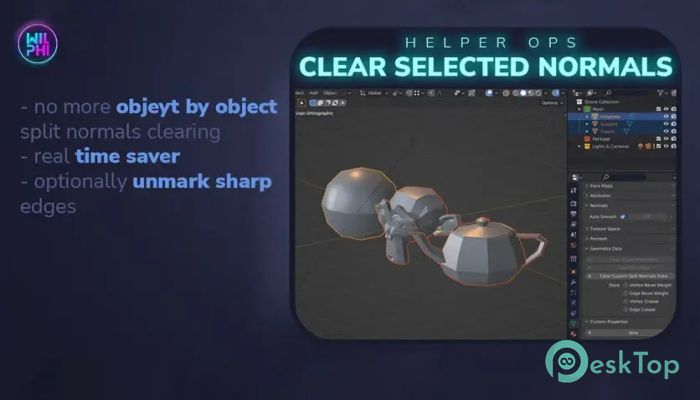
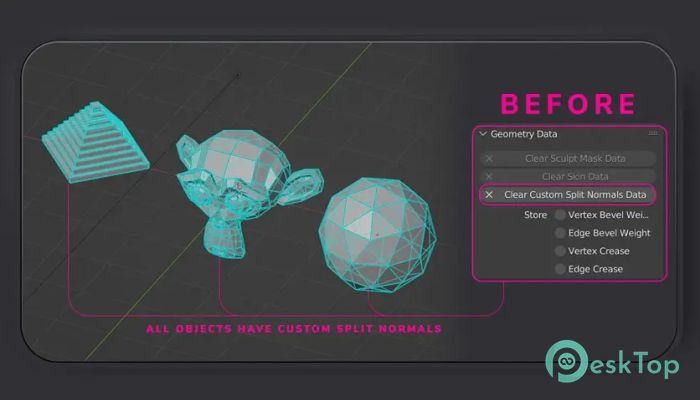
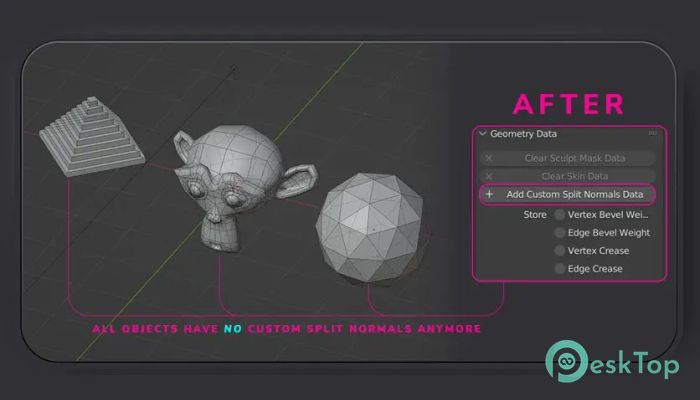
This small but powerful add-on focuses on a specific pain point many Blender users face. When working with imported models or complex scenes, extra custom split normal layers often sneak in and cause odd shading, hard lines, or strange reflections. Cleaning them one by one feels like washing dishes with a toothbrush. This helper tool turns that chore into a single-click task. Once installed, it adds a simple operator to the cleanup menu. The operator scans all selected objects and removes the custom split normals layer if it exists. No guessing, no manual checking, and no repetitive clicking. It does exactly what you expect and then steps out of the way. Why Custom Split Normals Become a Problem Custom split normals are useful when you want precise control over shading. But they often appear unintentionally after importing assets from other software or applying modifiers. When that happens, surfaces may look oddly faceted or show sharp lines where none should exist. Manually fixing this across many objects can feel like untangling earphones after they sat in your pocket all day. The addon acts like a clean sweep, restoring smooth shading behavior across selected meshes without breaking your flow.Features of Superhive Market - Helper Ops
Batch Cleanup That Actually Saves Time
The biggest strength here is batch processing. Instead of selecting objects one at a time and hunting through menus, the tool automatically loops through all selected objects. If a custom split normal layer is found, it removes it. If not, it simply moves on.
This makes it especially useful for scenes with dozens or even hundreds of meshes. Architectural models, game assets, and scanned objects benefit a lot from this approach.
Optional Sharp Edge Clearing
In addition to removing custom split normals, the addon offers an optional step to smooth sharp edges. Sharp edges can stick around like stubborn stains and affect shading even after normals are cleared.
With this option enabled, the tool wipes both issues in one go. Think of it like pressing a reset button for shading problems, giving you a clean slate to work from.
Simple Integration Into Daily Workflow
No complex setup is required. Once enabled, the operator appears in the cleanup menu, right where it makes sense. This keeps the workflow natural and avoids cluttering the interface with extra panels or buttons.
The tool feels more like a helpful shortcut than a full addon, which is a good thing. It stays out of the spotlight and only shows up when needed.
Who Will Benefit the Most
Beginners often struggle to understand why their models appear incorrect, even when the geometry appears fine. This addon removes one common hidden cause. For experienced artists, it reduces repetitive maintenance work.
Game developers, asset pack creators, and anyone importing models from multiple sources will find it especially handy. It keeps scenes clean and predictable without extra effort.
Lightweight and Focused Design
The addon does not try to do everything. It sticks to one job and does it well. This focused design means fewer bugs, faster execution, and a shorter learning curve.
It is like a well-made wrench in a toolbox. You may not use it every minute, but when you need it, nothing else feels as effective.
Safe Operation on Selected Objects
The operator affects only selected objects, giving you full control. You can test it on a small group first or apply it across the entire scene with confidence.
This approach reduces risk and keeps your workflow flexible. You decide what gets cleaned and when.
System Requirements and Technical Details
Operating System: Windows 11 / 10 / 8.1 / 7
Processor: Minimum 1 GHz Processor (2.4 GHz recommended)
RAM: 2GB (4GB or more recommended)
Free Hard Disk Space: 200MB or more is recommended
Blender: 3.0 - 5.0

-
Program size9.29 KB
-
Version1.0.5
-
Program languagemultilanguage
-
Last updatedBefore 8 Month
-
Downloads0
 Paragon Hard Disk Manager 18 Business
 Aescripts MaskMotion
 Aescripts AE Glass
 Aescripts PreFlight
 Aescripts Risograph
 Aescripts Folder Fanatic