
 Arabic
  English
  Turkish
  Chinese
  Japanese
  Russian
  Spanish
  German
  French
  Hindi
Hindi Download Superhive Market - Light Painter 1.0.6 for Windows
Download Superhive Market - Light Painter 1.0.6 for Windows.
Superhive Market - Light Painter Overview
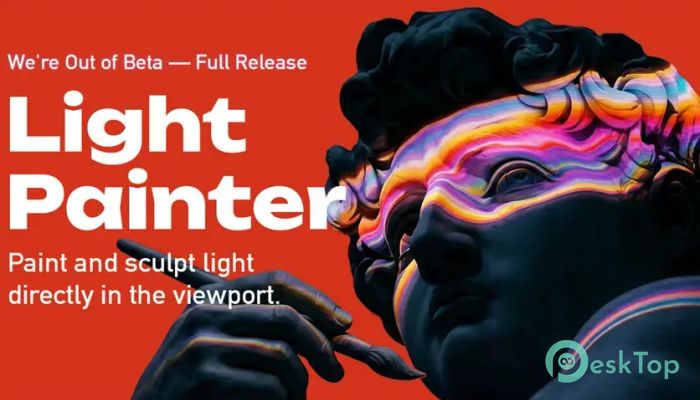
This innovative tool changes how lighting is handled inside Blender. Instead of adjusting lights through complex settings and trial-and-error sliders, it offers a more natural, artistic approach. Think of it like painting light onto your scene, just like you would paint on a canvas. That idea alone makes it feel fresh, intuitive, and powerful. The add-on is designed for both beginners and professionals. Whether you're working on a cinematic scene, product render, or animation, it helps you control lighting in a way that feels direct and creative. You don’t need to jump between panels or tweak endless parameters. Everything happens right in front of you, inside the viewport.Features of Superhive Market - Light Painter
Visual Lighting Workflow
One of the biggest advantages of this tool is its ability to simplify the lighting workflow. Instead of thinking in terms of numbers and coordinates, you work visually. You literally paint where you want light to appear. This makes the process faster and more intuitive.
It feels like using a digital brush, but instead of colors, you're applying light. This kind of approach helps artists focus more on creativity and less on technical setup. The result is a smoother workflow that saves time and reduces frustration.
Brush-Based Light Control
The brush system is the heart of the tool. You can control light intensity, spread, and softness using simple brush strokes. This gives you full control over how light behaves in your scene.
Imagine highlighting parts of a model just by brushing over them. You can add subtle glow effects, sharp highlights, or soft shadows with ease. It feels natural, almost like painting with sunlight or studio lights.
Use of Gradients and Selections
Another powerful feature is the ability to apply gradients. Instead of flat lighting, you can create smooth transitions between bright and dark areas. This adds depth and realism to your renders.
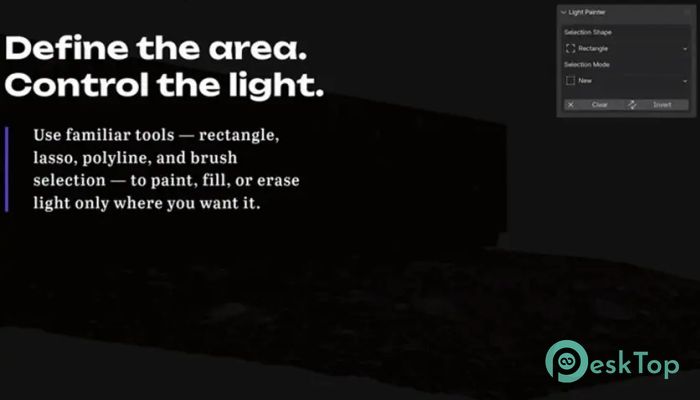
Selections also play an important role. You can target specific parts of your scene and apply lighting only where needed. This means more precision and less mess. It’s like having a spotlight that follows your brush exactly where you want it to go.
Layer-Based Lighting System
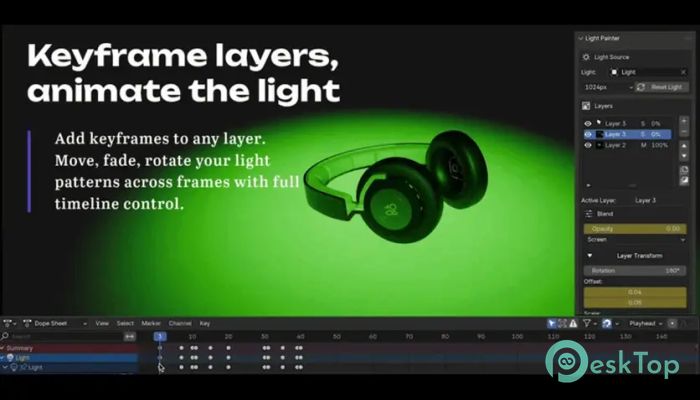
The layer system brings even more flexibility. Just like working in Photoshop, you can create multiple lighting layers and adjust them independently. This allows you to experiment without worrying about ruining your original setup.
You can turn layers on or off, adjust their strength, or blend them together. This gives you full creative freedom. If something doesn’t look right, you can simply tweak or remove that layer instead of starting over.
Real-Time Viewport Editing
Everything happens in real time within the viewport. There’s no need to render repeatedly just to see changes. This speeds up the entire process and makes it more interactive.
You can instantly see how your lighting affects the scene. This immediate feedback helps you make better decisions and refine your work quickly. It feels responsive and keeps you in the creative flow.
Perfect for Artists and Designers
This tool is ideal for artists who want more control without dealing with technical complexity. It bridges the gap between creativity and functionality. Whether you're a beginner learning lighting or an experienced designer looking for efficiency, it adapts to your needs.
It also works well for different types of projects. From realistic renders to stylized scenes, it gives you the flexibility to achieve the exact look you want. It’s like having a lighting assistant that understands your artistic vision.
Improved Workflow Efficiency
Time is always important when working on projects. This add-on helps reduce setup time and speeds up the lighting process. Instead of adjusting multiple light sources manually, you can achieve the same effect with a few brush strokes.
This efficiency makes a big difference, especially when working on tight deadlines. You spend less time fixing lighting issues and more time focusing on creativity and final output.
Simple and User-Friendly Interface
The interface is clean and easy to understand. You don’t need to go through a long learning curve. Most tools are accessible and behave exactly as you expect.
Even if you're new to Blender, you can start using it quickly. The design focuses on simplicity without removing advanced capabilities. It strikes a balance between ease of use and powerful features.
Creative Freedom Like Never Before
Lighting often feels like a technical task, but this tool turns it into an artistic process. You’re no longer limited by traditional methods. Instead, you can experiment freely and try different ideas without restrictions.
It opens up new possibilities for storytelling through light. You can create mood, focus attention, and guide the viewer’s eye using simple brush movements. It feels more like painting a story than setting up lights.
System Requirements and Technical Details
Operating System: Windows 11 / 10 / 8.1 / 7
Processor: Minimum 1 GHz Processor (2.4 GHz recommended)
RAM: 2GB (4GB or more recommended)
Free Hard Disk Space: 200MB or more is recommended
Blender: 3.6 - 5.1

-
Program size128.56 KB
-
Version1.0.6
-
Program languagemultilanguage
-
Last updatedBefore 4 Month
-
Downloads13
 Paragon Hard Disk Manager 18 Business
 Aescripts MaskMotion
 Aescripts AE Glass
 Aescripts PreFlight
 Aescripts Risograph
 Aescripts Folder Fanatic