
 Arabic
  English
  Turkish
  Chinese
  Japanese
  Russian
  Spanish
  German
  French
  Hindi
Hindi Download Superhive Market - Lodmod 1.0 for Windows
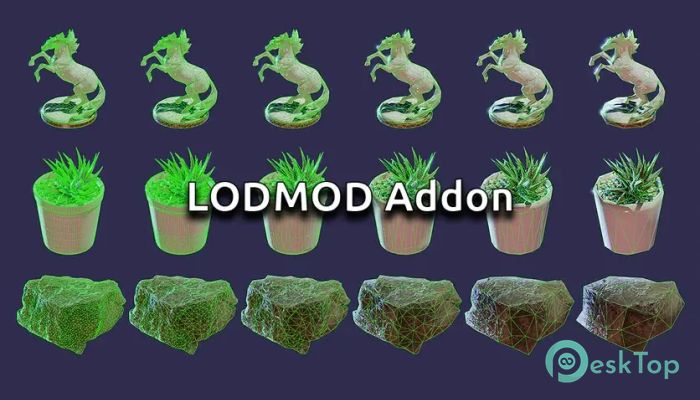
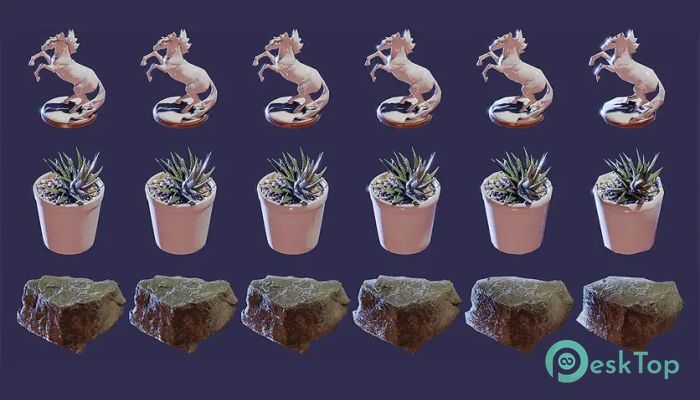
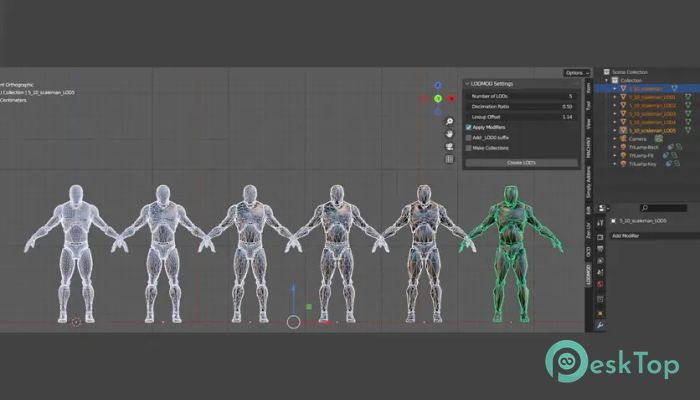
Download Superhive Market - Lodmod 1.0 for Windows.
Superhive Market - Lodmod Overview
This addon is designed to simplify the process of generating LOD (Level of Detail) variations for 3D meshes. Instead of manually reducing vertices for every model, the software automates the workflow using Blender’s Decimate modifier. It saves time, reduces stress, and ensures consistent results across all your objects. How It Works The tool relies on intelligent automation. Once installed, it scans selected meshes and applies optimized settings to create multiple LOD versions. Each output is clean, lightweight, and ready for real-time applications. This function is helpful for anyone working on games, simulations, or large 3D scenes where performance matters. Why LODs Are Important Modern games and 3D environments depend on LODs to maintain smooth performance. As the camera moves away from an object, the system swaps complex geometry with simpler versions. Doing this manually for dozens—or even hundreds—of assets takes a lot of time. The addon helps cut this workload by creating simplified models in seconds.Features of Superhive Market - Lodmod
Automated LOD creation using the Decimate modifier
Ability to generate LODs for multiple objects at once
Clean and organized outputs for easy project management
Time-saving workflow perfect for small and large teams
Non-destructive adjustments for fine-tuning
Consistent quality across all generated models
User-Friendly Workflow
The software makes the process simple for beginners and fast for professionals. With just a few clicks, you can set reduction levels, preview results, and export everything cleanly. It eliminates hours of repetitive tasks, allowing artists to focus on creative work rather than technical chores.
Boosts Productivity
Game studios, indie developers, and freelancers all face tight deadlines. This addon saves significant time by eliminating the need to manually count and collapse vertices. Instead of working on each mesh individually, you can process entire folders of objects in minutes.
Ideal Use Cases
Game asset optimization
3D environment creation
Architectural visualization
Real-time simulations
Virtual reality and augmented reality projects
Performance Benefits
Optimized LODs help maintain high frame rates. The tool ensures each LOD is lightweight yet visually acceptable. This balance between quality and performance is essential in modern 3D projects.
Easy to Adjust and Tweak
Even after automatic generation, you can manually edit every LOD. The tool uses a non-destructive approach that lets you refine decimation values, preserve essential details, and perfect the look of each version without starting over.
System Requirements and Technical Details
Operating System: Windows 11 / 10 / 8.1 / 7
Processor: Minimum 1 GHz Processor (2.4 GHz recommended)
RAM: 2GB (4GB or more recommended)
Free Hard Disk Space: 200MB or more is recommended
Blender: 3.4

-
Program size3.65 KB
-
Version1.0
-
Program languagemultilanguage
-
Last updatedBefore 10 Month
-
Downloads13
 Paragon Hard Disk Manager 18 Business
 Aescripts MaskMotion
 Aescripts AE Glass
 Aescripts PreFlight
 Aescripts Risograph
 Aescripts Folder Fanatic