
 Arabic
  English
  Turkish
  Chinese
  Japanese
  Russian
  Spanish
  German
  French
  Hindi
Hindi Download Superhive Market - Mix Damag 1.2 for Windows
Download Superhive Market - Mix Damag 1.2 for Windows.
Superhive Market - Mix Damag Overview
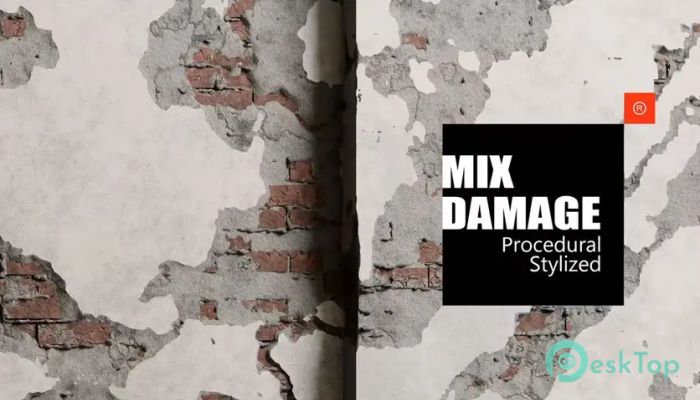
This add-on is designed for artists who want destruction that feels alive rather than flat or repetitive. It focuses on procedural workflows, meaning the results are generated smartly rather than being set in stone. That makes every crack, break, and internal layer feel fresh and adjustable. Think of it as a toolbox where you can combine different types of damage, much like a painter mixes colors on a palette. The core idea is simple but powerful. You are not limited to a single destruction style. Instead, you can blend multiple damage types, adjust their strength, and even control what is revealed beneath the surface. This approach saves time and gives you creative freedom, especially when working on environments, props, or stylized scenes that still need a sense of realism. What This Addon Is Designed For The software is designed for 3D artists, environment designers, and game developers who need fast yet flexible destruction effects. It works well for both realistic and stylized projects. Whether you are building a ruined castle wall, a cracked concrete surface, or a damaged industrial metal surface, it provides the building blocks to shape the look you want. Instead of manually modeling damage for every asset, it lets you reuse and remix procedural elements. That is like having a smart shortcut that still feels handcrafted.Features of Superhive Market - Mix Damag
Mix Damage for More Realistic Results
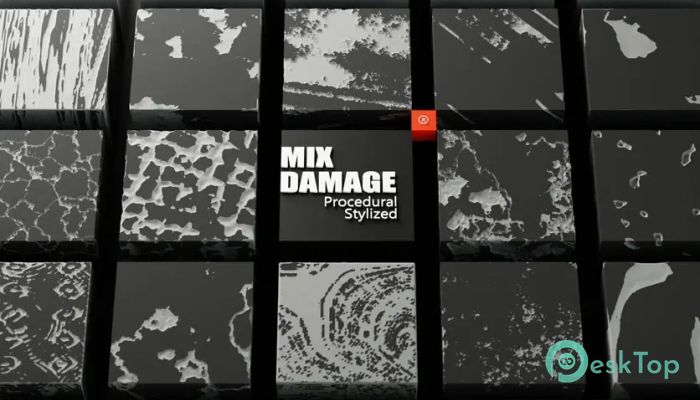
One of the strongest features is the ability to mix 24 different procedural destructions. You can layer them together to create complex damage patterns. For example, a surface may have surface cracks, deeper breaks, and chipped edges. This layering makes damage look more natural, as real-world destruction is rarely uniform.
You can also apply stylized damage to each base layer. This is useful when you want an artistic look without losing depth. It is like adding seasoning after cooking: the base is solid, and the final touch gives it character.
Different Quality Levels of Destruction
Not every project needs ultra-detailed damage. Sometimes you want something light and clean, and other times you need heavy destruction with lots of detail. The tool supports multiple quality levels, so you can choose the option that best fits your project.
Lower quality settings are helpful for background assets or performance-sensitive scenes. Higher-quality options are ideal for hero objects or close-up shots. This flexibility helps balance visual quality and performance.
Internal Damage Options Explained
The addon does not stop at surface damage. It also supports internal destruction, which is what makes broken objects feel believable. When a wall breaks, you do not just see a hole; you know what is inside.
There are two main types of internal damage. One is circular damage, which works well for impacts or explosions. The other is crack-based damage, ideal for stress fractures and structural breaks. You can also add noise to these effects to avoid clean, artificial edges.
Additional details, such as gravel and broken steel pieces, can be incorporated to create a layered, complex internal structure.
Procedural Brick, Stone, and Steel Geometry
The software includes three core geometry types: brick, stone, and steel. All of them are fully procedural, which means you can customize their look instead of relying on fixed models.
Brick geometry works great for walls, buildings, and ruins. Stone is ideal for castles, cliffs, and older structures. Steel is well-suited to industrial environments, machinery, and modern construction. Because everything is procedural, you can tweak size, spacing, and breakup patterns to match your scene.
Easy and Clear Settings
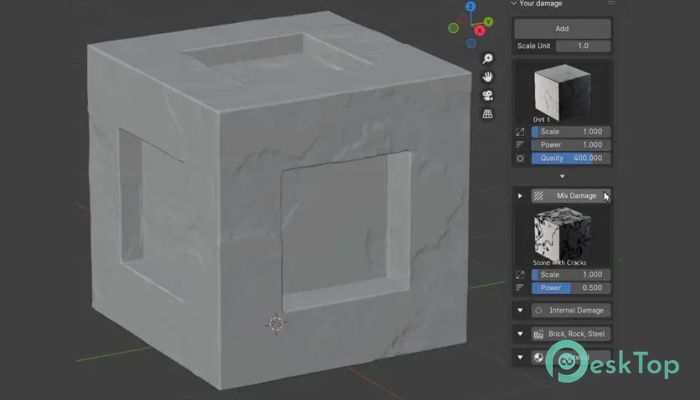
Even though the addon is powerful, its settings are easy to understand. The scale option controls the overall size of the destruction. Power determines the severity of the damage. Quality affects mesh detail and smoothness.
These controls are straightforward, so you do not feel lost in technical sliders. It feels more like shaping clay than fighting with complicated parameters.
Scale Unit Control
The scale unit setting helps you match destruction to real-world measurements or your scene’s proportions. This is especially helpful when working on large environments or when assets need to stay consistent across a project.
By adjusting the measurement scale, you can ensure that cracks, bricks, and internal layers appear believable regardless of the object's size.
Workflow and Creative Freedom
This add-on integrates seamlessly into a modern 3D workflow. You can experiment quickly, try different combinations, and adjust results without starting over. That encourages creativity, as you are free to test ideas without heavy time costs.
It is like having a flexible sketchbook for destruction. You can rough things out, refine them, and finalize the look when you are satisfied.
System Requirements and Technical Details
Operating System: Windows 11 / 10 / 8.1 / 7
Processor: Minimum 1 GHz Processor (2.4 GHz recommended)
RAM: 2GB (4GB or more recommended)
Free Hard Disk Space: 200MB or more is recommended
Blender: 4.2, 4.1, 4.0

-
Program size24.35 MB
-
Version1.2
-
Program languagemultilanguage
-
Last updatedBefore 9 Month
-
Downloads9
 Paragon Hard Disk Manager 18 Business
 Aescripts MaskMotion
 Aescripts AE Glass
 Aescripts PreFlight
 Aescripts Risograph
 Aescripts Folder Fanatic