
 Arabic
  English
  Turkish
  Chinese
  Japanese
  Russian
  Spanish
  German
  French
  Hindi
Hindi Download Superhive Market - Motion Path Pro 3.1.0 for Windows

Download Superhive Market - Motion Path Pro 3.1.0 for Windows.
Superhive Market - Motion Path Pro Overview
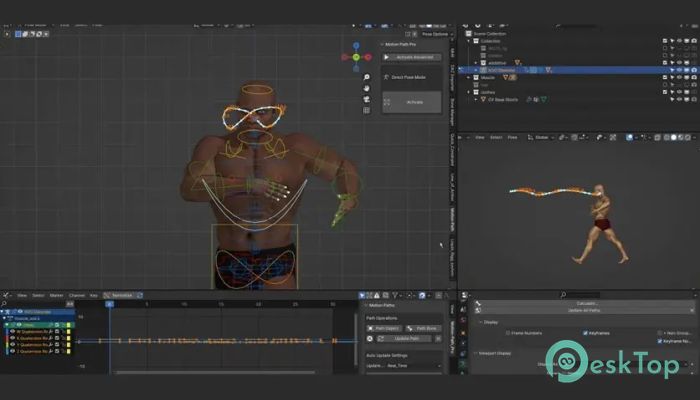
This tool is built for animators who want more control without slowing down their creative flow. Instead of relying on traditional motion path systems, it introduces a different calculation method that feels lighter and more responsive. You can see movement updates instantly, which makes fine-tuning animation feel more like sculpting than guessing.Features of Superhive Market - Motion Path Pro
Real-Time Motion Path Editing
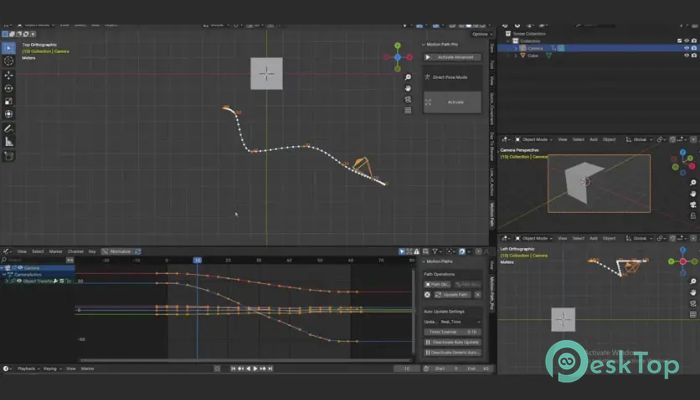
One of the strongest points is real-time path updates. When you adjust keys in the graph editor or move objects in the viewport, the motion path reacts immediately. It feels like watching a GPS route update while you drive, always showing the current direction without delays.
Works With Almost Any Object
The software supports empties, cameras, meshes, and more. Whether you are animating a simple camera pan or a complex character move, it stays reliable. This flexibility removes the need to switch tools or rebuild paths for different object types.
Friendly With Popular Rigs
It runs smoothly with Rigify, Auto-Rig Pro, Daz characters converted to Rigify, and custom rigs that rely little on drivers. Even with detailed setups, performance stays stable, making it suitable for serious production work.
Editable Paths With Full Control
The motion paths are not just visual guides. You can edit them directly, adjust handles, control keyframes, and even work with rotation options. This level of access turns motion paths into an active animation tool rather than a passive reference.
Rotation and Reference Line Support
Rotation visualization helps you understand how objects twist and turn through space. Reference lines add clarity, especially during complex movements. Together, these features act like training wheels, guiding your animation decisions without getting in the way.
Timeline Visualization Made Clear
The timeline view connects movement with timing. You can see where changes happen and how speed shifts over frames. This makes spacing and rhythm easier to judge, similar to reading musical notes while composing a song.
Handle Setup for Precise Movement
Handle controls allow smooth curves or sharp turns, depending on the style you need. Adjusting handles feels natural and predictable, helping you achieve clean arcs and believable motion without endless trial-and-error.
Faster Animation Polishing
By removing lag and guesswork, the tool shortens the polishing phase. Small adjustments become quick wins, and complex fixes feel manageable. This saves time and keeps creative energy focused on storytelling rather than on technical hurdles.
Simple and Easy to Use
The interface stays clean and approachable. Even new users can start using core features without long tutorials. Everything feels placed with purpose, reducing friction and speeding up learning.
Compatibility With Drawing Features
It works smoothly with drawing-based animation and path drawing features. This opens the door to experimental workflows where you sketch movement first and refine it later with full control.
System Requirements and Technical Details
Operating System: Windows 11 / 10 / 8.1 / 7
Processor: Minimum 1 GHz Processor (2.4 GHz recommended)
RAM: 2GB (4GB or more recommended)
Free Hard Disk Space: 200MB or more is recommended
Blender: 3.0 - 5.0

-
Program size15.66 KB
-
Version3.1.0
-
Program languagemultilanguage
-
Last updatedBefore 9 Month
-
Downloads7
 Paragon Hard Disk Manager 18 Business
 Aescripts MaskMotion
 Aescripts AE Glass
 Aescripts PreFlight
 Aescripts Risograph
 Aescripts Folder Fanatic