
 Arabic
  English
  Turkish
  Chinese
  Japanese
  Russian
  Spanish
  German
  French
  Hindi
Hindi Download Superhive Market - Noise Nodes 0.7.0 for Windows
Download Superhive Market - Noise Nodes 0.7.0 for Windows.
Superhive Market - Noise Nodes Overview
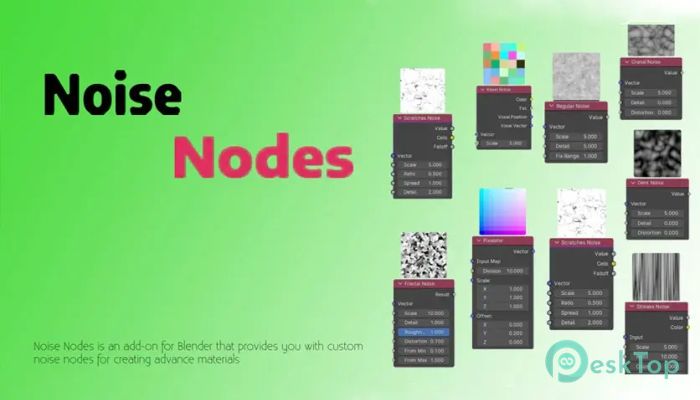
This add-on is designed for artists who want more control over surface details without relying on complex setups. It blends smoothly into the Blender workflow and feels like a natural extension of the shader editor. Once installed, all nodes appear neatly within the shader menu, so there is no learning curve or messy interface to navigate.Features of Superhive Market - Noise Nodes
Seamless Integration Inside Blender
One of the strongest points is the tool's seamless integration with Blender. After installation, the nodes are available under Shader Nodes > Add Node > tool. This means there is no need to search through hidden panels or remember shortcuts. Everything stays where Blender users already expect it to be.
Wide Collection of Custom Tools
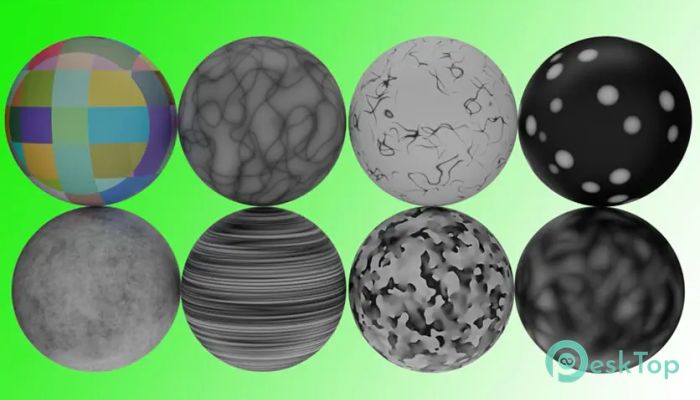
The add-on includes a wide range of noise options that cover both organic and stylized looks. These nodes are ideal for textures like concrete, fabric, metal damage, terrain, and abstract designs. Each node has its own personality, allowing creators to mix and match results without repetition.
Voxel Noise for Structured Patterns
This option is ideal for blocky, grid-based materials. It works great when building sci-fi surfaces, voxel-style assets, or architectural details. The output feels clean and sharp, making it easy to control.
Organic and Stylized Noise Types
Cranal, Fractal, Dent, and Fluid styles are excellent for natural-looking surfaces. They help create erosion, roughness, and flowing details without manual painting. On the creative side, Wavy, Step, and Pixelator nodes add a bold, artistic feel that suits motion graphics and stylized scenes.
Surface Detail and Damage Effects
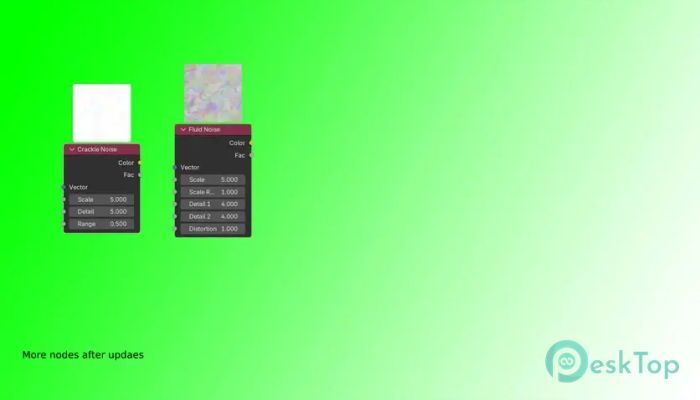
For realism, Scratches, Crackle, Dot, and Streaks options shine. These are especially useful for worn metals, damaged walls, or aged props. Instead of stacking multiple textures, a single node can often suffice.
Simple Controls With Powerful Results
Each node focuses on clarity rather than overwhelming settings. Sliders and inputs are straightforward, making experimentation fast and enjoyable. It feels like shaping clay rather than solving math problems, which keeps creativity flowing.
Perfect for Beginners and Professionals
New Blender users can start with clean presets and quickly build confidence. Experienced artists benefit from faster workflows and fewer node chains. This balance makes the add-on worthwhile across different skill levels.
Installation and Setup
Getting started is simple. Installation follows the standard Blender add-on process, and detailed steps are available in the official documentation. Once enabled, the nodes are immediately available in the shader editor.
System Requirements and Technical Details
Operating System: Windows 11 / 10 / 8.1 / 7
Processor: Minimum 1 GHz Processor (2.4 GHz recommended)
RAM: 2GB (4GB or more recommended)
Free Hard Disk Space: 200MB or more is recommended
Blender: 4.3, 4.2, 4.1, 4.0

-
Program size1.40 MB
-
Version0.7.0
-
Program languagemultilanguage
-
Last updatedBefore 8 Month
-
Downloads7
 Paragon Hard Disk Manager 18 Business
 Aescripts MaskMotion
 Aescripts AE Glass
 Aescripts PreFlight
 Aescripts Risograph
 Aescripts Folder Fanatic