
 Arabic
  English
  Turkish
  Chinese
  Japanese
  Russian
  Spanish
  German
  French
  Hindi
Hindi Download Superhive Market - Procedural Building Generator v2.0 for Windows
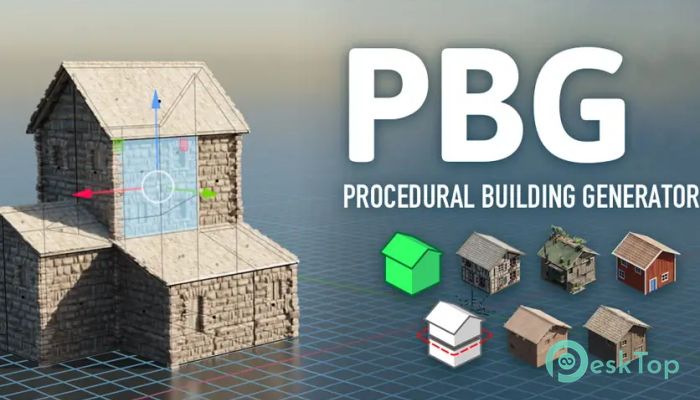
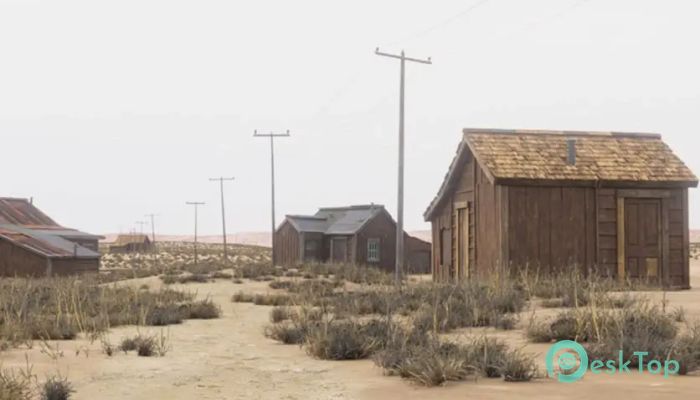
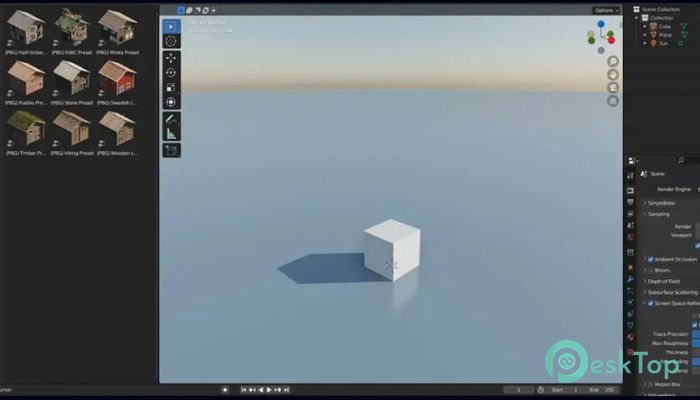
Download Superhive Market - Procedural Building Generator v2.0 for Windows.
Superhive Market - Procedural Building Generator Overview
Creating buildings manually in 3D software can be time-consuming and repetitive. This tool changes that completely by using procedural generation powered by Geometry Nodes. Instead of building structures piece by piece, you simply apply presets to any mesh, and the tool automatically converts it into a fully detailed building. The software is designed for artists, designers, architects, and game developers who want to speed up their workflow. Whether you're working on a city environment, a game level, or architectural visualization, it helps generate buildings in seconds. You can even use complex shapes like Suzanne or character meshes and instantly transform them into creative structures. Real-time editing is one of the biggest advantages. As you adjust settings, the building updates instantly. This makes experimentation easier and encourages creativity without slowing down your workflow.Features of Superhive Market - Procedural Building Generator
Procedural Building Generation Made Simple
Traditional building modeling often involves repeating the same steps again and again. This tool removes that burden by automatically generating structures. Simply choose a mesh, apply a preset, and watch the transformation happen.
The system works like a smart assistant. It understands the shape of your mesh and builds walls, windows, floors, and other architectural elements around it. This approach saves hours of manual work and allows you to focus on creativity rather than technical modeling.
Even complex shapes can become buildings. This means you can experiment freely and create unique environments without limitations.
Real-Time Editing for Instant Results
Real-time editing makes the workflow smooth and efficient. Instead of waiting for rendering or recalculating models, the building updates immediately as you change parameters. This provides instant feedback and helps refine designs faster.
You can modify height, floor count, window layout, and structural details. These changes happen instantly, giving you full control over your design. This feature is especially useful when creating large environments or adjusting scenes quickly.
It feels like sculpting buildings rather than modeling them. The process becomes intuitive and creative.
Works With Any Mesh or Shape
One of the most impressive capabilities is compatibility with any mesh. You can use basic shapes like cubes or complex models like Suzanne or character meshes. The system adapts to the structure and automatically builds a building.
This flexibility opens endless creative possibilities. Designers can create futuristic buildings, stylized cities, or realistic urban environments. The tool becomes a playground for creativity rather than a strict modeling utility.
This feature also helps in game development, where unique environments are essential. Instead of repeating the same building, you can generate endless variations.
Preset-Based Workflow
Presets simplify the process further. You can choose from ready-made building styles and apply them instantly. These presets control architectural elements, spacing, and visual details.
This approach saves time and maintains consistency across projects. You can switch between styles quickly and experiment with different looks. Whether you want modern buildings, industrial structures, or stylized designs, presets make it easy.
Customization remains flexible, allowing adjustments after applying presets. This balance between automation and control improves productivity.
Perfect for Game Developers and 3D Artists
Game developers often need large cities and environments. Creating these manually can take weeks. This tool reduces that time dramatically by generating buildings quickly.
3D artists benefit from faster prototyping. Instead of spending hours modeling, they can focus on lighting, texturing, and scene composition. This improves workflow efficiency and project quality.
Architectural visualization also becomes easier. You can create large urban scenes without complex modeling steps.
Flexible and Non-Destructive Workflow
The non-destructive workflow allows changes anytime. You can adjust parameters without losing previous work. This flexibility encourages experimentation and creativity.
It behaves like a dynamic system rather than a static model. You can refine buildings throughout the project without having to rebuild from scratch.
This makes the tool suitable for both beginners and professionals. Beginners enjoy automation, while professionals appreciate control.
Lightweight and Efficient Performance
Performance plays an important role in 3D workflows. This tool is optimized for efficiency and smooth operation. Even complex buildings can be generated quickly.
The lightweight design ensures smooth editing performance. This allows users to work comfortably without slowdowns.
Efficiency is especially helpful when working on large projects or multiple environments.
Creative Freedom and Endless Possibilities
The biggest advantage is creative freedom. Instead of following strict modeling steps, you can explore ideas freely. Try different shapes, apply presets, and experiment with designs.
Each building can be unique. This helps create visually interesting environments without repetitive structures. It feels like having a smart building generator that adapts to your imagination.
This freedom makes the tool valuable for concept art, game design, and architectural visualization.
System Requirements and Technical Details
Operating System: Windows 11 / 10 / 8.1 / 7
Processor: Minimum 1 GHz Processor (2.4 GHz recommended)
RAM: 2GB (4GB or more recommended)
Free Hard Disk Space: 200MB or more is recommended
Blender: 4.2 - 5.0

-
Program size170.33 MB
-
Versionv2.0
-
Program languagemultilanguage
-
Last updatedBefore 6 Month
-
Downloads12
 Paragon Hard Disk Manager 18 Business
 Aescripts MaskMotion
 Aescripts AE Glass
 Aescripts PreFlight
 Aescripts Risograph
 Aescripts Folder Fanatic