
 Arabic
  English
  Turkish
  Chinese
  Japanese
  Russian
  Spanish
  German
  French
  Hindi
Hindi Download Superhive Market - Profile Rail Extruder 0.0.4 for Windows

Download Superhive Market - Profile Rail Extruder 0.0.4 for Windows.
Superhive Market - Profile Rail Extruder Overview
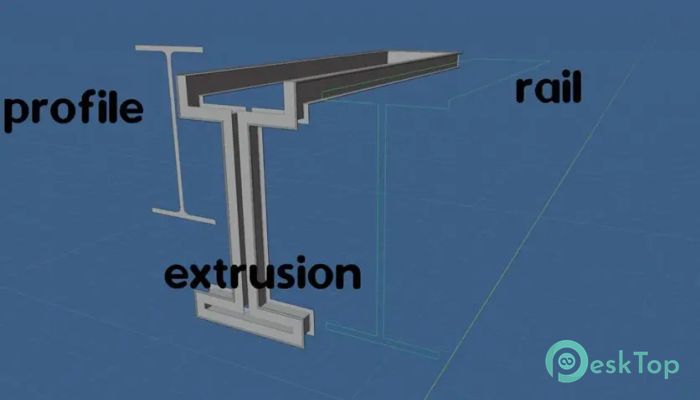
This addon focuses on a simple but powerful idea. Instead of relying on traditional curve-based extrusion methods, this approach allows artists to push flat shapes into 3D space while preserving their original form. The rail serves as a guide path, indicating the extrusion direction without bending or tapering the profile. This makes it ideal for precision modeling, where shape consistency is critical.Features of Superhive Market - Profile Rail Extruder
Purpose and Core Concept
At its core, the tool is built for accuracy. When using standard Blender extrusion along curves, shapes often stretch or taper depending on the curve direction. Here, the extrusion remains faithful to the original face drawing. Think of it like sliding a solid mold through space rather than stretching rubber along a wire.
Rail-Based Extrusion Explained
The rail defines how the extrusion travels in 3D space. It can move in any direction, twist, or bend, yet the profile stays unchanged. This gives artists freedom to design complex paths without worrying about unwanted deformation. It feels similar to guiding a train on tracks, where the train maintains its shape regardless of how the track turns.
Difference from Traditional Blender Methods
In standard Blender workflows, beveling or extruding along a curve often results in tapered geometry. This happens because the profile adapts to the curve’s orientation. With this add-on, the rail's direction does not affect the profile shape. The result is cleaner geometry, especially when comparing side by side.
Practical Use Cases
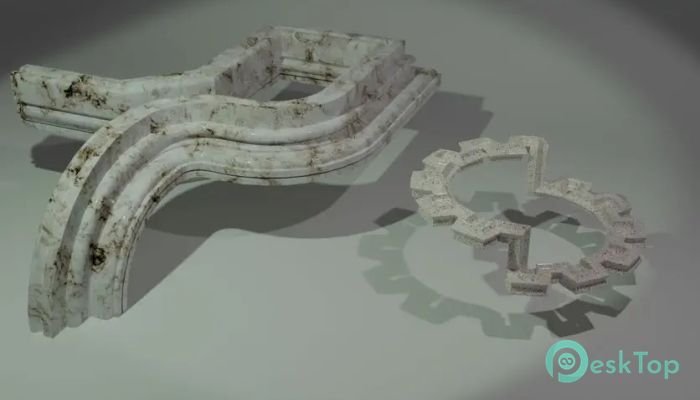
It fits perfectly into workflows that require uniform shapes along complex paths. Examples include architectural trims, mechanical parts, stylized props, and decorative elements. Because the shape does not distort, it reduces cleanup time and keeps meshes predictable.
Workflow and Ease of Use
The workflow is straightforward. Create a flat face drawing, define a rail, and apply the extrusion. There is no need for complex modifiers or trial-and-error adjustments. This simplicity makes it accessible to beginners while remaining powerful enough for experienced artists.
Visual Consistency and Precision
One of the most substantial advantages is visual consistency. The left-to-right comparison often shows a clear difference: the addon-generated extrusion remains uniform, while the traditional method produces a tapered result. This consistency is crucial when working on professional projects where exact dimensions matter.
System Requirements and Technical Details
Operating System: Windows 11 / 10 / 8.1 / 7
Processor: Minimum 1 GHz Processor (2.4 GHz recommended)
RAM: 2GB (4GB or more recommended)
Free Hard Disk Space: 200MB or more is recommended
Blender: 3.0, 3.1, 3.2, 3.3, 3.4, 3.5, 3.6, 4.0

-
Program size106.22 MB
-
Version0.0.4
-
Program languagemultilanguage
-
Last updatedBefore 8 Month
-
Downloads7
 Paragon Hard Disk Manager 18 Business
 Aescripts MaskMotion
 Aescripts AE Glass
 Aescripts PreFlight
 Aescripts Risograph
 Aescripts Folder Fanatic