
 Arabic
  English
  Turkish
  Chinese
  Japanese
  Russian
  Spanish
  German
  French
  Hindi
Hindi Download Superhive Market - Ray Pilot 1.0.8 for Windows
Download Superhive Market - Ray Pilot 1.0.8 for Windows.
Superhive Market - Ray Pilot Overview
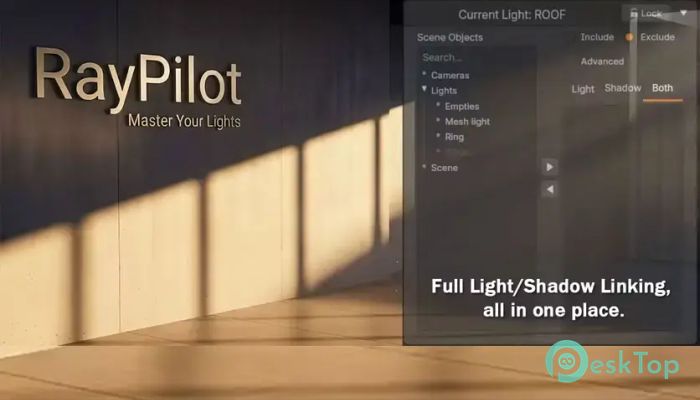
It is not just another lighting add-on. It is a complete workflow system designed to simplify lighting management in 3D environments. Instead of juggling multiple tools or guessing how lights behave, this software brings everything into a single, clean, interactive space. It focuses on clarity, allowing users to see exactly what is happening in real time. This tool is designed for artists, designers, and developers who want fast results without sacrificing quality. With a wide collection of gobos, smart exclusion controls, and debugging features, it helps streamline even the most complex lighting setups. Whether you are working on animation, game assets, or visual effects, it provides a smooth, efficient experience.Features of Superhive Market - Ray Pilot
Complete Lighting Workflow
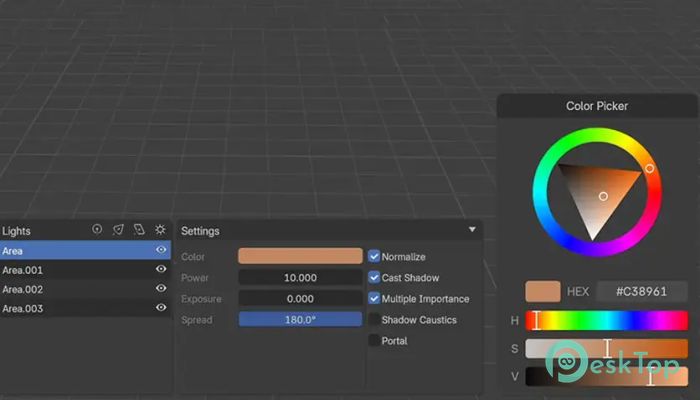
The software brings all lighting tasks into one place. Instead of switching between panels or tools, everything is accessible in a single workflow. This saves time and reduces confusion, especially when working on detailed scenes.
It feels like having a control center for your lights. You can adjust, preview, and fine-tune without breaking your creative flow. This makes the entire process more enjoyable and productive.
Massive Gobo Collection
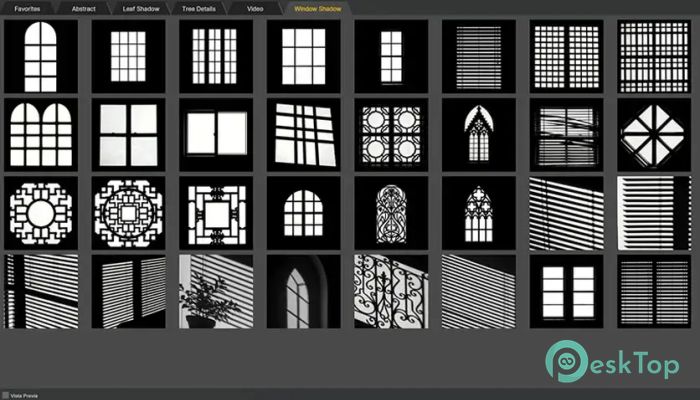
One standout feature is the library of over 140 gobos. These patterns allow you to shape light in creative ways, adding depth and realism to your scenes. From soft shadows to complex patterns, the options are wide and flexible.
Instead of creating textures manually, you can simply pick a pattern and apply it instantly. This speeds up the workflow and opens the door to more experimentation.
Visual Light Exclusion
This tool makes it easy to control where light appears and where it does not. With visual light exclusion, you can block or allow light in specific areas with precision.
Think of it like painting with light. You decide exactly where it should go. This is especially useful in scenes where lighting needs to be controlled tightly, such as indoor environments or cinematic shots.
Interactive Placement Tools
Placing lights has never been easier. The interactive tools allow you to position lights directly in the viewport. You can move them around, adjust angles, and see the results instantly.
This real-time feedback removes guesswork. Instead of tweaking values blindly, you see changes as they happen. It feels natural, almost like moving objects in the real world.
Solo Debugging Feature
Debugging lighting setups can be frustrating, especially in complex scenes. This tool includes a solo debugging feature that lets you isolate specific lights.
By focusing on one light at a time, you can quickly identify issues and fix them without distractions. It simplifies troubleshooting and speeds up the process.
Speed and Performance Optimization
Performance is a key focus of this software. It is built to handle large scenes without slowing down your system. The workflow is optimized for speed, ensuring that you can work smoothly even on demanding projects.
This means less waiting and more creating. Whether you are adjusting a single light or managing dozens, everything feels responsive and fluid.
Clean and Minimal Interface
The interface is simple and easy to understand. It avoids clutter and focuses only on what you need. This makes it beginner-friendly while still offering advanced tools for professionals.
You do not have to spend hours learning complicated menus. Everything is laid out clearly, so you can start working right away.
Multilingual Support
The tool now includes built-in multilingual support. This allows users from different regions to use it comfortably in their preferred language.
This feature makes it more accessible and user-friendly for a global audience, ensuring that language is not a barrier to creativity.
Flexible Workflow Integration
It fits easily into existing workflows. You can use it alongside your current tools without any issues. It does not try to replace everything but enhances what you already use.
This flexibility makes it a great addition to any creative setup. Whether you are a freelancer or part of a team, it adapts to your needs.
System Requirements and Technical Details
Operating System: Windows 11 / 10 / 8.1 / 7
Processor: Minimum 1 GHz Processor (2.4 GHz recommended)
RAM: 2GB (4GB or more recommended)
Free Hard Disk Space: 2GB or more is recommended
Blender: 4.5 - 5.0

-
Program size387.52 MB
-
Version1.0.8
-
Program languagemultilanguage
-
Last updatedBefore 4 Month
-
Downloads7
 Paragon Hard Disk Manager 18 Business
 Aescripts MaskMotion
 Aescripts AE Glass
 Aescripts PreFlight
 Aescripts Risograph
 Aescripts Folder Fanatic