
 Arabic
  English
  Turkish
  Chinese
  Japanese
  Russian
  Spanish
  German
  French
  Hindi
Hindi Download Superhive Market - Render Manager Addon Renderset 2.2.0 for Windows
Download Superhive Market - Render Manager Addon Renderset 2.2.0 for Windows.
Superhive Market - Render Manager Addon Renderset Overview
Built for creators who value speed and control, this addon changes how scene variations are handled inside projects. Instead of duplicating collections, cameras, or objects, it introduces a clean system that stores everything inside lightweight contexts. Think of these contexts as snapshots of your scene brain, each remembering exactly how things were set up.Features of Superhive Market - Render Manager Addon Renderset
Smart Scene Context Management
It allows you to save multiple versions of a scene without making copies. Camera angles, lighting setups, visibility states, HDRIs, and render options are all remembered. Switching between them feels like flipping pages in a notebook, fast and organized. All information is stored directly inside the project file, so nothing breaks or goes missing. This keeps files portable and easy to share with teammates or clients.
Different Views, One Scene
The add-on excels at handling multiple shots. You can save different viewpoints with unique camera settings, render resolutions, lighting moods, or object visibility. Each context works independently while sharing the same base scene. This approach keeps projects clean and avoids confusion, especially when working on complex environments or product visualizations.
Batch Rendering Made Simple
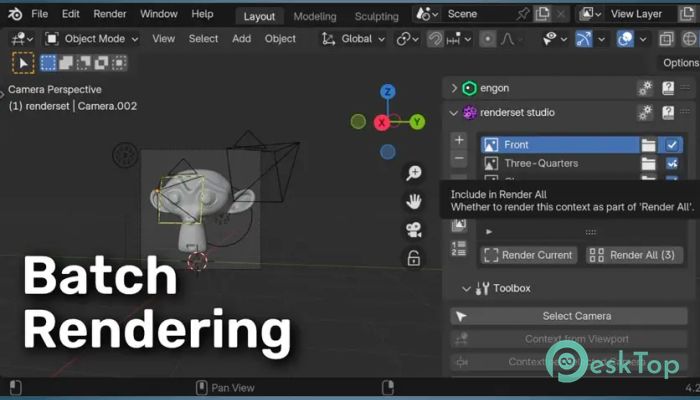
Rendering multiple variations usually means manual work and messy file names. Here, all saved contexts can be rendered in a single request. The add-on automatically handles file naming with a robust output system. Each render is saved clearly, using variables such as camera name, resolution, or context label. The result feels like a well-organized folder instead of a digital junk drawer.
Store Almost Anything
One of the strongest features is flexibility. Almost any property can be stored by simply right-clicking it. This includes object settings, mesh options, modifiers, or even custom properties. It works like bookmarking necessary switches across your scene, so you can recall them instantly without hunting through panels.
Powerful Output Naming System
File organization matters, especially for professionals. The addon offers a detailed naming system that uses variables to describe each output. You can include scene details directly in file names. This makes it easier to track versions, share results, and avoid overwriting files during long projects.
Edit Multiple Contexts Together
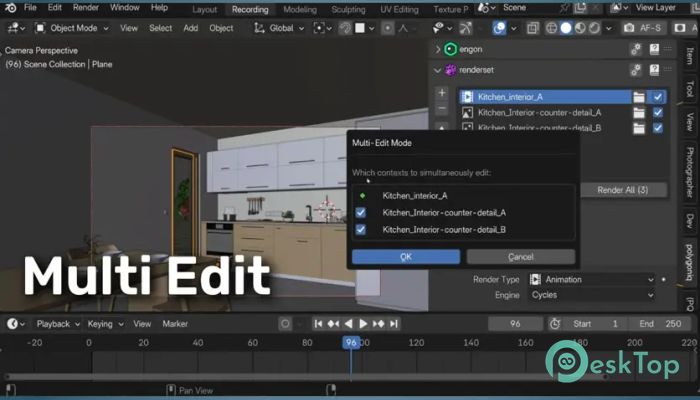
Instead of updating settings one by one, the addon supports multi-editing. Several contexts can be selected and modified at once. A preview shows how changes will affect each setup before applying them. This reduces errors and saves considerable time.
Fast Render Previews
Quick previews help you test ideas without slowing down the workflow. The tool can render previews using simplified settings, lower resolution, or fewer samples. These previews never affect the main scene settings, so your final quality remains unchanged while you experiment.
Save and Pack Without Stress
Sharing files often breaks when external assets are missing. This addon packs all external files, including IES textures, directly into the project. The result is a self-contained file that opens correctly on any machine, making collaboration smooth and stress-free.
Advanced Compositor Output Control
For artists who rely on compositing, managing output nodes can be painful. The add-on takes over this task and automatically handles compositor file outputs for each context. This keeps the compositor clean while still allowing complete creative control over passes and layers.
Turbo Tools Integration
Speed-focused users will appreciate built-in support for Turbo Tools. With a single click, rendering operators switch to Turbo Tools modes. This integration boosts productivity and reduces repetitive setup work during heavy rendering sessions.
System Requirements and Technical Details
Operating System: Windows 11 / 10 / 8.1 / 7
Processor: Minimum 1 GHz Processor (2.4 GHz recommended)
RAM: 2GB (4GB or more recommended)
Free Hard Disk Space: 200MB or more is recommended
Blender: 3.6 - 5.0

-
Program size319.08 KB
-
Version2.2.0
-
Program languagemultilanguage
-
Last updatedBefore 8 Month
-
Downloads7
 Paragon Hard Disk Manager 18 Business
 Aescripts MaskMotion
 Aescripts AE Glass
 Aescripts PreFlight
 Aescripts Risograph
 Aescripts Folder Fanatic