
 Arabic
  English
  Turkish
  Chinese
  Japanese
  Russian
  Spanish
  German
  French
  Hindi
Hindi Download Superhive Market - Render Output Presets Manager 3.0 for Windows
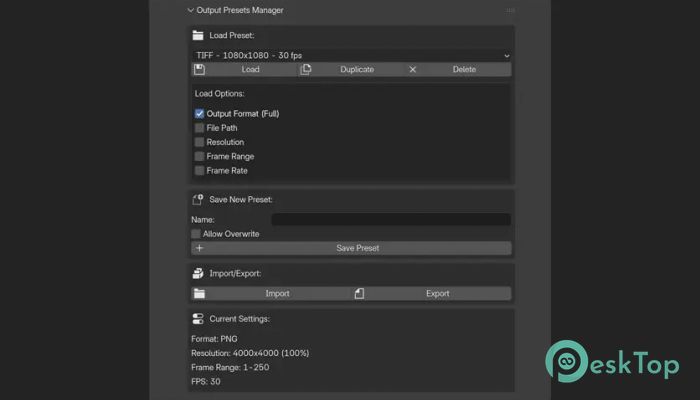
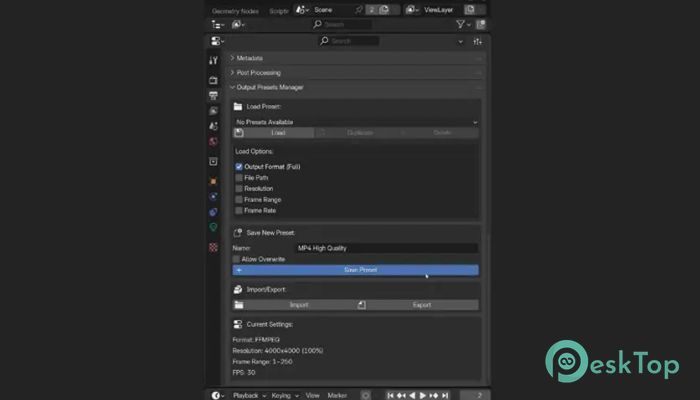
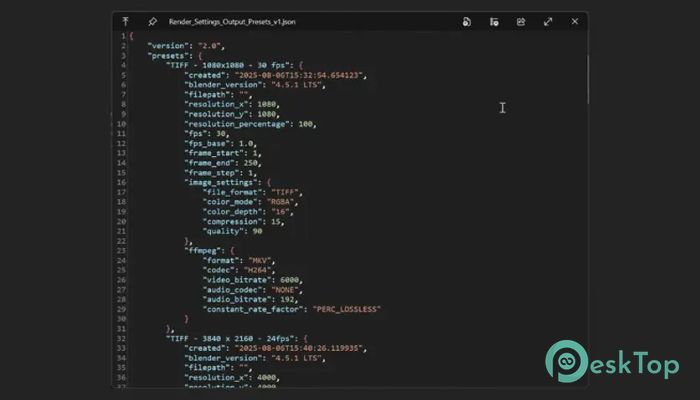
Download Superhive Market - Render Output Presets Manager 3.0 for Windows.
Superhive Market - Render Output Presets Manager Overview
This add-on is designed for Blender users who want to avoid repeating the same render setup. It works like a personal toolbox, securely storing your favorite render output settings and keeping them ready to use. Instead of adjusting resolution, frame rate, formats, and file paths every time, everything can be recalled in seconds. Think of it like saving your favorite coffee order. Once it is stored, you do not need to explain it again. Just pick it, and everything is prepared exactly as you like.Features of Superhive Market - Render Output Presets Manager
Purpose and Practical Use
The tool focuses on simplifying workflow for artists, animators, and studios. It helps avoid mistakes caused by forgotten settings and saves valuable production time. Whether you work on animations, still renders, or video outputs, it keeps things consistent across projects.
It fits seamlessly into your daily Blender workflow and becomes part of your routine without being heavy or complex.
Save and Load Presets Easily
One of its strongest features is the ability to save complete render output setups as named presets. These presets store everything from file paths to output formats. When needed, they can be loaded instantly without digging through multiple menus.
This makes switching between different project requirements feel smooth, like changing gears in a well-tuned car.
Selective Loading with Checkboxes
Not every project requires changing all settings. That is why selective loading is included. You can choose exactly what to apply, such as resolution, frame range, frame rate, or output format.
This flexible control keeps your workflow clean and prevents unwanted changes, especially when working on shared or complex files.
Support for Multiple Output Formats
The addon supports common image and video formats used in Blender workflows. Whether you are rendering PNGs, JPEGs, EXR files, or video through FFmpeg, the settings are stored and restored correctly.
This consistency helps maintain quality and technical accuracy across different deliverables.
Import and Export Using JSON
Sharing presets is simple thanks to JSON import and export options. Presets can be moved between computers or shared with teammates without manual setup.
It feels like carrying a digital recipe book that works everywhere you go.
Automatic Backup for Safety
Before any preset is saved, the addon automatically creates a backup file. This ensures nothing is lost by mistake. These backups are synced across Blender files, giving peace of mind during long projects.
Even if something goes wrong, recovery is quick and stress-free.
Simple Access Inside Blender
The addon is accessed directly from Properties, under Output Properties. This placement feels natural and keeps everything within reach. There is no need to open additional windows or navigate complex menus.
The learning curve is gentle, making it friendly for both beginners and experienced users.
Workflow Benefits for Teams and Solo Users
For solo creators, it reduces repetitive work and mental load. For teams, it ensures everyone uses the same output standards. This avoids confusion and keeps production aligned.
In busy pipelines, this kind of reliability is like having a trusted assistant who never forgets.
System Requirements and Technical Details
Operating System: Windows 11 / 10 / 8.1 / 7
Processor: Minimum 1 GHz Processor (2.4 GHz recommended)
RAM: 2GB (4GB or more recommended)
Free Hard Disk Space: 200MB or more is recommended
Blender: 3.0 - 5

-
Program size9.36 KB
-
Version3.0
-
Program languagemultilanguage
-
Last updatedBefore 8 Month
-
Downloads5
 Paragon Hard Disk Manager 18 Business
 Aescripts MaskMotion
 Aescripts AE Glass
 Aescripts PreFlight
 Aescripts Risograph
 Aescripts Folder Fanatic