
 Arabic
  English
  Turkish
  Chinese
  Japanese
  Russian
  Spanish
  German
  French
  Hindi
Hindi Download Superhive Market - Ring Path Selection 1.1 for Windows

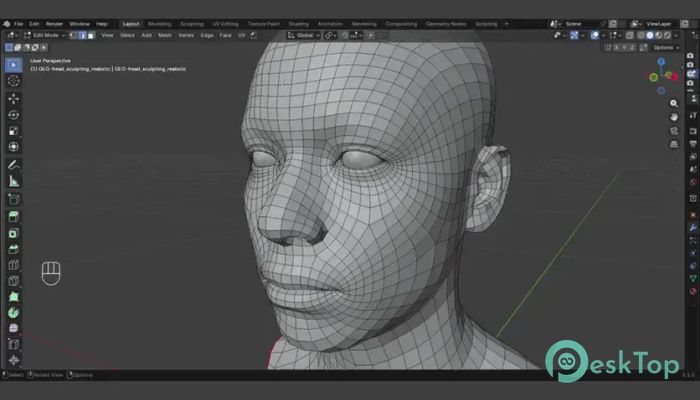
Download Superhive Market - Ring Path Selection 1.1 for Windows.
Superhive Market - Ring Path Selection Overview
This handy Blender asset is designed for artists who want a faster way to select edge rings inside their 3D projects. The tool works with Blender 5.1 and later and offers a simple yet smart workflow improvement that can save a lot of time during modeling sessions. Instead of manually selecting long edge loops one by one, users can quickly define the path with just a click. The add-on behaves similarly to Blender’s Pick Shortest Path operator, but it focuses on ring path selection. That means users can create cleaner selections across models without having to repeat steps. It feels like drawing a straight road between two points instead of walking every step manually. For artists working on hard-surface models, game assets, mechanical parts, or detailed meshes, this small utility can become an important part of the workflow. The interface stays simple, so beginners can also use it without confusion.Features of Superhive Market - Ring Path Selection
Compatible with Blender 5.1+ and newer versions
Fast ring path selection with a single click
Works similarly to Blender’s shortest path operator
Simple and lightweight workflow integration
Helps reduce repetitive manual edge selections
Useful for hard-surface and detailed mesh editing
Start from Selection mode for expanded path control
Clean workflow that improves modeling speed
Designed for smooth navigation inside complex meshes
Easy to use for beginners and professionals
Simple Workflow for Faster Modeling
3D modeling often involves repetitive edge selections that can slow down creative work. This tool changes that experience by making ring path selection much easier. Instead of clicking edge after edge, users can quickly define a direction and let the add-on handle the rest.
The process feels natural inside Blender. Artists simply click on an edge, and the software intelligently finds the ring path between the selected points. It works like connecting dots on a map. This reduces interruptions and helps users stay focused on creativity rather than on technical steps.
When working on large models with complex topologies, saving even a few seconds per selection can add up quickly. Over time, the tool becomes a reliable shortcut for everyday tasks.
Start From Selection Mode
One of the most useful features included in the asset is the Start From Selection mode. This option allows users to expand the ring path from an existing edge selection. Instead of beginning from scratch every time, artists can continue building upon their current selection.
This workflow improvement is especially useful when editing long cylindrical shapes, pipes, mechanical surfaces, or layered meshes. The feature behaves almost like extending a train track. Once the first section is in place, the rest can continue smoothly without rebuilding everything manually.
It also provides better control over mesh editing, allowing users to guide the path more accurately. This can improve precision during retopology, detailing, or optimization work.
Useful for Hard Surface Projects
Hard-surface modeling usually requires precise edge control. Vehicles, machinery, sci-fi props, architectural assets, and industrial objects all depend heavily on clean topology. This is where the add-on becomes very practical.
The software helps users maintain consistent edge selections without wasting time. It allows smoother editing across sharp corners and repeating geometry. Instead of fighting the mesh, artists can move through their projects more comfortably.
For example, when creating mechanical panels or detailed robotic parts, selecting proper edge rings is important for beveling, cutting, and adding support loops. The tool simplifies these tasks, making the workflow feel more efficient.
Lightweight and Beginner Friendly
Many Blender add-ons feature extensive menus and complex settings that overwhelm new users. This one keeps things clean and focused. The controls are straightforward, and the purpose is clear from the beginning.
Even users who are new to Blender can understand how it works after a few minutes. The learning curve stays small because the functionality mirrors tools already available in Blender. That means experienced artists can adopt it quickly, while beginners can learn without stress.
The lightweight design also helps Blender remain responsive. The add-on does not overload the workspace with unnecessary tools or heavy systems.
Improves Daily Productivity
Small workflow tools often have the biggest long-term impact. While the add-on focuses on a single task, it performs that task very well. Artists who spend hours inside Blender know how valuable time-saving tools can be.
Every modeling project involves selections, adjustments, and mesh navigation. Faster path selection means fewer interruptions and smoother creative flow. Instead of slowing down to manage technical details, users can continue shaping their ideas naturally.
Think of it like replacing a hand screwdriver with a power tool. Both can finish the job, but one gets there with far less effort and frustration.
Clean Integration Inside Blender
The asset blends naturally into Blender’s existing workflow. It does not feel disconnected from the main software. Users can continue using familiar shortcuts, tools, and editing methods while adding this functionality to their workflow.
This smooth integration is important because artists do not want to completely change their habits just to use one feature. The tool acts more like a natural extension of Blender rather than a separate system.
Because of this, professionals can easily integrate it into production pipelines, while hobbyists can enjoy a more comfortable modeling experience on personal projects.
Why Artists May Like This Tool
Artists usually search for tools that solve small frustrations in daily work. This add-on focuses exactly on that idea. It eliminates repetitive selection tasks and provides users with a cleaner way to work with edge rings.
The software feels practical instead of flashy. It does not try to replace Blender’s core workflow. Instead, it strengthens one specific part of the modeling process. That focused approach makes it useful for many different types of projects.
Whether someone creates game assets, animation props, product models, or architectural designs, faster ring selection can significantly improve workflow quality.
System Requirements and Technical Details
Operating System: Windows 11 / 10 / 8.1 / 7
Processor: Minimum 1 GHz Processor (2.4 GHz recommended)
RAM: 2GB (4GB or more recommended)
Free Hard Disk Space: 200MB or more is recommended
Blender: 5.1+

-
Program size311.24 KB
-
Version1.1
-
Program languagemultilanguage
-
Last updatedBefore 5 Month
-
Downloads9
 Paragon Hard Disk Manager 18 Business
 Aescripts MaskMotion
 Aescripts AE Glass
 Aescripts PreFlight
 Aescripts Risograph
 Aescripts Folder Fanatic