
 Arabic
  English
  Turkish
  Chinese
  Japanese
  Russian
  Spanish
  German
  French
  Hindi
Hindi Download Superhive Market - Sakuga Toon Shader Cycles - Eevee 1.0 for Windows
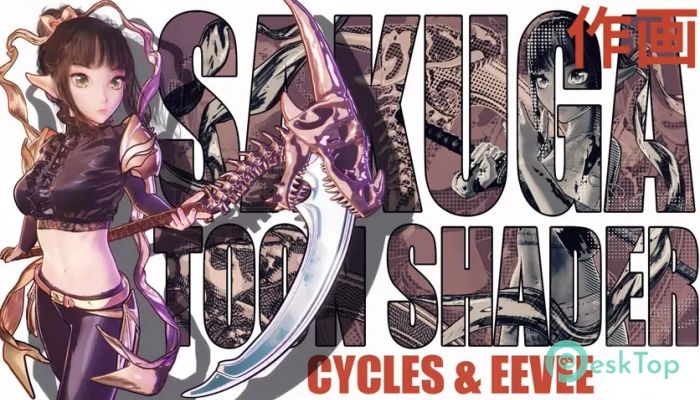
Download Superhive Market - Sakuga Toon Shader Cycles - Eevee 1.0 for Windows.
Superhive Market - Sakuga Toon Shader Cycles - Eevee Overview
This powerful shader solution helps 3D artists create clean, expressive toon visuals without dealing with UV mapping or complex procedural setups. It offers plug-and-play ease of use, making it ideal for beginners and professionals who want fast, high-quality anime-style renders. With support for both Cycles GPU and Eevee, the software lets you switch between rendering engines without losing the overall look. This feature alone saves time and ensures consistent results across different lighting situations. Its simple drag-and-drop workflow makes it easy to apply, tweak, and fine-tune shading in minutes.Features of Superhive Market - Sakuga Toon Shader Cycles - Eevee
Drag-and-drop application for quick results.
Fully procedural shading with no UV mapping required.
Works smoothly with both Cycles and Eevee engines.
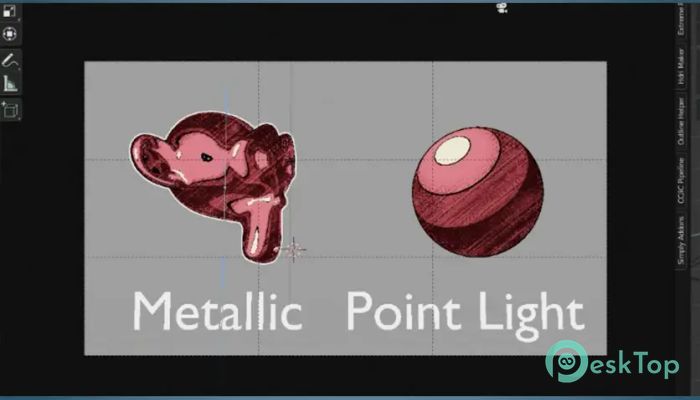
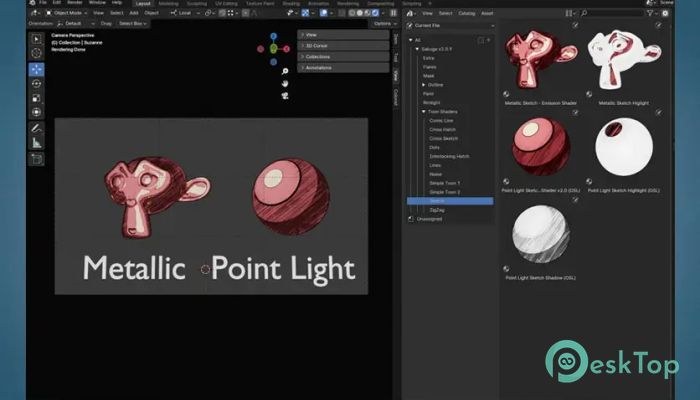
Two lighting variations: Metallic and Point Light.
Easy customization for colors, shadows, and outlines.
Supports animation workflows.
Ideal for stylized, anime-inspired renders.
Camera-follow lighting option for shiny metallic effects.
Consistent results in both real-time and offline rendering.
Friendly for beginners and fast for advanced users.
How the Shader Works
The shader is designed to make toon shading accessible and flexible. Once you drag it onto a 3D model, the system instantly applies its procedural layers. You don't need UVs because the shading wraps around the object automatically, as in traditional cartoon shading.
Its real advantage comes from how it handles lighting. The shader reacts to your scene lights in a natural yet stylized way, giving you complete control over everything from shadow depth to highlight intensity. It behaves like a toolbox that lets you shape your anime look without technical struggles.
Lighting Modes Explained
The shader includes Metallic Lighting and Point Light Lighting, each offering a distinct visual style.
Metallic Lighting: Follows the camera as you rotate the view, giving the surface a shiny, reflective finish.
Point Light Lighting: Reacts to fixed lights in your scene for grounded shading.
Why This Tool Stands Out
This solution saves time because it removes the usual technical steps involved in toon shading. Instead of building complex node groups or mapping surfaces manually, you get a ready-made shader that works.
Artists benefit from:
Fast rendering setups
Real-time preview capabilities
Easy blending between shading styles
Consistent results across scenes
Reduced workload in animation projects
Customization Options
One of its strengths is how deeply you can modify the shader. You can adjust shadow softness, refine gradients, tweak outlines, adjust highlight sharpness, switch lighting modes, and experiment with color styles until you find your perfect look.
System Requirements and Technical Details
Operating System: Windows 11 / 10 / 8.1 / 7
Processor: Minimum 1 GHz Processor (2.4 GHz recommended)
RAM: 2GB (4GB or more recommended)
Free Hard Disk Space: 200MB or more is recommended
Blender: 4.0 - 4.5

-
Program size7.11 MB
-
Version1.0
-
Program languagemultilanguage
-
Last updatedBefore 9 Month
-
Downloads9
 Paragon Hard Disk Manager 18 Business
 Aescripts MaskMotion
 Aescripts AE Glass
 Aescripts PreFlight
 Aescripts Risograph
 Aescripts Folder Fanatic