
 Arabic
  English
  Turkish
  Chinese
  Japanese
  Russian
  Spanish
  German
  French
  Hindi
Hindi Download Superhive Market - Slide Edge 1.6.0 for Windows
Download Superhive Market - Slide Edge 1.6.0 for Windows.
Superhive Market - Slide Edge Overview
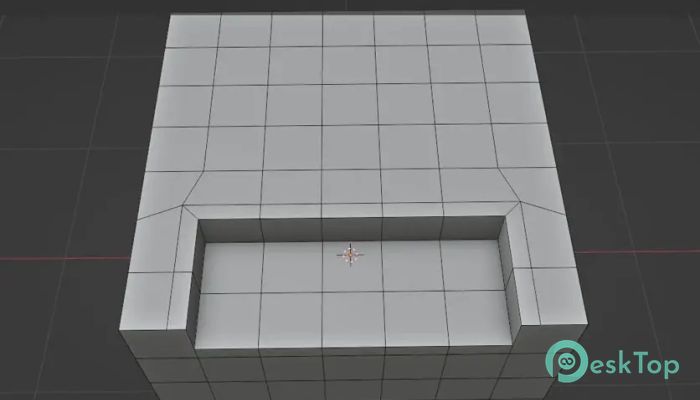
Working with 3D models often requires precise adjustments, especially when handling edges and geometry. This tool simplifies that process by allowing users to duplicate and slide selected edges with accuracy and speed. Instead of manually adjusting geometry step by step, it provides a smoother workflow that saves time and improves productivity. The software is designed for artists, designers, and developers who want more control over their models. Whether you're shaping complex objects, refining details, or adjusting topology, it helps you make clean and professional edits without slowing down your workflow. One of the biggest advantages is its simplicity. The interface is straightforward, and the features are easy to understand. Even beginners can start using it without a steep learning curve, while professionals benefit from its advanced precision and control.Features of Superhive Market - Slide Edge
Simple and Efficient Edge Sliding
The tool focuses on one essential function and does it extremely well. It allows you to slide edges smoothly along existing geometry without breaking the structure. This makes modeling more natural, like sculpting with digital clay.
Instead of performing multiple steps manually, you can select edges and move them instantly. The process feels fluid and responsive, helping you focus more on creativity and less on technical adjustments.
Duplicate Edges with Precision
Another useful feature is the ability to duplicate selected edges before sliding them. This allows you to create additional geometry while maintaining accuracy. It's especially helpful when adding detail to models or creating symmetrical designs.
Think of it like copying a line in a drawing and sliding it to create a pattern. The process becomes faster, cleaner, and more intuitive.
Improved Workflow for 3D Modeling
The software improves overall workflow by reducing repetitive tasks. Modeling often involves small adjustments, and doing them manually can slow you down. This tool speeds up those actions, allowing you to focus on the creative side of your project.
With fewer clicks and faster operations, you can build models more efficiently. This is especially useful when working on large projects or detailed environments.
Lightweight and Fast Performance
The software is designed to be lightweight and responsive. It runs smoothly without consuming heavy system resources. This means you can use it alongside other tools without worrying about performance issues.
Even when working with complex models, the tool remains stable and efficient. This ensures a smooth experience from start to finish.
User-Friendly Interface
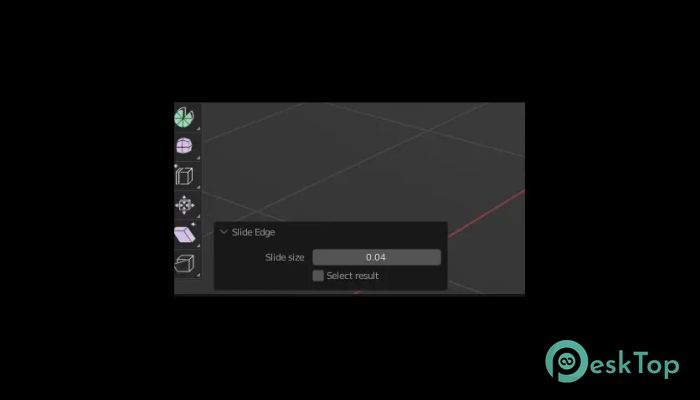
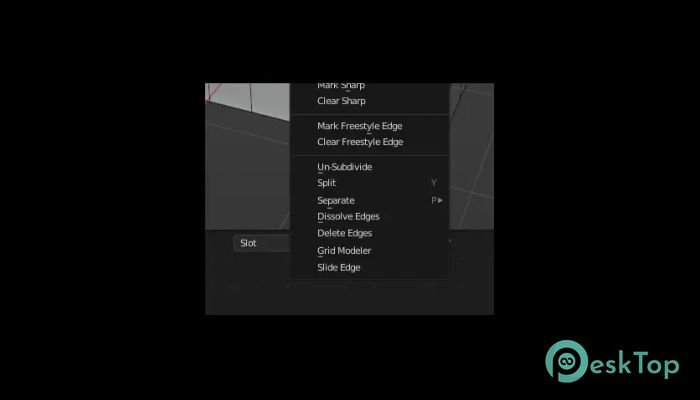
The interface is clean and easy to understand. Controls are simple, and options are well organized. Users can quickly find what they need without having to navigate complicated menus.
This simplicity makes it suitable for both beginners and professionals. You can jump right in and start working without spending hours learning complicated settings.
Flexible Modeling Capabilities
The software gives users flexibility in how they approach modeling. Whether you're creating characters, environments, or mechanical parts, it adapts to a variety of workflows.
It helps refine shapes, adjust topology, and create smoother geometry. This flexibility makes it a valuable addition to any modeling toolkit.
Perfect for Detail-Oriented Projects
When working on detailed models, precision becomes essential. The tool allows you to fine-tune edges and shapes without damaging the structure. This makes it ideal for professional projects and complex designs.
Whether you're making small adjustments or major changes, the tool helps maintain clean, organized geometry.
Reliable and Stable Performance
The software is built with stability in mind. It performs consistently, even during heavy modeling sessions. This reliability ensures that your workflow remains uninterrupted.
Stable performance also reduces the risk of errors or crashes, giving you peace of mind while working.
Why This Tool Stands Out
The tool stands out because it focuses on improving a key aspect of modeling. Instead of offering too many complex features, it provides a focused, efficient solution.
This makes it easier to use and more effective. You get exactly what you need without unnecessary complexity.
Who Should Use It
This software is ideal for 3D artists, designers, developers, and hobbyists. Anyone who works with edge-based modeling can benefit from its features.
Whether you're working on professional projects or learning 3D modeling, it provides useful tools that improve productivity.
System Requirements and Technical Details
Operating System: Windows 11 / 10 / 8.1 / 7
Processor: Minimum 1 GHz Processor (2.4 GHz recommended)
RAM: 2GB (4GB or more recommended)
Free Hard Disk Space: 200MB or more is recommended
Blender: 2.83 - 5.1

-
Program size25.83 MB
-
Version1.6.0
-
Program languagemultilanguage
-
Last updatedBefore 4 Month
-
Downloads13
 Paragon Hard Disk Manager 18 Business
 Aescripts MaskMotion
 Aescripts AE Glass
 Aescripts PreFlight
 Aescripts Risograph
 Aescripts Folder Fanatic