
 Arabic
  English
  Turkish
  Chinese
  Japanese
  Russian
  Spanish
  German
  French
  Hindi
Hindi Download Superhive Market - Symmetrize Uv Util 1.6.0 for Windows
Download Superhive Market - Symmetrize Uv Util 1.6.0 for Windows.
Superhive Market - Symmetrize Uv Util Overview
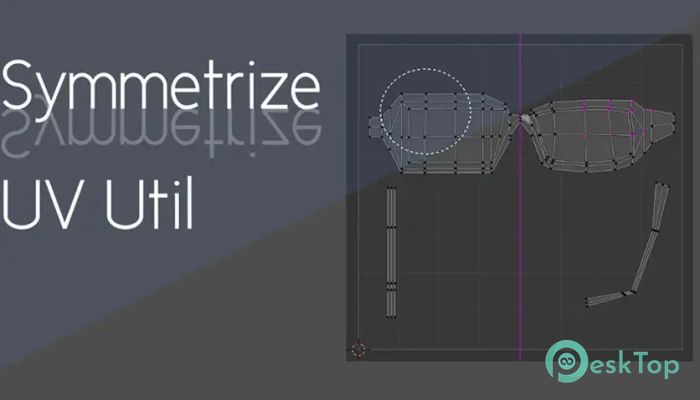
When you are working with a symmetrical 3D model, messy UVs can quickly turn into a headache. This tool steps in like a mirror for your textures, keeping both sides of the mesh aligned. Instead of manually fixing tiny UV points, the software analyzes the mesh structure and automatically adjusts UV vertices. The result is a cleaner layout that saves time and reduces frustration during texturing. Why Symmetrical UVs Matter Symmetry in UV mapping is like folding a paper exactly in half. When both sides match, textures look sharp and consistent. Without it, even a small mismatch can cause visible seams or stretched details. This utility helps artists maintain balance, especially for characters, props, and mechanical models, where both sides should look identical.Features of Superhive Market - Symmetrize Uv Util
Automatic UV Detection and Adjustment
One of the software's strongest features is its ability to detect a mesh's structure on its own. You do not need to select every UV manually. It identifies which vertices should mirror each other and fixes them in a single step. This feels like having an assistant who knows exactly what you want before you explain it.
Symmetrize UV Map with One Click
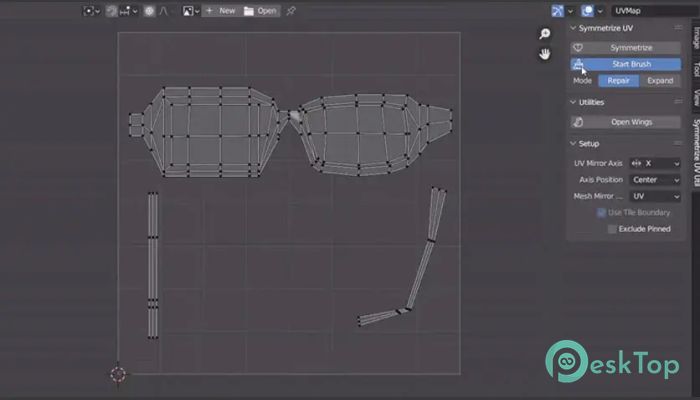
If your UV map needs full symmetry, the Symmetrize function does the job instantly. You choose the axis, press the button, and the UVs align perfectly across that direction. It is simple, fast, and ideal for models designed to be fully mirrored.
Brush-Based Control for Asymmetrical Areas
Not every model is perfectly balanced, and that is where the brush mode shines. By activating the Start Brush option, you can trace only the areas that need symmetry. The rest of the UVs remain untouched. Changing the brush size with the F key feels natural, almost like painting corrections directly onto the UV map.
Expand Mode for Double-Sided UVs
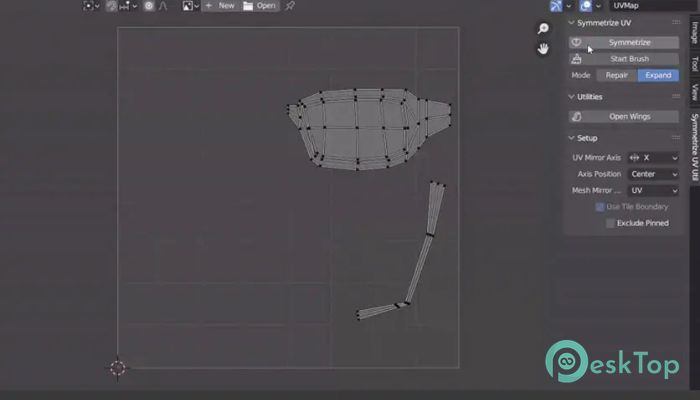
Expand mode works like unfolding a book. It takes a single-sided UV layout and creates a double-sided version. This is useful for models that share textures on both sides but still need proper alignment. You can also combine this with the brush for more control, making it flexible for complex assets.
Flexible Axis Positioning
Symmetry is not always centered in the same place. The tool allows the axis of symmetry to be placed anywhere using the 2D cursor as a pivot. You can choose options like Center, Start, End, or 2D Cursor. This freedom makes it easier to adapt the symmetry to unusual shapes or custom layouts.
UDIM Tile Support for Large Projects
For artists working with UDIM textures, support for tile boundaries is a big advantage. When the Use Tile Boundary option is active, symmetrizing respects each UDIM tile separately. This means you can mirror UVs across multiple tiles without breaking the texture workflow, which is especially helpful for high-detail models.
Improved Workflow and Time Savings
Manually fixing UV symmetry can feel like fixing a zipper one tooth at a time. This utility turns that process into a smooth slide. By reducing repetitive tasks, it lets artists focus more on creativity and less on technical cleanup. Over time, the saved minutes add up to hours.
Who Can Benefit from This Tool
It is useful for beginners who want clean results without complex steps, as well as for professionals handling detailed assets. Character artists, game developers, and product designers can all benefit from faster UV adjustments and fewer texture issues.
System Requirements and Technical Details
Operating System: Windows 11 / 10 / 8.1 / 7
Processor: Minimum 1 GHz Processor (2.4 GHz recommended)
RAM: 2GB (4GB or more recommended)
Free Hard Disk Space: 200MB or more is recommended
Blender: 4.2 - 5.0

-
Program size16.60 KB
-
Version1.6.0
-
Program languagemultilanguage
-
Last updatedBefore 9 Month
-
Downloads8
 Paragon Hard Disk Manager 18 Business
 Aescripts MaskMotion
 Aescripts AE Glass
 Aescripts PreFlight
 Aescripts Risograph
 Aescripts Folder Fanatic