
 Arabic
  English
  Turkish
  Chinese
  Japanese
  Russian
  Spanish
  German
  French
  Hindi
Hindi Download SVG To EPS Converter - Illustrator Script 1.0 for Windows
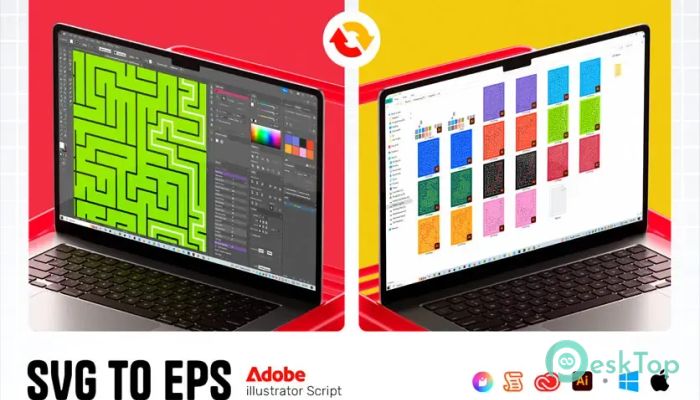
Download SVG To EPS Converter - Illustrator Script 1.0 for Windows.
SVG To EPS Converter - Illustrator Script Overview
Managing hundreds of SVG files one by one can quickly become tiring. This handy script removes repetitive work by converting an entire folder of SVG files to EPS in just a few clicks. Instead of opening every file manually, resizing artboards, scaling artwork, and exporting each file individually, it handles the entire process automatically. The software is designed for designers, illustrators, print professionals, and anyone who regularly prepares vector graphics for clients or printing. It saves valuable time while keeping every converted file neat, properly aligned, and ready for professional use.Features of SVG To EPS Converter - Illustrator Script
Fast Batch Conversion
The biggest advantage of the tool is its ability to process multiple SVG files at once. Simply choose the folder containing your SVG files, and it automatically opens every file, converts it, and exports it as an EPS 10 document.
Instead of repeating the same task over and over, you can let the script complete everything in one session. It works like having a personal assistant inside Adobe Illustrator.
Automatic Artboard Resizing
Every project has different size requirements. Whether you need social media graphics, print designs, or custom layouts, the software lets you enter your preferred artboard dimensions before processing begins.
For example, you can easily set the artboard to 1080×1350 pixels or any custom size you want. Every file is updated with the same dimensions, giving your project a clean and consistent appearance.
Smart Scaling and Center Alignment
Simply changing the artboard size is not enough if the artwork becomes misplaced. The script automatically scales and centers every design so it fits perfectly inside the new artboard.
This smart adjustment keeps graphics looking balanced without requiring manual repositioning. It helps preserve the original design while making sure everything fits neatly within the selected canvas.
Professional EPS 10 Export
Many clients, printers, and archives still prefer the EPS format because of its excellent compatibility with professional design software. The tool exports every converted file as EPS 10, making them suitable for commercial printing and long-term storage.
This ensures your finished files can easily be shared with customers, printing companies, and production teams without additional editing.
Simple Three-Step Workflow
Using the script is incredibly easy. First, open it inside Adobe Illustrator. Next, browse to any SVG file inside your target folder using the built-in Explorer-style file picker. Finally, enter your desired artboard width and height in pixels.
Once you confirm the settings, the software handles everything else automatically. Even beginners can complete large conversion jobs without having to learn complicated settings.
Fully Automated Processing
Behind the scenes, the script performs every required task in sequence. It opens each SVG file, resizes the artboard, scales the artwork, centers the design, and saves everything as EPS 10 before moving to the next file.
This complete automation reduces mistakes that often happen during manual editing and keeps every exported file consistent.
Perfect for Large Design Projects
If you frequently receive dozens or even hundreds of SVG files, manually preparing each one can take hours out of your day. The software is built specifically for these situations.
Graphic designers, print shops, marketing agencies, freelancers, and content creators can all benefit from the faster workflow. Whether you're preparing logos, icons, illustrations, or marketing graphics, the script helps you finish projects much more quickly.
Save Time Every Day
One of the strongest benefits is the amount of time it saves. Jobs that normally require opening, editing, resizing, and exporting each file individually can now be completed automatically in a single batch.
Instead of spending hours on repetitive work, you can focus on designing new projects, improving creativity, or serving more clients. It turns a slow workflow into a smooth and efficient process.
Ideal for Designers and Print Professionals
The software is suitable for anyone who regularly works with vector graphics. Designers preparing social media artwork, printing companies handling customer files, and agencies creating marketing materials can all simplify their daily workflow.
Because every exported file follows the same dimensions and formatting, projects remain organized and professional from beginning to end.
System Requirements and Technical Details
Operating System: Windows 11 / 10 / 8.1 / 7
Processor: Minimum 1 GHz Processor (2.4 GHz recommended)
RAM: 2GB (4GB or more recommended)
Free Hard Disk Space: 200MB or more is recommended

-
Program size90.72 KB
-
Version1.0
-
Program languagemultilanguage
-
Last updatedBefore 2 Month
-
Downloads15
 Paragon Hard Disk Manager 18 Business
 Aescripts MaskMotion
 Aescripts AE Glass
 Aescripts PreFlight
 Aescripts Risograph
 Aescripts Folder Fanatic