
 Arabic
  English
  Turkish
  Chinese
  Japanese
  Russian
  Spanish
  German
  French
  Hindi
Hindi Download Synfig Studio 1.5.5 for Windows
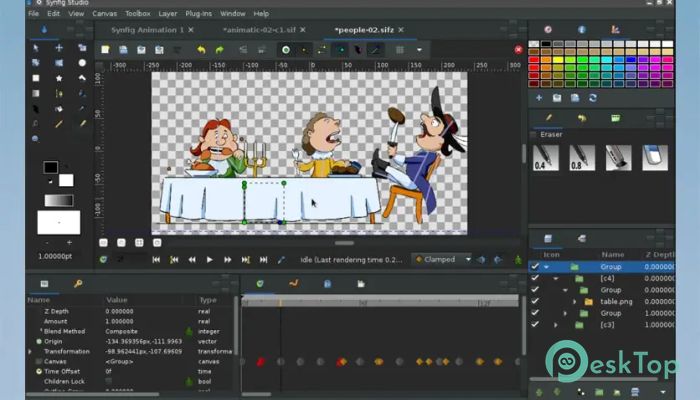
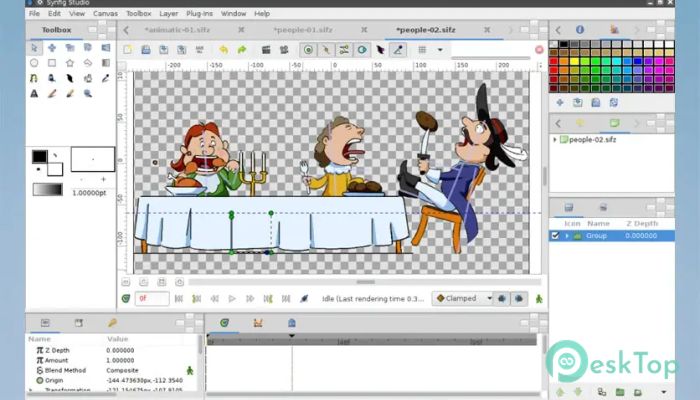
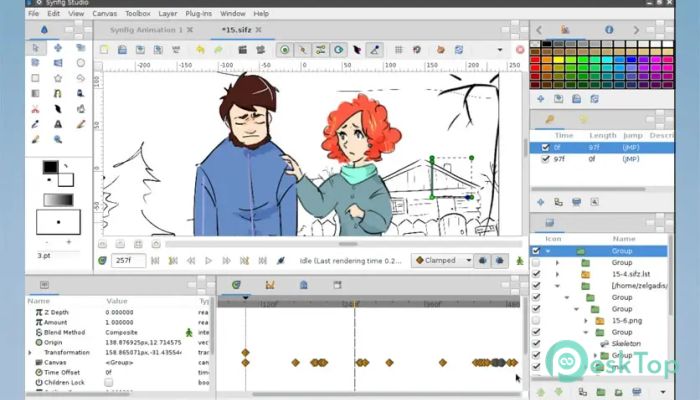
Download Synfig Studio 1.5.5 for Windows.
Synfig Studio Overview
It is designed for artists, animators, and beginners who want to create high-quality 2D animations without manually drawing every frame. Instead of the old frame-by-frame method, it relies on keyframes and automatic in-between generation. This approach saves time, reduces effort, and keeps the animation smooth and consistent. It works well for animated films, short clips, explainer videos, motion graphics, and even game assets. The open-source nature also means it continues to improve with community support.Features of Synfig Studio
Easy and Flexible Animation Workflow
The software focuses on simplicity without sacrificing power. You set key positions, movements, and effects, and the tool automatically calculates the transitions. Think of it like placing signposts on a road and letting the software build the smooth path between them.
This workflow is helpful for both small projects and long animations. You spend more time shaping ideas and less time repeating technical steps.
Vector and Bitmap Support
One of its strongest points is the ability to work with both vector and bitmap graphics. Vector artwork stays sharp at any resolution, while bitmap images allow detailed textures and painterly effects.
This combination gives creators the freedom to mix clean shapes with rich details within the same project.
Advanced Bone and Rigging System
The built-in bone system makes character animation easier and more natural. You can build a skeleton for characters and move limbs smoothly without redrawing them.
This feature is especially useful for animating people, animals, and complex movements, making the process feel more like puppeteering than drawing.
Powerful Effects and Layer System
It uses a layer-based system that allows stacking visuals, effects, and transformations. Each layer can be edited independently, which keeps projects organized and flexible.
Blur, shadows, color corrections, gradients, and distortions are available to enhance visuals without extra tools.
Audio Sync and Timeline Control
Animating with sound becomes easier thanks to audio import and timeline controls. You can accurately sync movements with dialogue or music.
The timeline provides clear control over timing, easing, and motion curves, helping animations feel natural and well-paced.
Cross-Platform and Open Source
The software runs on Windows, Linux, and macOS, making it accessible to a wide range of users. Being open source also means no license cost and full freedom to use it for personal or commercial work.
Community-driven updates bring regular improvements, bug fixes, and new features.
Ideal for Beginners and Professionals
While it offers professional-grade tools, it still remains approachable for newcomers. Tutorials, documentation, and an active community help beginners learn step by step.
Professionals appreciate the control, precision, and efficiency it brings to serious animation projects.
System Requirements and Technical Details
Operating System: Windows 11 / 10 / 8.1 / 7
Processor: Minimum 1 GHz Processor (2.4 GHz recommended)
RAM: 2GB (4GB or more recommended)
Free Hard Disk Space: 200MB or more is recommended

-
Program size104.31 MB
-
Version1.5.5
-
Program languagemultilanguage
-
Last updatedBefore 6 Month
-
Downloads50
 Paragon Hard Disk Manager 18 Business
 Aescripts MaskMotion
 Aescripts AE Glass
 Aescripts PreFlight
 Aescripts Risograph
 Aescripts Folder Fanatic