
 Arabic
  English
  Turkish
  Chinese
  Japanese
  Russian
  Spanish
  German
  French
  Hindi
Hindi Download TK Grayscale Plugin for Photoshop 1.0 for Windows
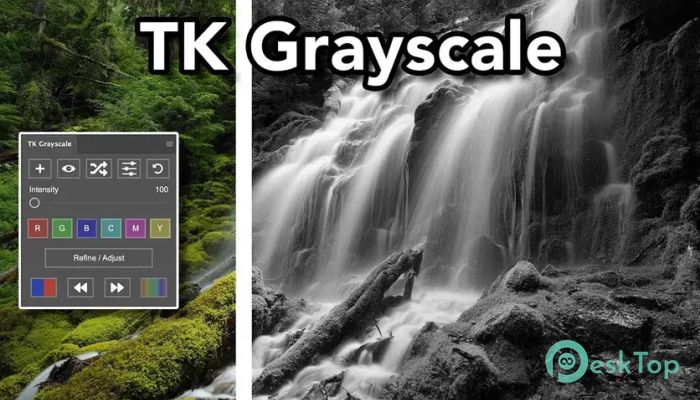
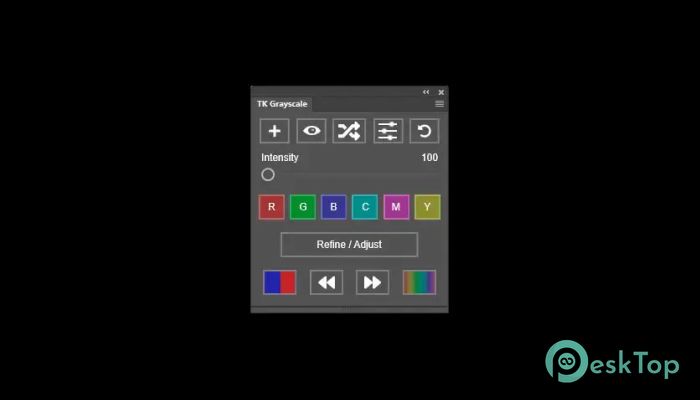
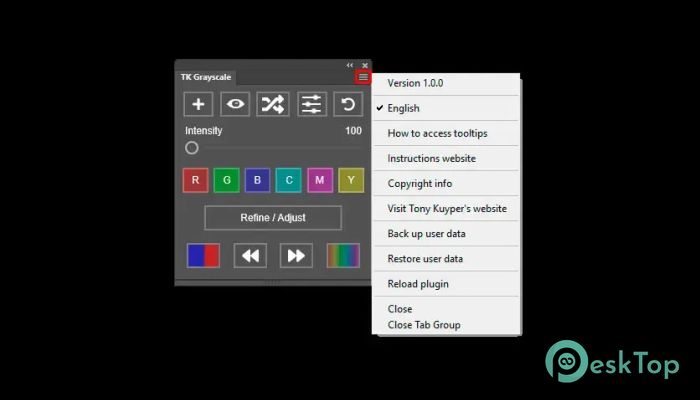
Download TK Grayscale Plugin for Photoshop 1.0 for Windows.
TK Grayscale Plugin for Photoshop Overview
Creating professional black-and-white images is not as simple as removing color from a photo. A great grayscale image needs depth, balance, texture, and emotion. This powerful Photoshop extension helps photographers and designers turn ordinary shots into artistic masterpieces with detailed tonal control and advanced grayscale conversion features. The software is designed for beginners and professionals who want more than Photoshop’s default black-and-white adjustment tools. It gives users better control over shadows, highlights, contrast, and tonal balance while keeping the editing process simple and smooth. Whether you work on portraits, landscapes, street photography, or commercial projects, the tool helps deliver clean, eye-catching results. Instead of using basic desaturation methods, it analyzes the original color information and intelligently converts each tone into grayscale. This process creates richer detail and more natural black-and-white images that look sharp and cinematic.Features of TK Grayscale Plugin for Photoshop
Professional Black and White Conversion
The software provides precise grayscale conversion that feels like painting with light. Every color in the original image can be adjusted separately before conversion to black and white. This means skies can appear darker, skin tones can be softer, and textures can be more detailed without damaging image quality.
It works like a photographer’s darkroom but inside Photoshop. Instead of struggling with complicated settings, users can easily fine-tune brightness, contrast, and tonal depth using simple controls. The result is a clean and dramatic grayscale effect that stands out immediately.
For photographers who love emotional, timeless images, this feature is incredibly useful. It helps create photos that feel more artistic and visually powerful.
Easy Interface for Fast Editing
Many advanced Photoshop plugins feel complicated, but this one keeps everything simple and organized. The interface is clean, easy to understand, and beginner-friendly. Even users with little editing experience can quickly learn how to improve their photos.
The tool includes sliders, presets, and one-click adjustments that save time during editing. Instead of spending hours manually experimenting, users can instantly test multiple grayscale styles and choose the one that best matches their vision.
Think of it like having a professional photo lab inside your computer. Every option is placed where it makes sense, helping users stay focused on creativity instead of technical confusion.
Advanced Color Channel Controls
One of the strongest features is its advanced channel editing system. The software allows users to control how red, green, blue, cyan, magenta, and yellow colors behave during grayscale conversion.
This creates endless creative possibilities. For example, darker skies can make clouds appear more dramatic, while brighter skin tones can improve portrait quality. Small adjustments can completely change an image's mood.
The tool gives editors complete freedom to experiment with tonal relationships without losing image detail. This flexibility is extremely valuable for commercial photographers and digital artists who need precise results.
Unlike standard Photoshop settings, the plugin produces more natural, balanced grayscale tones. It helps users avoid flat-looking black-and-white photos that lack emotion and depth.
Built-In Presets and Custom Styles
Editing multiple images manually can feel exhausting, especially during large projects. The software solves this problem by offering built-in presets and custom style saving options.
Users can apply professional grayscale effects instantly with a single click. These presets work as creative starting points and can later be adjusted according to personal preference. From soft, cinematic tones to dramatic, high-contrast looks, the plugin offers a wide range of creative options.
The software also allows saving custom settings for future projects. This is extremely helpful for photographers who want consistent editing styles across wedding albums, portfolios, or social media content.
It creates a smooth workflow where creativity and speed work together perfectly.
Perfect for Photographers and Designers
The tool is useful for many creative professionals. Portrait photographers can create emotional black-and-white portraits with smooth tonal transitions. Landscape photographers can more effectively highlight textures, clouds, and natural contrast.
Graphic designers can use it to add artistic depth to posters, advertisements, and digital artwork. Street photographers can create cinematic scenes with stronger visual storytelling.
The software behaves like a creative lens, revealing hidden beauty in every image. Tiny details become sharper, textures feel richer, and shadows gain more character.
Because of this flexibility, it works well for personal projects, client work, social media content, and commercial photography.
Improved Workflow and Photoshop Compatibility
The plugin integrates smoothly with Photoshop and supports multiple image formats and bit depths. It supports 8-bit, 16-bit, and 32-bit images, giving professionals greater flexibility when editing high-quality files.
The software is optimized for smooth performance and does not slow down the editing process. Even when working with large files, the adjustments remain responsive and easy to manage.
Another advantage is compatibility with different Photoshop versions. Users do not need to worry about complicated installation or workflow interruptions. Once installed, the plugin becomes part of the regular editing environment.
This makes the editing process faster and more enjoyable for photographers who work daily with large image collections.
Creative Freedom for Artistic Projects
Black-and-white photography has a timeless beauty. Without color distractions, viewers focus more on light, texture, emotion, and composition. The software helps users unlock that artistic potential with greater precision and creative control.
The tool allows endless experimentation without making editing feel overwhelming. Users can create soft vintage looks, dramatic cinematic effects, or clean, modern, grayscale styles, depending on the project.
Every adjustment feels meaningful because the software responds naturally to tonal changes. Highlights glow beautifully, shadows feel rich, and textures become more noticeable.
For artists and photographers, it feels less like a plugin and more like a creative companion inside Photoshop.
System Requirements and Technical Details
Operating System: Windows 11 / 10 / 8.1 / 7
Processor: Minimum 1 GHz Processor (2.4 GHz recommended)
RAM: 2GB (4GB or more recommended)
Free Hard Disk Space: 200MB or more is recommended
Photoshop: 2022

-
Program size724.27 KB
-
Version1.0
-
Program languagemultilanguage
-
Last updatedBefore 5 Month
-
Downloads18
 Paragon Hard Disk Manager 18 Business
 Aescripts MaskMotion
 Aescripts AE Glass
 Aescripts PreFlight
 Aescripts Risograph
 Aescripts Folder Fanatic