
 Arabic
  English
  Turkish
  Chinese
  Japanese
  Russian
  Spanish
  German
  French
  Hindi
Hindi Download uperhive Market - Floor Generator 3.0 for Windows
Download uperhive Market - Floor Generator 3.0 for Windows.
uperhive Market - Floor Generator Overview
Creating realistic floors manually can take a lot of time and effort, especially when working with complex shapes or large scenes. This solution simplifies the entire workflow by allowing you to generate flooring boards and tiles instantly. Instead of manually placing every plank or tile, you can generate them with a single click and customize them using multiple parameters. The software is designed for designers, 3D artists, architects, and game developers who want fast and flexible floor creation. Whether you're building interior environments, architectural scenes, or game levels, this tool helps you create professional-quality floors without complex modeling. It works smoothly with various mesh shapes, allowing you to apply flooring on irregular surfaces, curved designs, or custom layouts. This flexibility makes it ideal for both beginners and professionals looking to speed up their workflow.Features of uperhive Market - Floor Generator
One Click Floor Generation
One of the biggest advantages is its one-click floor creation feature. Instead of manually designing flooring, you simply select your mesh object and generate boards instantly. This saves valuable time and reduces repetitive tasks.
The tool automatically adjusts flooring patterns to match the selected shape. Whether you're working with rooms, halls, or complex architectural structures, it generates accurate results quickly. This makes the workflow smoother and far more efficient.
Generate Flooring on Any Shape
Traditional methods often struggle when applying flooring to complex surfaces. This software removes that limitation by allowing floor generation on any shape mesh object. It adapts to curves, corners, and unusual layouts effortlessly.
This feature is particularly useful for designers working on unique environments. Instead of rebuilding geometry, you can simply apply flooring directly and fine-tune the results. This flexibility makes it suitable for both simple and advanced projects.
Extensive Customization Controls
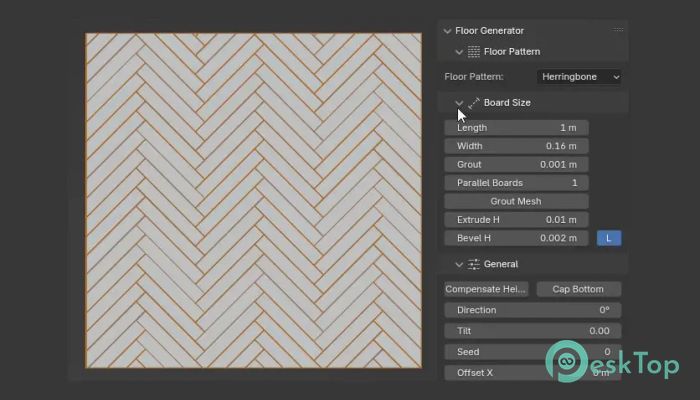
Customization plays a major role in creating realistic flooring. The tool provides a wide range of adjustable parameters to control every aspect of your design. From plank size to spacing and alignment, everything can be modified.
You can experiment with different styles and instantly preview changes. This allows you to achieve the exact look you're aiming for without wasting time. Whether you need modern tiles or classic wooden planks, the customization options make it possible.
Realistic Flooring Boards and Tiles
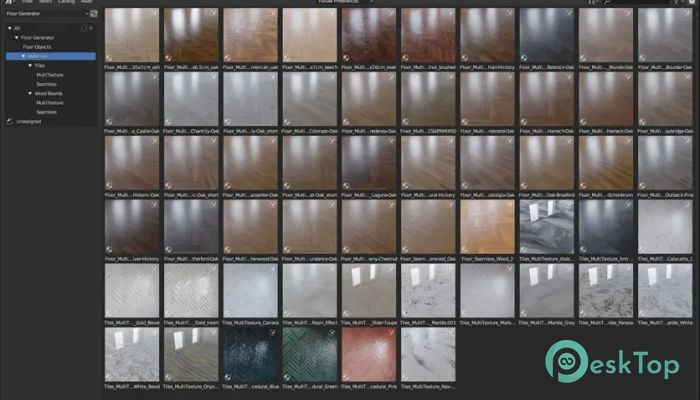
Realism is essential in professional 3D projects. This solution helps generate flooring boards and tiles that look natural and detailed. It automatically arranges boards in patterns that resemble real-world flooring.
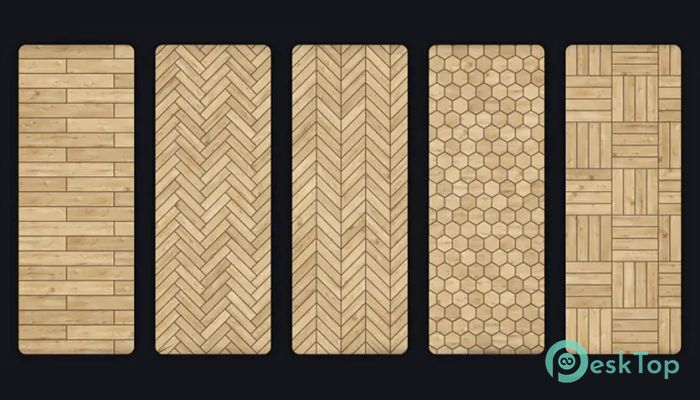
The software also supports different tile patterns and board layouts. This allows you to create unique floor designs for interiors, offices, homes, or game environments. The result looks polished and visually appealing.
Flexible Parameters for Accurate Results
Precision is important when designing floors. This tool includes flexible parameters that allow fine-tuning of floor elements. You can control spacing, randomness, scale, rotation, and alignment.
These controls help create realistic variation instead of repetitive patterns. This small detail makes a big difference in professional projects. The result feels more natural and visually balanced.
Perfect for Designers and 3D Artists
This solution is designed for creative professionals who need efficiency and control. Designers can quickly create interior scenes, while architects can visualize flooring layouts. Game developers can also easily generate floors for environments.
The simple workflow makes it accessible for beginners as well. Even if you're new to 3D modeling, you can create professional flooring without complex steps. This makes it suitable for users of all skill levels.
Fast Workflow and Time Saving Features
Speed matters in modern design workflows. The software significantly reduces manual modeling time. Instead of placing individual boards, everything is generated instantly.
This allows you to focus more on creativity rather than repetitive work. Faster workflow means quicker project completion and improved productivity.
Clean and Organized Floor Mesh Generation
Another advantage is the clean mesh generation. The tool creates organized floor geometry that is easy to manage and edit later. This is especially useful when working on large scenes.
Clean topology also improves performance and makes rendering smoother. This ensures that projects remain optimized without sacrificing quality.
Wide Range of Floor Styles
Different projects require different flooring styles. This solution supports multiple styles, including wooden planks, tiles, panels, and custom designs. You can easily switch between styles and experiment.
This flexibility helps create unique interiors and environments. Whether you're designing homes, offices, or virtual worlds, the variety of options makes the process easier.
Simple Interface and Easy Controls
The interface is designed to be user-friendly and intuitive. All controls are clearly organized, making it easy to adjust settings quickly. Even beginners can start using it without confusion.
The streamlined design helps reduce learning time. You can jump straight into creating floors without spending hours understanding complex menus.
High Quality Results for Professional Projects
The generated flooring looks polished and professional. This makes it suitable for commercial projects, presentations, and portfolio work. The high-quality output enhances the overall look of your scenes.
Whether you're working on architecture visualization or game design, the tool delivers reliable results every time.
System Requirements and Technical Details
Operating System: Windows 11 / 10 / 8.1 / 7
Processor: Minimum 1 GHz Processor (2.4 GHz recommended)
RAM: 2GB (4GB or more recommended)
Free Hard Disk Space: 2GB or more is recommended
Blender: 3.5 - 5.0

-
Program size991.27 MB
-
Version3.0
-
Program languagemultilanguage
-
Last updatedBefore 6 Month
-
Downloads14
 Paragon Hard Disk Manager 18 Business
 Aescripts MaskMotion
 Aescripts AE Glass
 Aescripts PreFlight
 Aescripts Risograph
 Aescripts Folder Fanatic